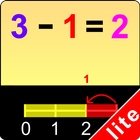
This program uses the number line to help the student understand subtraction. For instance, if the problem is 9 - 3 = ?, the program will tell the student to click on the first number (9) and a yellow bar will highlight all the spaces on the number line up to the 9. The program will then tell the student to click on each of the next 3 numbers to the left of the 9. These 3 spaces will be highlighted in red, and will show that the answer to the problem is 6. After clicking on these two numbers, the student will be told to click on the Done button. This program subtracts only single-digit numbers.
Settings
Select Random Numbers
If this is selected, then the program will choose the numbers to be used in the problems.
Prompt with Blink
If this is selected, then student will helpful to choice the answer.
Display Numbers in Colors
If this is selected then the first number in the number statement will be displayed in yellow and the second number in red.
Command Text
If this is selected then the verbal instructions given by the program voice will appear at the bottom of the screen.
Congratulatory Animation
This box is checked by default. This is available only for the “Training” mode. When this is checked, clicking the correct number invites a congratulatory animation. This animation runs for ten seconds. Click anywhere on the screen or press the space bar to stop the congratulatory animation.
Select All
If this is selected, then any and all of the numbers in this box will be used. To deselect this choice, click it again and selection will be ended.
Back
Click on the “Back” button to close “Subtraction Using Number Line” or return to the previous page.
Dernière version
1.1Telechargé par
Sairam Reddy
Nécessite Android
Android 4.0+
Catégories
Gratuit Enseignement APPLICATIONClassification du contenu
Everyone
Signaler
Signaler comme inappropriéLast updated on Apr 17, 2016
This new updated version provides a full screen display regardless of the size of the devices.



APKPure - Une boutique d'applications multi-plateforme principalement axée sur Android, offrant un vaste contenu lié aux applications. Découvrez l'application que vous souhaitez plus facilement, plus rapidement et en toute sécurité, avec des téléchargements et des installations rapides et efficaces.




















![Comment télécharger la dernière version de Google Play Store APK 42.0.20-23 [0] [PR] 654119317 pour Android 2024](https://image.winudf.com/v2/image/YWRtaW5fR29vZ2xlLVBsYXktU3RvcmUtNi4xLjEyLUFQSy5wbmdfMTUxMzA2Nzg1ODQzOQ/banner.jpg?fakeurl=1&w=192)


