
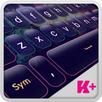
Violet is a true color, according to optics and it is obtained from a mixture of blue and red. Unlike purple, which is closer to red, violet is closer to blue and it has its name from the violet flower. The violet dye was made out of murex and purpura snails and the process was very expensive, so that is why robes of those colors were reserved exclusively for aristocracy. Violet is a very strong color, with powerful spiritual connotations. People who love to search the truth and knowledge beyond mundane life have violet auras. This color encourages deep and insightful thoughts or makes you dream and surpass the limits of your imagination. A violet sky full of bright stars is just beautiful. If you love this color and all its meanings, then you can now customize the keyboard of your devices with the new Keyboard Plus Violet theme. Download this enchanting Keyboard Plus Violet theme and engage in a whole new level of texting!
I need help applying a Keyboard Plus theme. How do I do it?
To apply a Keyboard Plus theme, you need to follow these 3 simple steps:
1 download Keyboard Plus Violet from the Google Play store
2 open the Keyboard Plus Violet theme
3 press the Activate button from the Keyboard Plus Theme Manager
All of our themes come with custom fonts that match the style of the theme. Don't worry about anything, the special font will be displayed automatically after you apply the theme. This theme uses a free Google Font™: http://www.google.com/fonts/specimen/Puritan
New layouts for various languages coming soon.
Have something to tell us? For suggestions or bugs, contact us at thememasters1@gmail.com and we will reply faster than you can say Violet !
Can I change the size of the font?
Yes, from the Quick Settings tab (the 5th button from the option bar), you can control the Keyboard Size from the 3 possibilities: S - small, M - medium and L - large.
Dernière version
1.0.5Telechargé par
Oppa Paul
Nécessite Android
Android 4.2+
Catégories
Gratuit Personnalisation APPLICATIONClassification du contenu
Everyone
Signaler
Signaler comme inappropriéLast updated on Nov 12, 2018
Cette version comprend des corrections de bugs mineurs et des améliorations générales. Installez la dernière version pour profiter d’une expérience optimale.



APKPure - Une boutique d'applications multi-plateforme principalement axée sur Android, offrant un vaste contenu lié aux applications. Découvrez l'application que vous souhaitez plus facilement, plus rapidement et en toute sécurité, avec des téléchargements et des installations rapides et efficaces.























![Comment télécharger la dernière version de Google Play Store APK 42.0.20-23 [0] [PR] 654119317 pour Android 2024](https://image.winudf.com/v2/image/YWRtaW5fR29vZ2xlLVBsYXktU3RvcmUtNi4xLjEyLUFQSy5wbmdfMTUxMzA2Nzg1ODQzOQ/banner.jpg?fakeurl=1&w=192)


