Scan Date:May 6, 2026
Show More
If you have comments and feedback, please send an email to joinsmithtwo@gmail.com, I will solve these problems
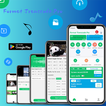
It supports converting MP4 to MP3, trimming video length, internal video cropping, and composing your own video and music without any third-party watermarks. You can quickly extract MP3 songs from videos and select third-party songs to write into video files.
● Video conversion supports multiple formats.
● Audio clipping and audio format conversion.
● Multiple videos can be connected.
● Modify the video cover.
● Add a custom watermark to the video.
● Supports video formats such as MP4, MKV, FLV, AVI, WMV, M4V, TS, MOV, ASF, VOB, MPEG, RM, GIF, etc.
● Supports audio formats such as MP3, WAV, WMA, M4A, ACC, FLAC, etc.
● Video trim and video crop.
● Quickly dub videos.
● Modify the video MD5 value.
● Share video and audio files with third-party apps.
● Video mirroring processing.
● Mobile video recording and audio recording, support internal audio recording and microphone recording.
● video compressor
● video to gif
● Support modification of different video resolution bitrates.
● Support bitrates such as 32kb/s, 64kb/s, 128kb/s, 192kb/s, 256kb/s, 320kb/s, etc.
● Support third-party music writing into video files.
● Screen recording supports manual setting of different resolutions, bitrates, and frame rates.
● Support multi-file video speed change
Video trimmer and video cutter
With this video cutter, you can quickly trim and cut video files to get your favorite video clips. Then, you can extract music from the video. Of course, you can also add your own watermark to the video file.
Audio trimmer
MP3 video converter is also a powerful audio trimmer and ringtone maker. It is designed for editing, clipping, and sharing video to audio.
MP3 video converter
This video editor is powerful and easy to use, and can export and save the generated audio as music, so you can listen to high-quality MP3 songs on your phone.
video compressor
Quick and Easy Compress Video Size
Universal media converter
A great tool with multiple functions such as video trimmer, MP3 trimmer, audio editor, video connector, video dubbing tool, MP4 to MP3 converter, watermark adder, etc.
Video player and audio player
Supports previewing and playing video and audio files, and can also be used as a local media player.
Screen recorder and audio recorder
Can be used for mobile video recording and audio recording, supports writing without audio, microphone audio, and internal audio.
Fast multi-file video speed change
It is simple, powerful, and completely free
Latest Version
2.7.6Uploaded by
Joao Batista
Requires Android
Android 7.0+
Category
Free Tools AppContent Rating
Everyone
Security Report
Report
Flag as inappropriateLast updated on May 6, 2026
app-version(2.7.6)update: --Fixed the issue of .vob, .amv, and .rm format videos failing to save.--



APKPure - A multi-platform app store primarily focused on Android, providing extensive app-related content. Discover the app you want easier, faster, and safer, with quick and efficient downloads and installations.