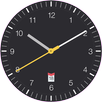
This is a home screen clock widget, ported from Roman Nurik's gorgeous FORM Watch Face for Android Wear.
The widget uses the typeface design for FORM, Google's first design conference. For more on FORM, see http://google.com/design/form
In the companion settings app you can choose your widget colours or let the widget colour itself based on your current wallpaper. On Android Kitkat and above, you can choose to have the widget animate when the time changes. Please note that enabling animation may cause performance issues including increased battery consumption!
Muzei is fully supported!
Please make sure the widget is installed to internal memory - Android will not recognise widgets installed on an external SD card.
FORM typeface and animations thanks to the great work of the UXA team at Google. Thanks to Roman Nurik for his watch face - available at https://play.google.com/store/apps/details?id=net.nurik.roman.formwatchface - and his source code.
This app and widget are open source. The code is available from https://github.com/beatonma/FORMClockWidget
If you want to make suggestions for new features, post your favourite configuration, see the latest change log, or get help with any problems, please see my Google+ community at https://plus.google.com/u/0/communities/113955537219140914914
Latest Version
2.0.2Uploaded by
محمد الجابري
Requires Android
Android 4.2+
Category
Free Personalization AppContent Rating
Everyone
Report
Flag as inappropriateLast updated on Mar 17, 2016
v2.0 (February 2016):
Rebuilt from the ground up!
- Optimised widget rendering code.
- Muuuuuch more flexible colour options.
- Flexible new date/time formatting options.
- New option to change widget layout depending on device orientation.
- You can now choose more than one app shortcut for when you touch the widget.
- New option to change colour-syncing frequency.
- Added links to make giving feedback easier - let me know of any problems!
- Please see in-app change log for full details.



APKPure - A multi-platform app store primarily focused on Android, providing extensive app-related content. Discover the app you want easier, faster, and safer, with quick and efficient downloads and installations.