Pro version of Fire Shifts, a customizable Fire and EMS Shift Calendar. Syncs with Google Calendar to display certain symbols on your Fire Shifts Calendar.
**Galaxy S5 **
If you have the Galaxy S5, the menu button is missing from your phone. You need to hold down for a few seconds the left button and the menu will come up.
**end Galaxy S5 **
A customizable Fire and EMS Shift Calendar.
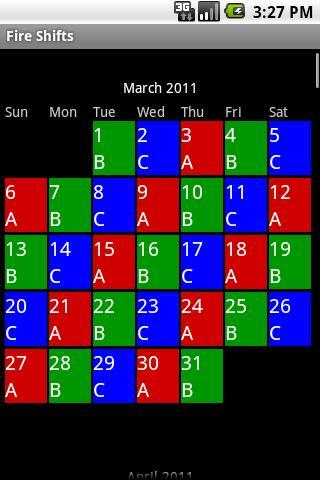
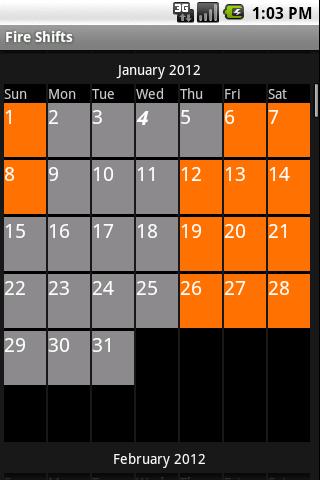
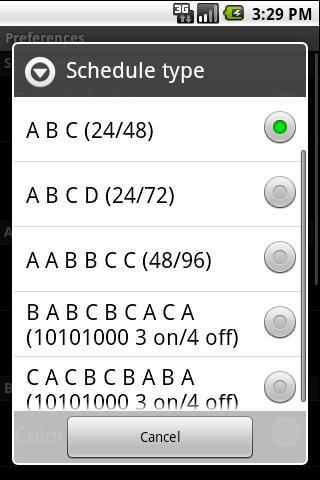
Easily select various shift types such as 24/48 (ABC), 48/96 (AABBCC), etc. Customize labels and colors for each of your shifts to easily highlight your personal schedule. Visit www.fireshifts.com to see a full list of scheduling options.
The symbols appear on your Fire Shift Calendar by putting certain words in your event title on your Google Calendar:
Trade Off = To
Trade Work = Tw
Training = T
Payday = $
Vacation = V
Holiday = *
Appointment (or appt or appoint) = a
Overtime = ot
On Call (or oncall) = oC
Kelly Day = +
Debit Day (or debitday) = dd
Works indefinitely. No purchasing of yearly licenses, free updates, no subscriptions fees.
Feedback is appreciated: kevin@fireshifts.com
Type & Offset for requested cities are listed here:
http://www.fireshifts.com/type-offset/
Tutorial for Calendar sync here:
http://www.fireshifts.com/about/
Latest Version
2.0.3Requires Android
6.0
Category
Productivity AppContent Rating
Everyone
Report
Flag as inappropriateLast updated on Oct 30, 2025
Minor bug fixes and improvements. Install or update to the newest version to check it out!


APKPure - A multi-platform app store primarily focused on Android, providing extensive app-related content. Discover the app you want easier, faster, and safer, with quick and efficient downloads and installations.