
Fingerprint Lock Screen Prank suits users who want to play a harmless trick and customize the lock experience. It imitates a fingerprint scan for laughs while working as a simple lock screen. You tap the scanner and then long press to unlock, which makes the action feel familiar. Because it is a simulation, it does not read or store biometric data. To install and set up, use the Fingerprint Lock Screen Prank APK and follow the prompts in the app.
Simulated scanner with long press unlock
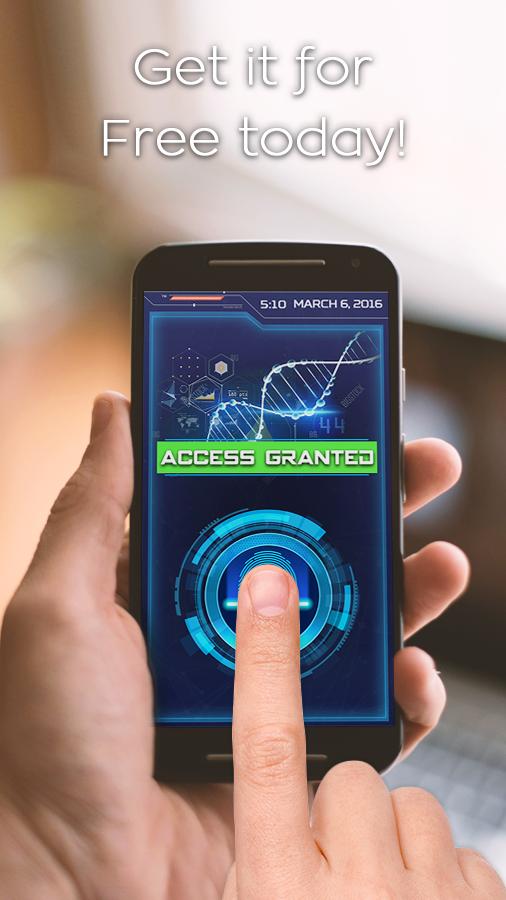
First, Fingerprint Lock Screen Prank uses a fake scanner and requires a tap then long press to open the screen. This routine makes the prank look convincing while keeping the device from being unlocked by a single touch. It never reads or stores fingerprints and functions only as a simulation.
Graphics, sounds and themes
Lock screen info display
Additionally, the lock view shows a digital clock with date and time, so you can check essential information without unlocking. Text and layout are kept clear for quick reading.
Home button handling and guidance
Finally, while the lock screen is active, the app can disable the home button to reduce quick bypass attempts. Clear on screen tips guide each step, from enabling the lock to using the scanner. Availability of options may vary by device and Android version.
Fingerprint Lock Screen Prank combines a playful fake scanner with a practical lock view that shows time and date. It does not read real fingerprints, so use it for jokes and basic screen control only. To try it on your device, download Fingerprint Lock Screen Prank and follow the in app guide.
Latest Version
4.4Uploaded by
Coraleen De Roubaix
Requires Android
Android 4.0.3+
Category
Free Entertainment AppContent Rating
Everyone
Report
Flag as inappropriateLast updated on Mar 12, 2018
This release includes minor bug fixes and general improvements. Update to the latest version for the best experience.




APKPure - A multi-platform app store primarily focused on Android, providing extensive app-related content. Discover the app you want easier, faster, and safer, with quick and efficient downloads and installations.