Package Name:dev.markgroup.face2watch
SHA-256:10adda97ebc0c988fa5e35c8546d6eea75f34c43119069f19b1ee6352d2fd604
Show More

Face2Watch is a watch face and smartwatch dial converter for Android.
The app helps you open, inspect, preview, convert and edit watch face files directly on your phone. It is built for users who work with smartwatch dials and need a focused tool for changing formats, checking compatibility and preparing files for different watch platforms.
Supported conversion formats include:
• GloryFit BIN
• HDFit BIN
• FitCloud BIN, including TBUI and PUSH
• TiBo TBWF
GloryFit, HDFit, FitCloud and TiBo formats can be read and written. Amazfit support is currently experimental and read-only in the Android app.
Main features:
• Convert watch faces and dials
Convert supported smartwatch dial files between available target families, versions and file types.
• Inspect watch face files
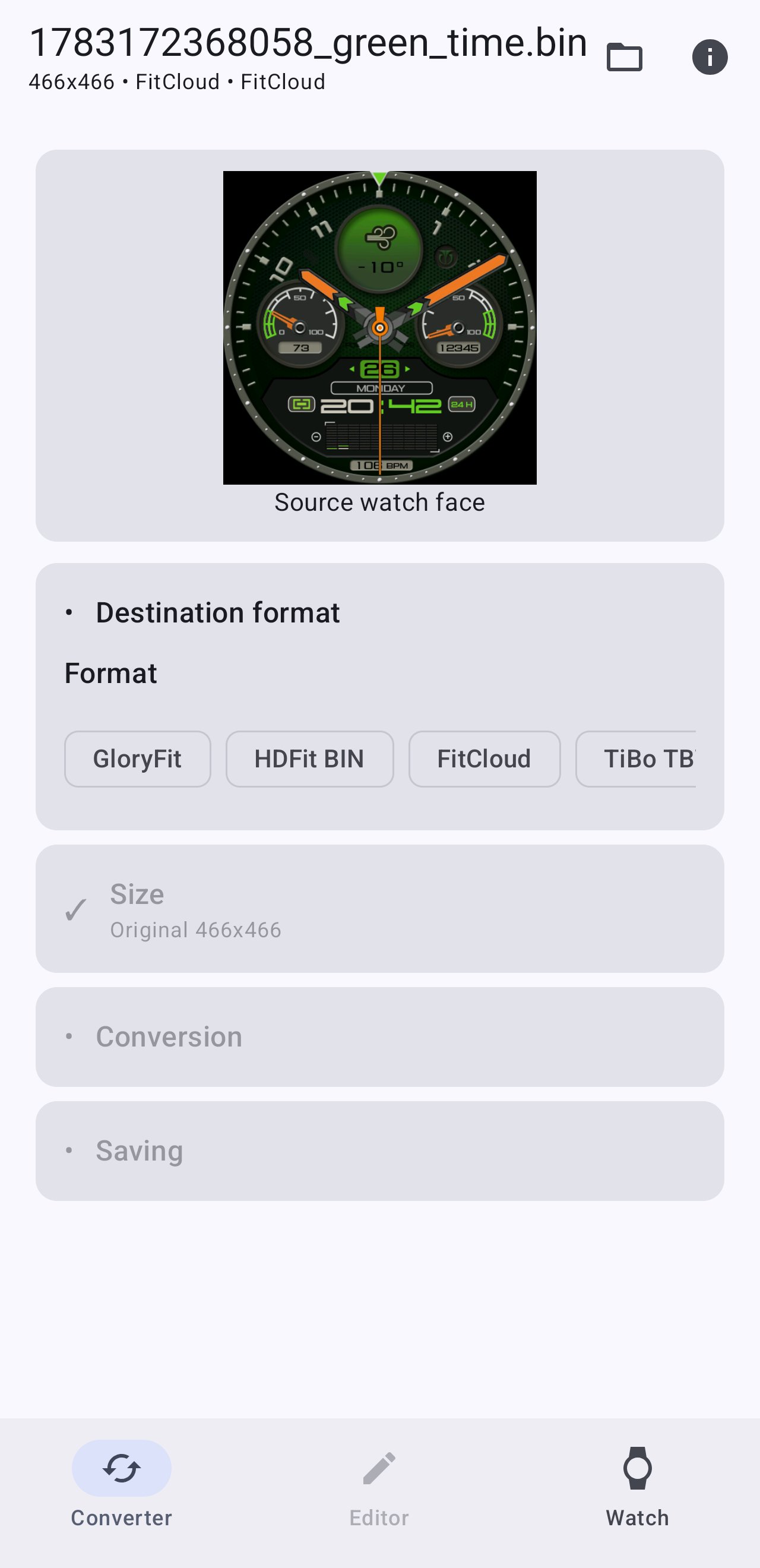
Check the detected format, version, resolution, file size, image count, component count and other useful metadata before conversion.
• Preview before export
Render a preview of the source or converted watch face so you can check the result before saving.
• Compatibility analysis
Face2Watch shows unsupported, unrecognized or limited elements before export. This helps you understand which parts of the original dial may not transfer perfectly to the selected target format.
• Built-in editor
After conversion, open the prepared result in the editor, inspect components and frames, move elements, hide preview layers or remove selected components before packing the final file.
• Resolution control
Keep the original watch face size when possible or choose a target resolution that matches the watch you are preparing the dial for.
• Export options
Use practical pack options such as static layer optimization, frame trimming and TBUI single-frame hand expansion when the target format needs them.
• Save converted files
Export the converted watch face file to your Android device for later use.
Face2Watch is useful for converting smartwatch watch faces, adapting dials for different formats, inspecting BIN and TBWF files, previewing layouts, and preparing watch face files with better control over the final result.
Experimental features may be available for direct watch upload on selected devices, but the main purpose of the app is watch face conversion and editing.
Latest Version
0.3.2Uploaded by
احمد السنى
Requires Android
Category
Free Tools AppContent Rating
Everyone
Security Report
Check Now
Report
Flag as inappropriateLast updated on Aug 25, 2026
Minor fixes





APKPure - A multi-platform app store primarily focused on Android, providing extensive app-related content. Discover the app you want easier, faster, and safer, with quick and efficient downloads and installations.