
QR Code Pro is a tool to scan or create QR Codes using the camera on your Android Smartphone.
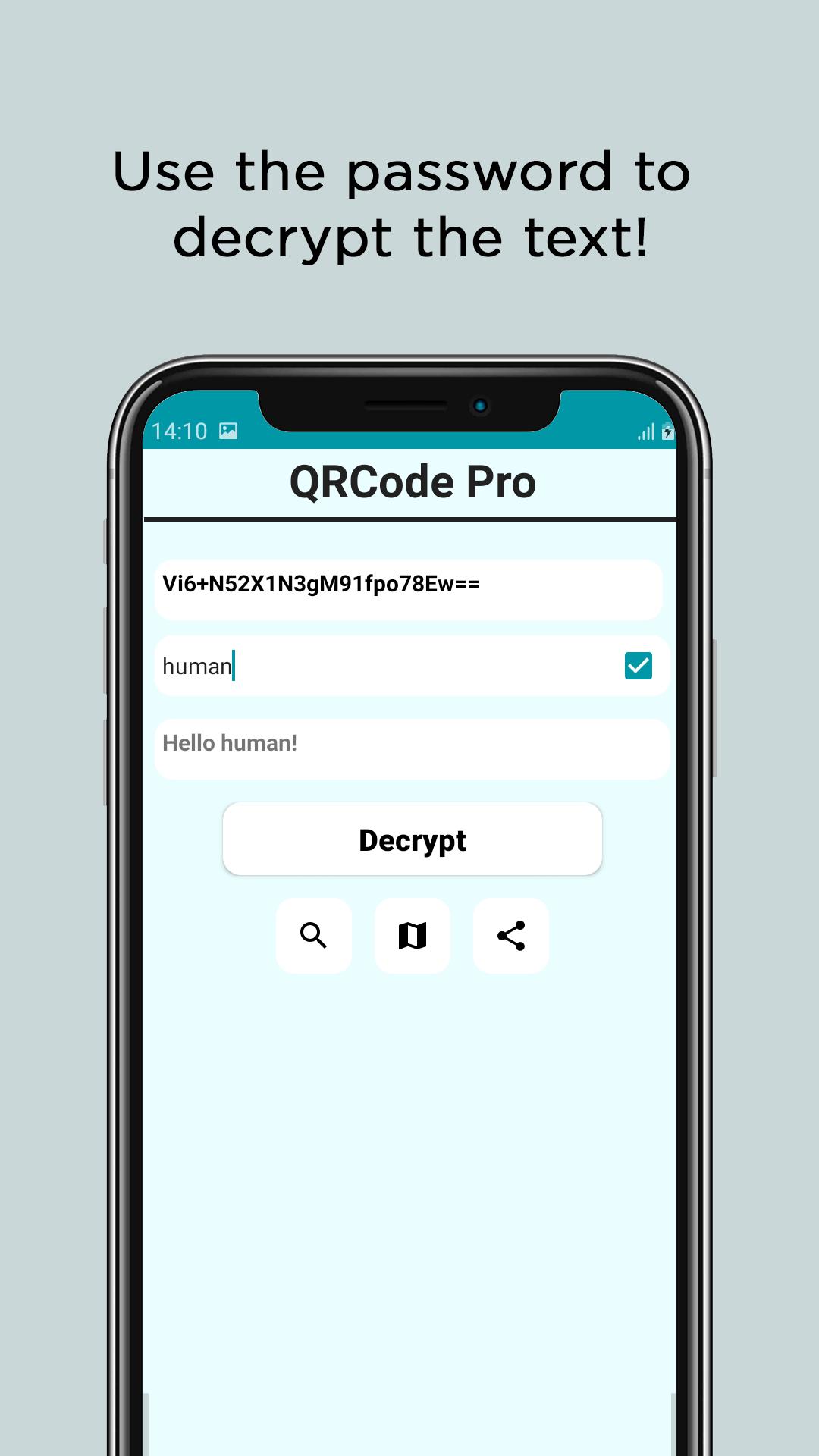
Unlike other QR Code creating/scanning apps, this has a unique way of creating secured QR Codes using the power of encryption. Simply create a new QR Code and encrypt it using a password which here will act as a key and can only be used to decry-pt the secured QR Code. You can create Password protected - highly encrypted - secured QR Codes with this app.
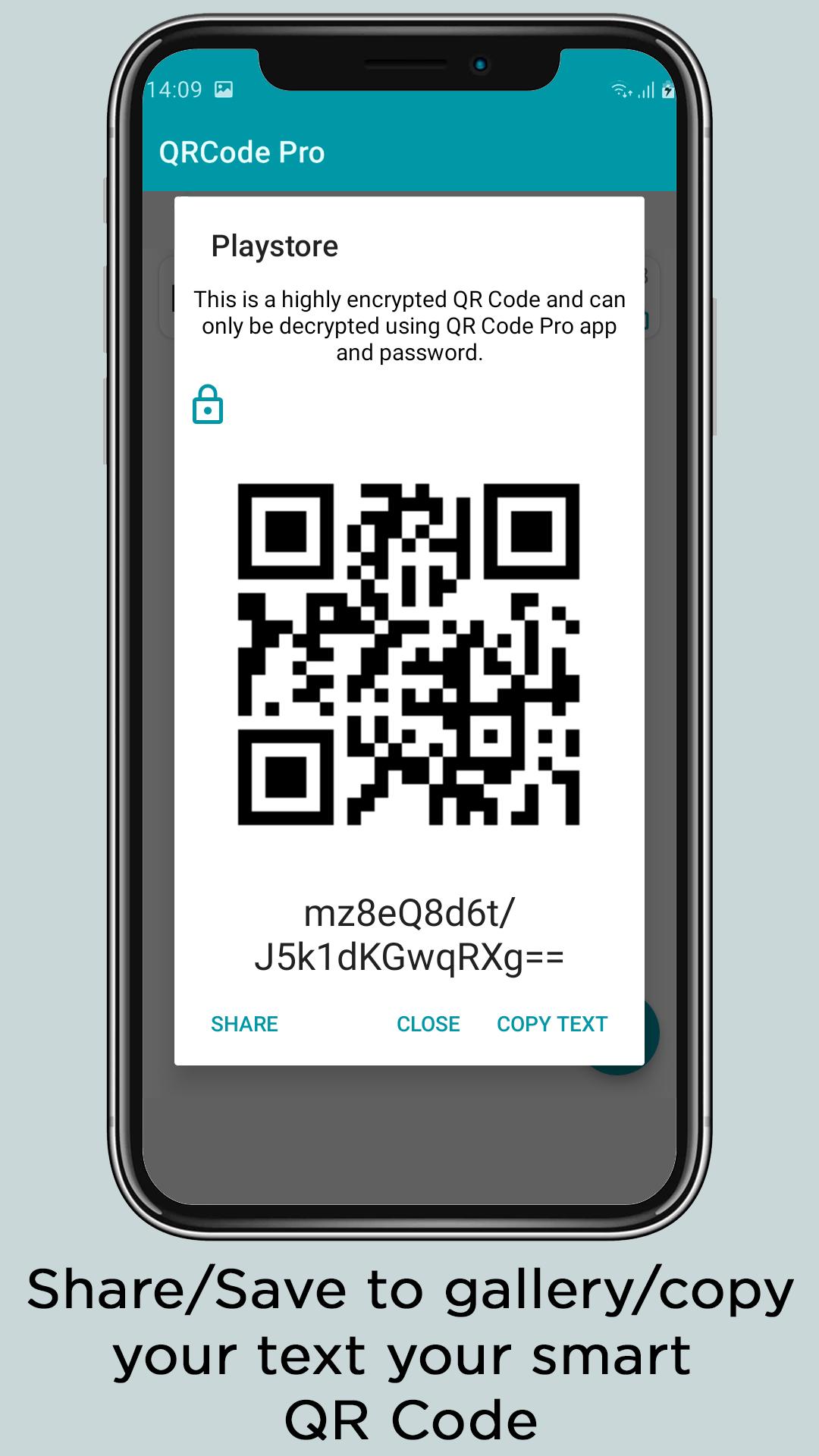
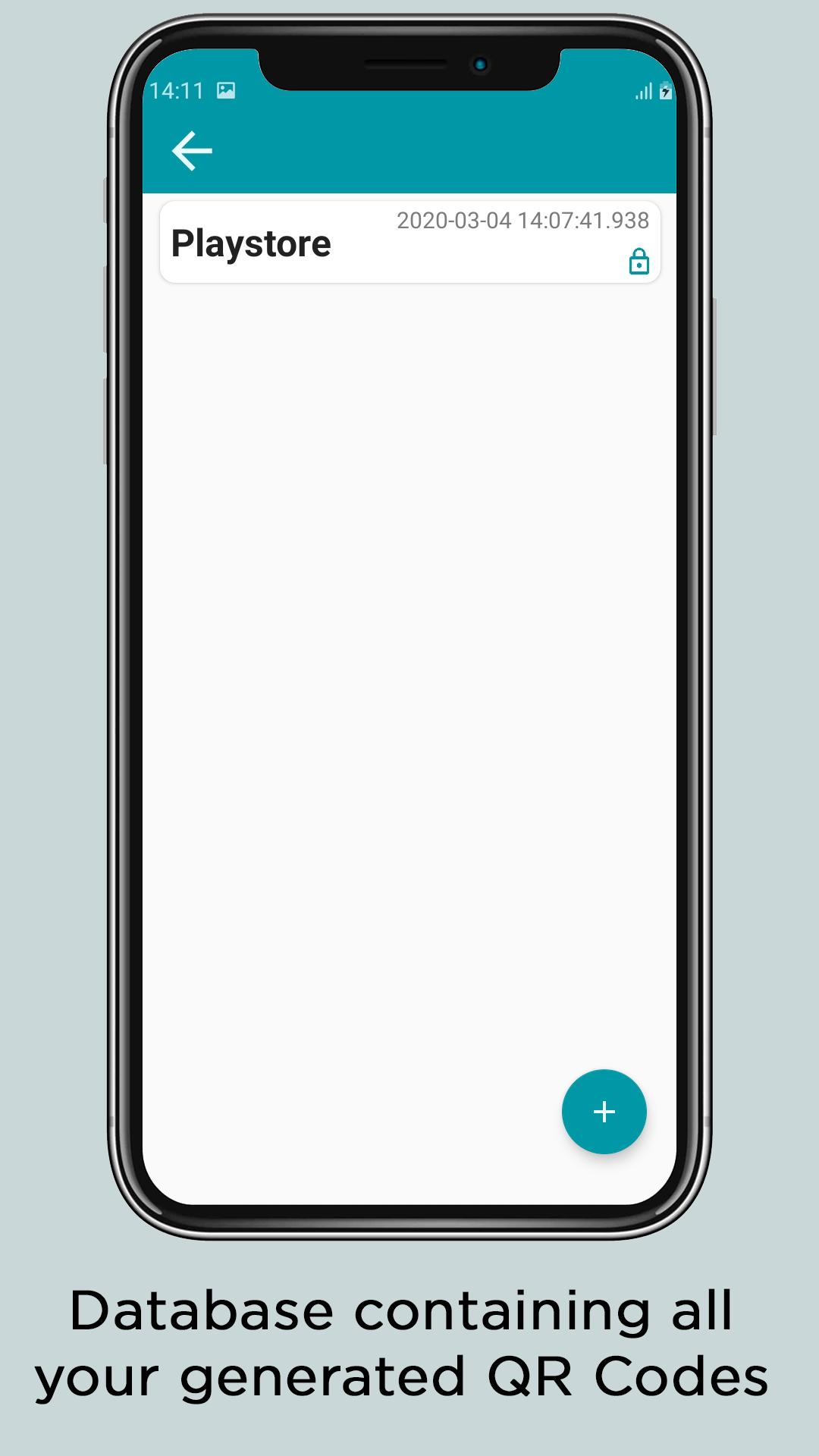
One can simply access the database and share/save the QR Code in jpeg format, the Secured version of QR Code will have a lock logo embedded into the image.
Key features: -
• All types of QR Code supported.
• Create & Scan secure QR Code using this awesome app.
• Very less ads(a way for us to keep making this app better).
• RAM management to keep the performance good.
• Highly encrypted QR Code generator which makes it secure to use.
• Flashlight supported.
How to use this app?
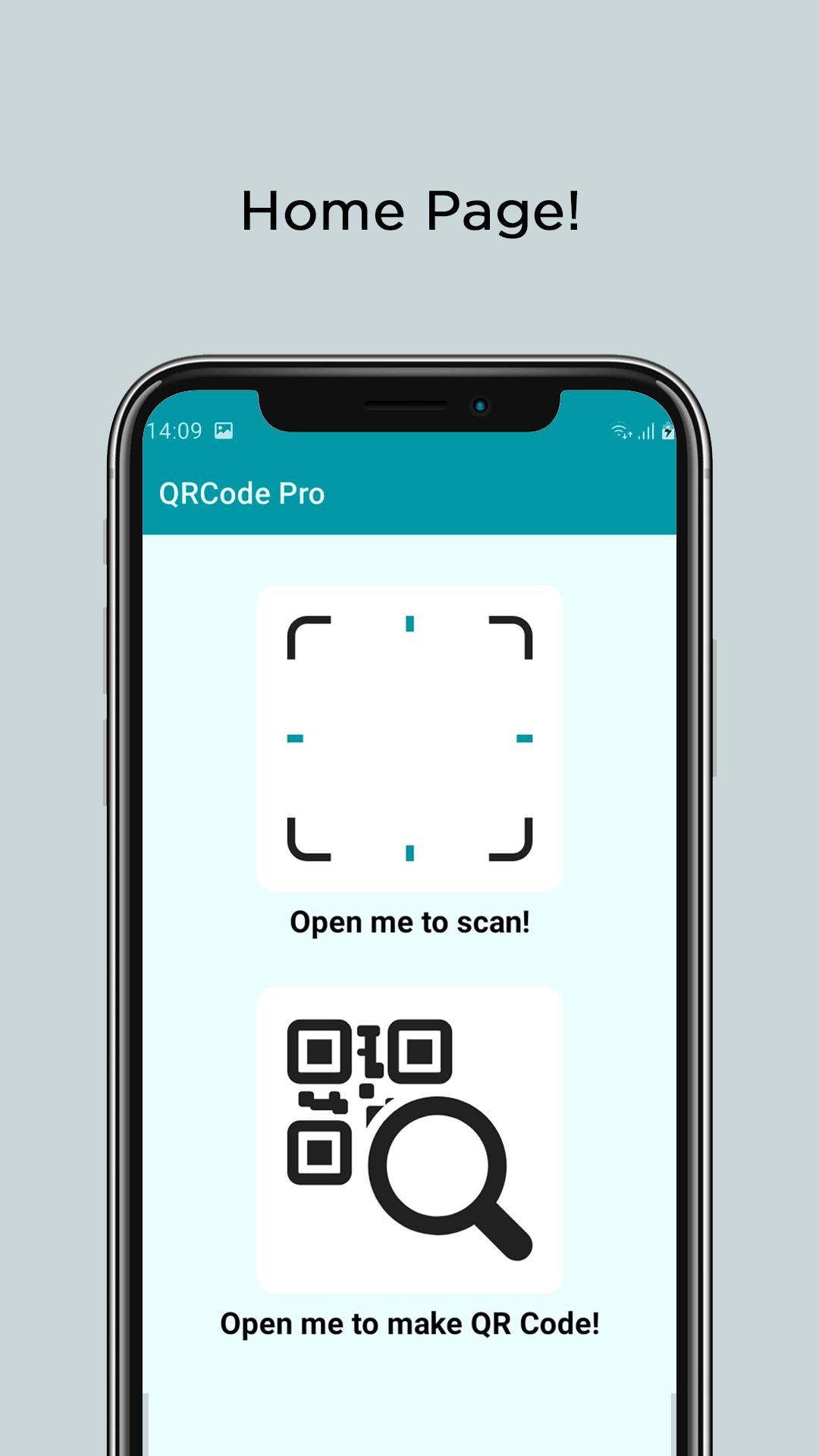
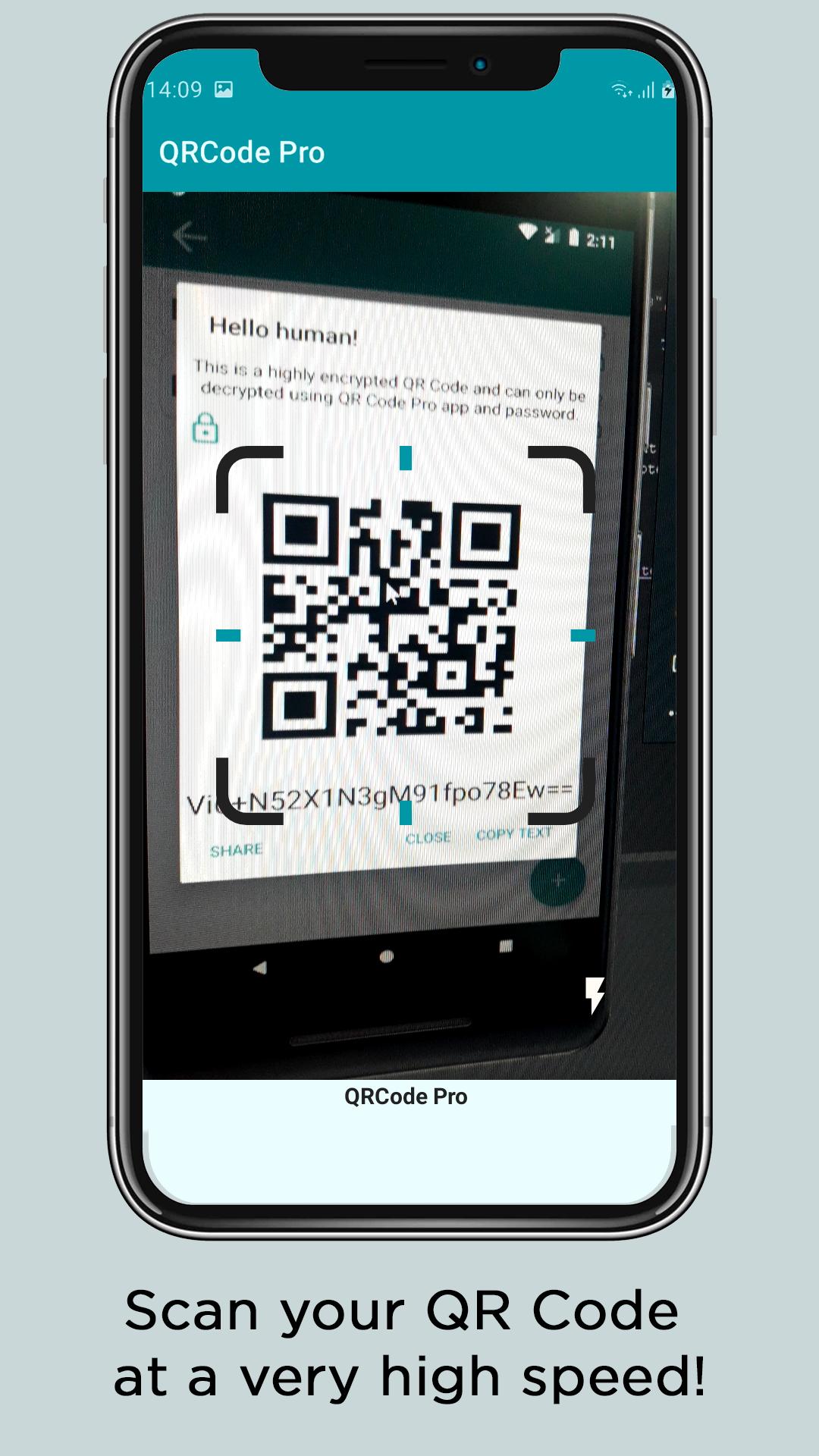
• To scan a simple QR Code:- Simply open the QR Code Pro app --> Click on the first button --> Point the phone towards a QR Code.
• To scan a Secured QR Code:- Follow all the above steps --> Enter the password in the password field --> Click on decry-pt button and it will show the QR Code data.
• To create a simple QR Code:- Simply open the QR Code Pro app --> Click on the second button --> Click on the plus button (+) in the bottom right corner --> Enter a name for it (it will help you remember it in future --> Enter the data which you want to generate the QR Code of --> Click Done/ok.
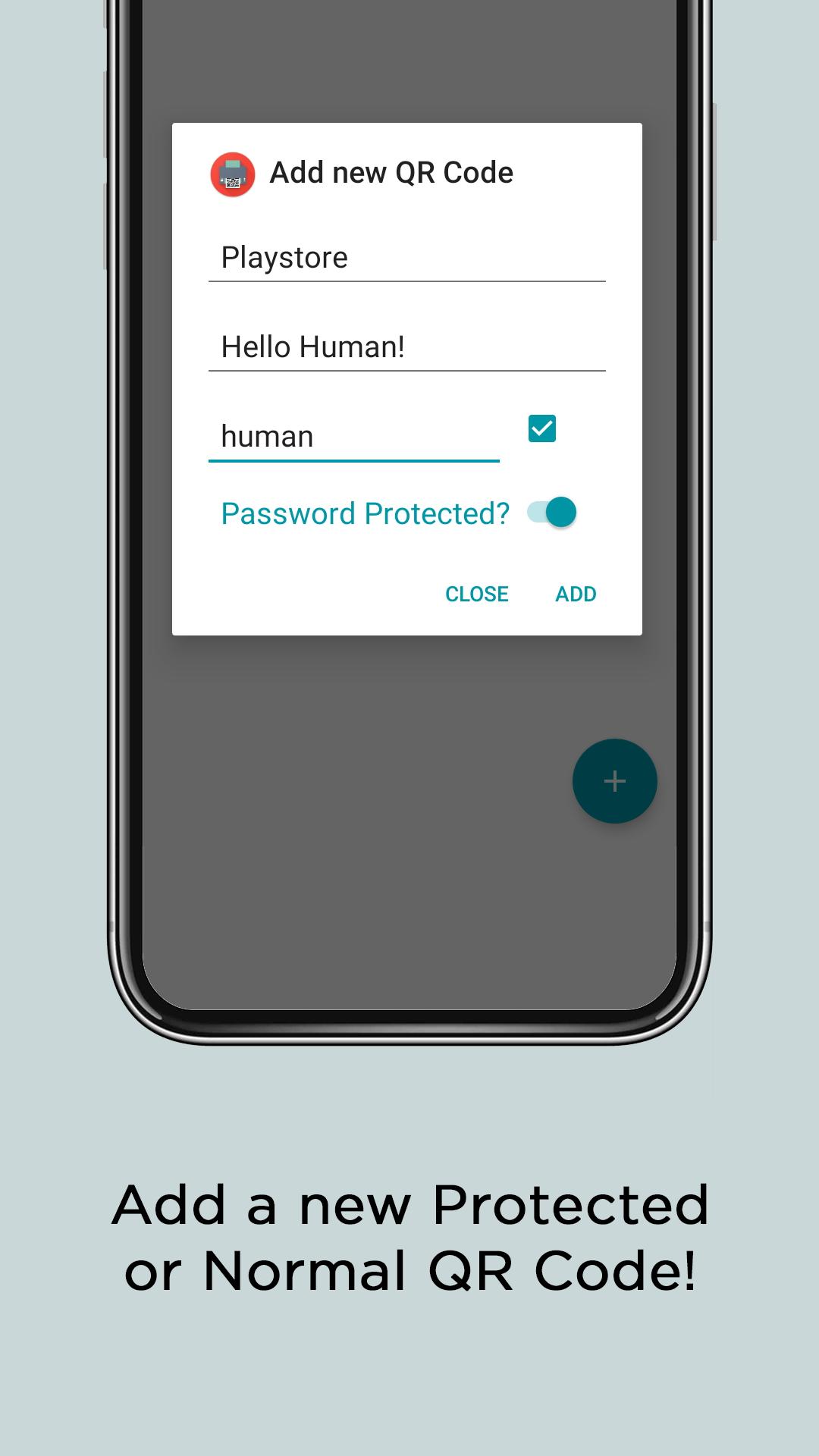
• To create a Secured/Protected QR Code:- Simply open the QR Code Pro app --> Click on the second button --> Click on the plus button (+) in the bottom right corner --> Enter a name for it (it will help you remember it in future --> Enter the data which you want to generate the QR Code of --> Touch the switch saying "Password Protected" --> Enter a password --> Click Done/ok.
Note: Don't use huge text inputs as it will get hard for the camera to read the QR Code.
Disclaimer or other information:-
• All the assets used in this app are either made by the developer or are copyright free.
• These QR Codes are highly secured but there are great mathematician who can decode anything.
• Do contact us at the given details for more information/suggestions (We reply fast).
• We totally welcome your suggestions so do tell us on the given Email.
• Do checkout our privacy policy for more information.
آخرین نسخه
1.3.2بارگذاری شده توسط
Marvin Ganan
نیاز به اندروید
Android 5.0+
دسته بندی
رایگان برنامه ابزاررتبهبندی محتوا
Everyone
گزارش
گزارش محتوای نامناسبLast updated on 10/12/2021
- Bug fixes


APKPure - یک فروشگاه برنامه چند پلتفرمی که در درجه اول روی Android متمرکز شده و محتوای گسترده مربوط به برنامه را ارائه می دهد. برنامه مورد نظر خود را آسانتر ، سریعتر و ایمن تر با بارگیری و نصب سریع و کارآمد کشف کنید.