Do you find it difficult to type, copy/paste long sentences or lengthy URLs on your Android smartphone or tablet?
Would you rather prefer using a PC keyboard to type?
What is Network Keyboard?
Network Keyboard enables you to type on the android device using a browser on your computer. All you need are:
• Network Keyboard installed on the device
• Access to Wi-Fi network to which your device is connected
How to use Network Keyboard?
1. Download Network Keyboard
2. Go to Settings and Language and Inputs
3. Under Keyboards and Input methods, select Network Keyboard
4. Tap on Default and select Network Keyboard
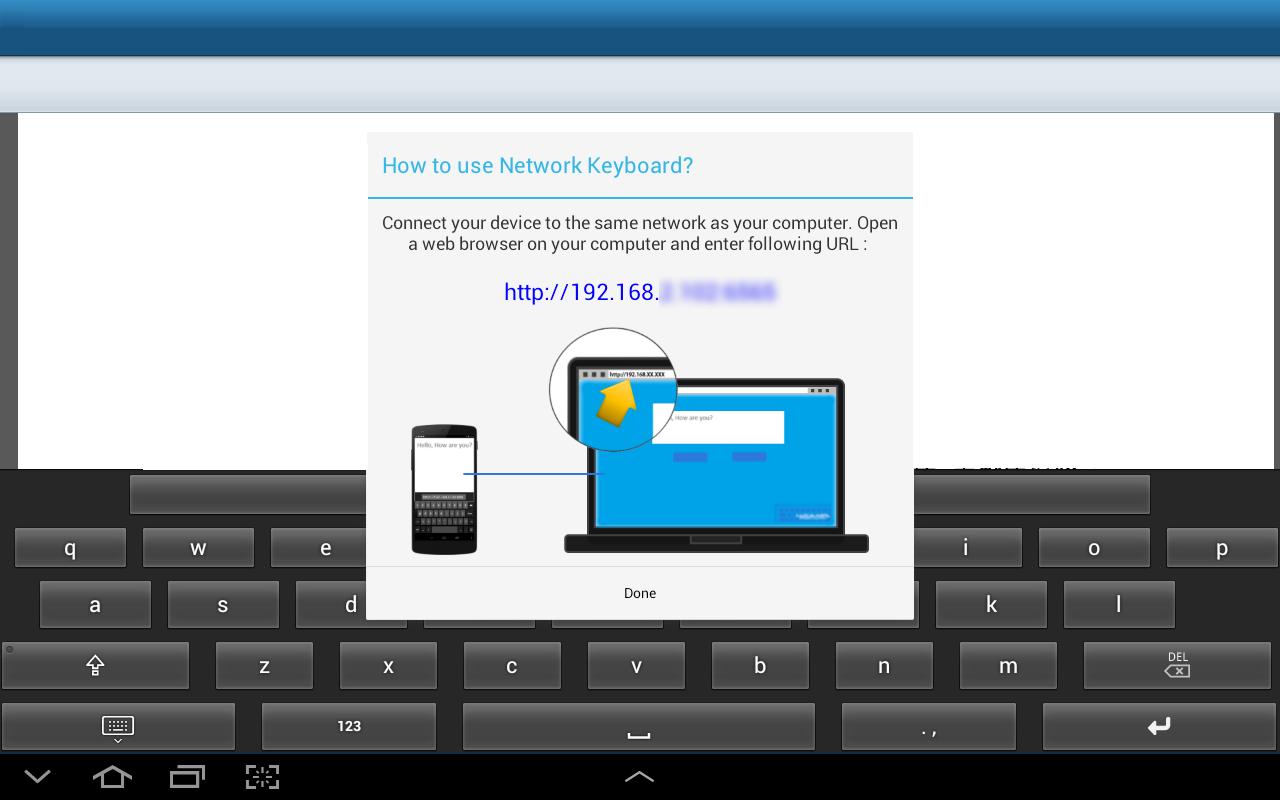
5. Now whenever the keyboard will appear, you will see the device IP Address
6. Type this IP Address on any browser on the PC, use your User ID and Password to login (if configured)
7. Use given space to type and see the same being typed in your device
Network Keyboard also maintains History of typed content of the running session for you. You can copy/paste old text again on the device.
آخرین نسخه
1.0بارگذاری شده توسط
Sebastiano Costanzo
نیاز به اندروید
Android 3.0+
دسته بندی
رایگان برنامه انتظام کاررتبهبندی محتوا
Everyone
گزارش
گزارش محتوای نامناسبLast updated on 06/11/2015
این نسخه شامل رفع اشکالات جزئی و بهبودهای عمومی است. برای بهترین تجربه، برنامه را به جدیدترین نسخه به


APKPure - یک فروشگاه برنامه چند پلتفرمی که در درجه اول روی Android متمرکز شده و محتوای گسترده مربوط به برنامه را ارائه می دهد. برنامه مورد نظر خود را آسانتر ، سریعتر و ایمن تر با بارگیری و نصب سریع و کارآمد کشف کنید.






