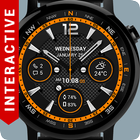
★★★ Interactive Watch Face! for Android Wear 5 ★★★
★★★ New tap features (Only for Android Wear 1.3!): ★★★
✔ Tap on every indicator
✔ Stopwatch
✔ Read unread messages and missed calls
✔ Shortcut to Google Maps
✔ Shortcut to Google Keep
✔ Shortcut to Alarm
★★★ Features: ★★★
✔ Background textures (plastic, metal, carbon, leather, wood)
✔ 3 watch hands
✔ 3 weather providers
✔ Animation
✔ Custom colors
✔ Missed calls
✔ Unread messages
✔ Hour, Date, Month
✔ Compass (Note! The compass sensor is disabled by default)
✔ Weather
✔ Daily step counter
✔ Watch and phone battery indicator
✔ 24 hour indicator
✔ Digital watch battery indicator
✔ Analog watch battery indicator
✔ Digital phone battery indicator
✔ Analog phone battery indicator
✔ Missed calls and unread messages in one indicator
★★★ Configuration: ★★★
✔ Choose colors
✔ NEW! Screen time configuration
✔ Change hour format
✔ Choose between all 10 indicators
✔ NEW in configuration: change information in 3 positions
✔ Enable/disable compass
✔ Enable/disable smooth seconds (reduces battery life)
✔ Weather update time
✔ Simple and full ambient mode
★★★ Tip ★★★
✔ Sometimes you need to wait longer for transfer to watch
✔ If the watch face is not shown on your watch after few minutes, to try re-sync or follow these steps:
1. Disconnect devices (watch and phone)
2. Uninstall the watch face
3. Restart watch and connect device again
4. Then finally install the watch face
★★★ NOTE: Compass won't work on Moto 2 gen due to lack of a magnetic sensor. ★★★
★★★ Compass calibration: ★★★
✔ Move the watch slowly, 5 seconds per full rotation is ok
✔ Rotate the watch three full cycles around the axis pointing upward
✔ Rotate the watch three full cycles around the axis pointing away from you
✔ Rotate the watch three full cycles around the axis pointing right
✔ The direction of rotation doesn't matter
★★★ To install: ★★★
1. After install run 'Resync app' on Android Wear App.
2. Long press your android wear watch and choose RichFace Dynamic as you watch face
Best look and feel on round watches
آخرین نسخه
Varies with deviceنیاز به اندروید
دسته بندی
برنامه شخصی سازیرتبهبندی محتوا
Everyone
گزارش
گزارش محتوای نامناسبLast updated on 10/05/2017
Minor bug fixes and improvements. Install or update to the newest version to check it out!



APKPure - یک فروشگاه برنامه چند پلتفرمی که در درجه اول روی Android متمرکز شده و محتوای گسترده مربوط به برنامه را ارائه می دهد. برنامه مورد نظر خود را آسانتر ، سریعتر و ایمن تر با بارگیری و نصب سریع و کارآمد کشف کنید.













