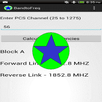
The droidRFTool for GSM allows the user to see what the current GSM RF levels are for their device. The RF levels monitored are the bit error rate and the signal strength. The levels are color coded to give a visual cue to the quality of the signal (green, yellow green, yellow, red). Where Red is the worst. The tool also displays the users current location and the (location and ID of the tower ) currently being utilized by the device. By pressing the save file button, the user can create a record of RF values by location. The record requires the user to be moving and records data approximately every 50 feet moved. The data is stored in a coma-delimited file (*.CSV) and a Google Maps file (*.KML) on the device in the user storage area. The file can then be transferred or emailed and can be used in a spreadsheet program for evaluation. Each new file is named starting with “GSM” and has the date and time stamp at the time the recording was started. If the record file button states “Your GPS is not on!”, pressing the button will take you to the GPS settings screen to allow you to turn on you GPS.
GSM RF Tool GPS KML
آخرین نسخه
1.1.9بارگذاری شده توسط
Theo Renard
نیاز به اندروید
Android 2.1+
دسته بندی
رایگان برنامه ابزاررتبهبندی محتوا
Unrated · Warning – content has not yet been rated. Unrated apps may potentially contain content appropriate for mature audiences only.
گزارش
گزارش محتوای نامناسبLast updated on 23/12/2015
این نسخه شامل رفع اشکالات جزئی و بهبودهای عمومی است. برای بهترین تجربه، برنامه را به جدیدترین نسخه به



APKPure - یک فروشگاه برنامه چند پلتفرمی که در درجه اول روی Android متمرکز شده و محتوای گسترده مربوط به برنامه را ارائه می دهد. برنامه مورد نظر خود را آسانتر ، سریعتر و ایمن تر با بارگیری و نصب سریع و کارآمد کشف کنید.