
Most phones are big now, so sometimes it makes sense to rotate over to landscape mode
If that’s the case, you might want the screen to move along with you, so it’s a more natural experience
that matches how you’re holding the phone or tablet.
When this setting is enabled, the screen automatically rotates when you move your phone between portrait mode and landscape mode.
To allow Auto-rotate screen to rotate the screen according to the orientation of your device, or stop them from rotating
if you find them turning around while you lie in bed with your phone,
go to General turn on Start Auto-rotate screen. and also turn on start on boot to allow to android auto-rotate
to boot service automatique if you restart your android phone.
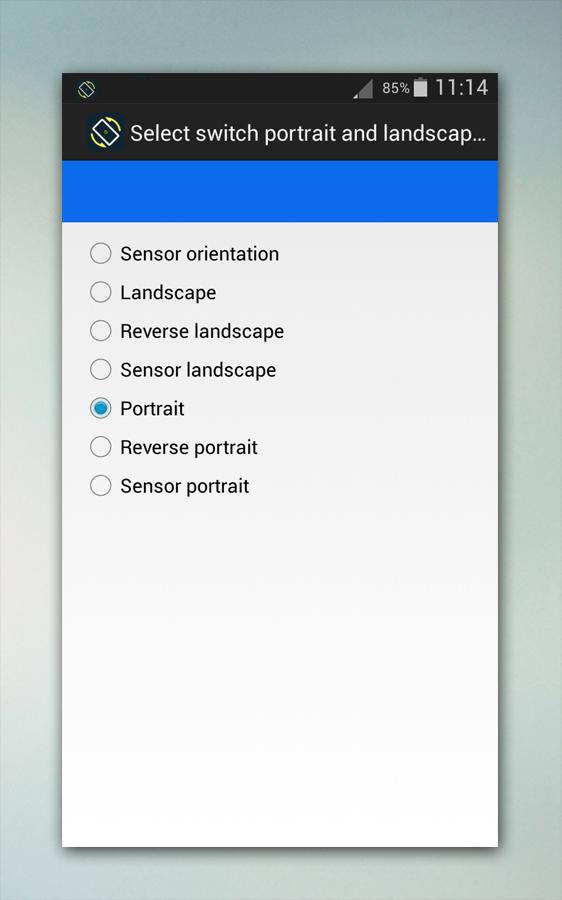
You can also control portrait, landscape, reverse portrait, reverse landscape four directions.
The accompanying rotation modes are available in Auto-rotate screen.
* Auto Rotation: screen orientation is controlled by a physical orientation sensor.
* Landscape: the screen is in a landscape rotation.
* Landscape (Reverse): the phone is in a landscape rotation; in the other way from normal landscape.
* Portrait (Reverse): the screen is in a portrait orientation; the other way from typical portrait.
* Landscape (Sensor): the screen is in a landscape orientation, however the sensor is utilized to alter course.
* Portrait (Sensor): the screen is in a portrait orientation, yet the sensor is utilized to alter course.
* Portrait: the screen is in a portrait orientation.
* Guard: this application maintain the other application from changing screen orientation.
Now when you turn your device you’ll see the app icons, search bar, and other details flip their position.
Features:
- True orientation lock, Set orientation to suit your needs.
- Quick access to force lock orientation from notifications. You can also configure your shortcuts.
- Support landscape on native launcher homescreen and lock screen!
note important!!
- Some modes may not be usable depending on the specification of your device.
- This app does NOT require root access.
- Certain applications might not display properly when forced to work on portrait/landscape. You can set a per application preference to normal auto or manual mode to workaround these
issues.
download Auto-rotate screen for free!! now
آخرین نسخه
2.1.0بارگذاری شده توسط
Ayu Mahrs
نیاز به اندروید
Android 2.3.4+
دسته بندی
رایگان برنامه ابزاررتبهبندی محتوا
Everyone
گزارش
گزارش محتوای نامناسبLast updated on 10/01/2017
این نسخه شامل رفع اشکالات جزئی و بهبودهای عمومی است. برای بهترین تجربه، برنامه را به جدیدترین نسخه به



APKPure - یک فروشگاه برنامه چند پلتفرمی که در درجه اول روی Android متمرکز شده و محتوای گسترده مربوط به برنامه را ارائه می دهد. برنامه مورد نظر خود را آسانتر ، سریعتر و ایمن تر با بارگیری و نصب سریع و کارآمد کشف کنید.