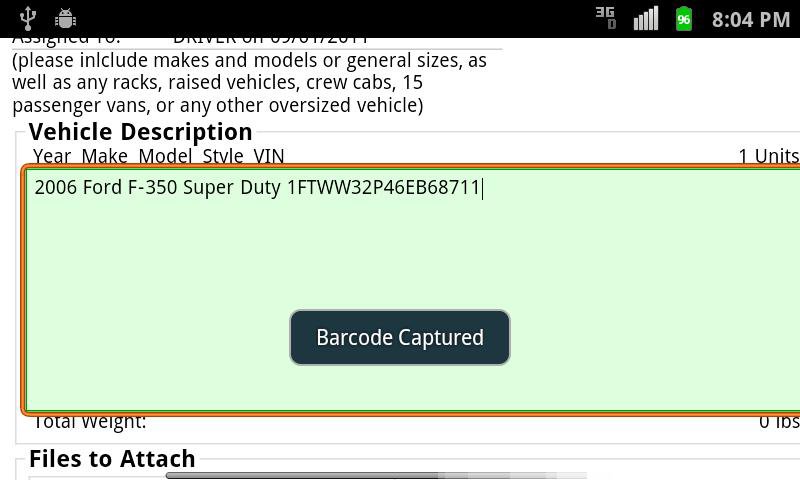
EZDispatch interface with VIN barcode scanning capabilities.
For EZDispatch users only!
Open scanner to capture barcode.
Long-touch the VIN entry window to bring up Paste window.
Once barcode is pasted, give enough time for the EZD site to detect the barcode.(verify complete code was pasted)
Latest Version
1.9Uploaded by
Thảo Đức
Requires Android
Android 2.2+
Category
Free Business AppReport
Flag as inappropriateLast updated on Feb 3, 2016
1.1 - Beta Release
1.2 - Small bugfix
1.3 - Corrected screen orientation, barcodes can be scanned anytime to be pasted once order is being viewed.
1.4 - Shows partial barcode recognized on the scanning screen. If you don't see this eventually(in green), then your scanning methods need to be improved(glare,focus,distance from barcode)
1.5 - added Auto-Paste into vehicles list(if an order is open), otherwise the scanned VIN will be retained on clipboard for pasting once an order is opened.


APKPure - A multi-platform app store primarily focused on Android, providing extensive app-related content. Discover the app you want easier, faster, and safer, with quick and efficient downloads and installations.