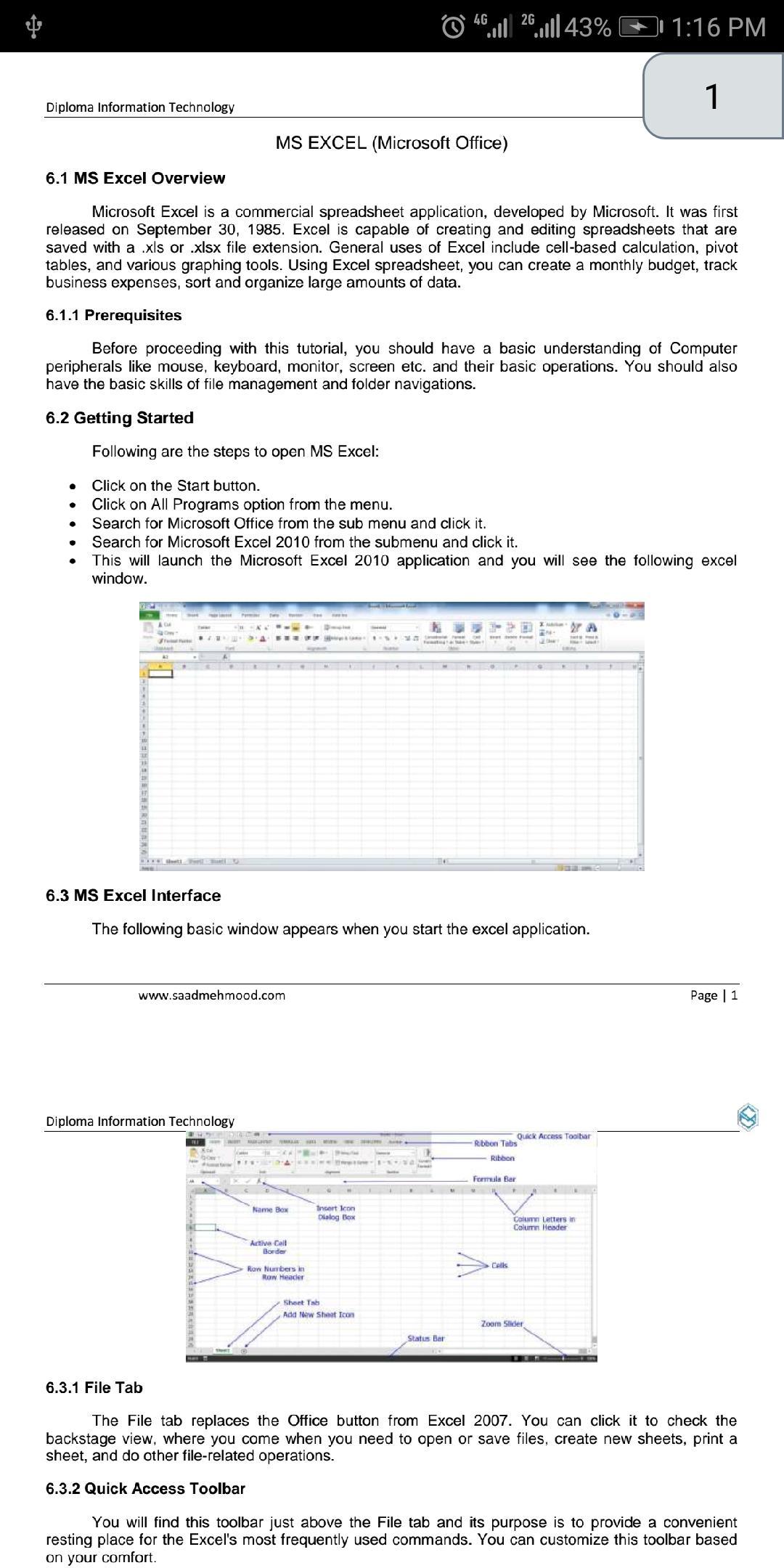
Microsoft Excel has the basic features of all spreadsheets, using a grid of cells arranged in numbered rows and letter-named columns to organize data manipulations like arithmetic operations. It has a battery of supplied functions to answer statistical, engineering and financial needs. In addition, it can display data as line graphs, histograms and charts, and with a very limited three-dimensional graphical display. It allows sectioning of data to view its dependencies on various factors for different perspectives (using pivot tables and the scenario manager). It has a programming aspect, Visual Basic for Applications, allowing the user to employ a wide variety of numerical methods, for example, for solving differential equations of mathematical physics, and then reporting the results back to the spreadsheet. It also has a variety of interactive features allowing user interfaces that can completely hide the spreadsheet from the user, so the spreadsheet presents itself as a so-called application, or decision support system (DSS), via a custom-designed user interface, for example, a stock analyzer, or in general, as a design tool that asks the user questions and provides answers and reports. In a more elaborate realization, an Excel application can automatically poll external databases and measuring instruments using an update schedule, analyze the results, make a Word report or PowerPoint slide show, and e-mail these presentations on a regular basis to a list of participants. Excel was not designed to be used as a database. {Source: Wikipedia}
This app contains basic notes to learn MS Excel Spreadsheet software.
Download and learn MS Excel with this application and work with the amazing Spreadsheet application
Última Versión
1.5Presentado por
Denz
Requisitos
Android 8.0+
Categoría
Gratis Educación APPClasificación de contenido
Everyone
Reportar
Marcar como inapropiadoLast updated on 06/09/2026
Esta versión incluye pequeñas correcciones de errores y mejoras generales. Actualiza a la versión más reciente para disfrutar de la mejor experiencia.




APKPure - Una tienda de aplicaciones multiplataforma enfocada principalmente en Android, que proporciona un amplio contenido relacionado con aplicaciones. Descubre la aplicación que deseas de forma más fácil, rápida y segura, con descargas e instalaciones rápidas y eficientes.