
What can you do to Switch Quickly to another App?! (As Fast As Possible)
✔️ Float It Solution (You Only need One Click to Switch Apps...)
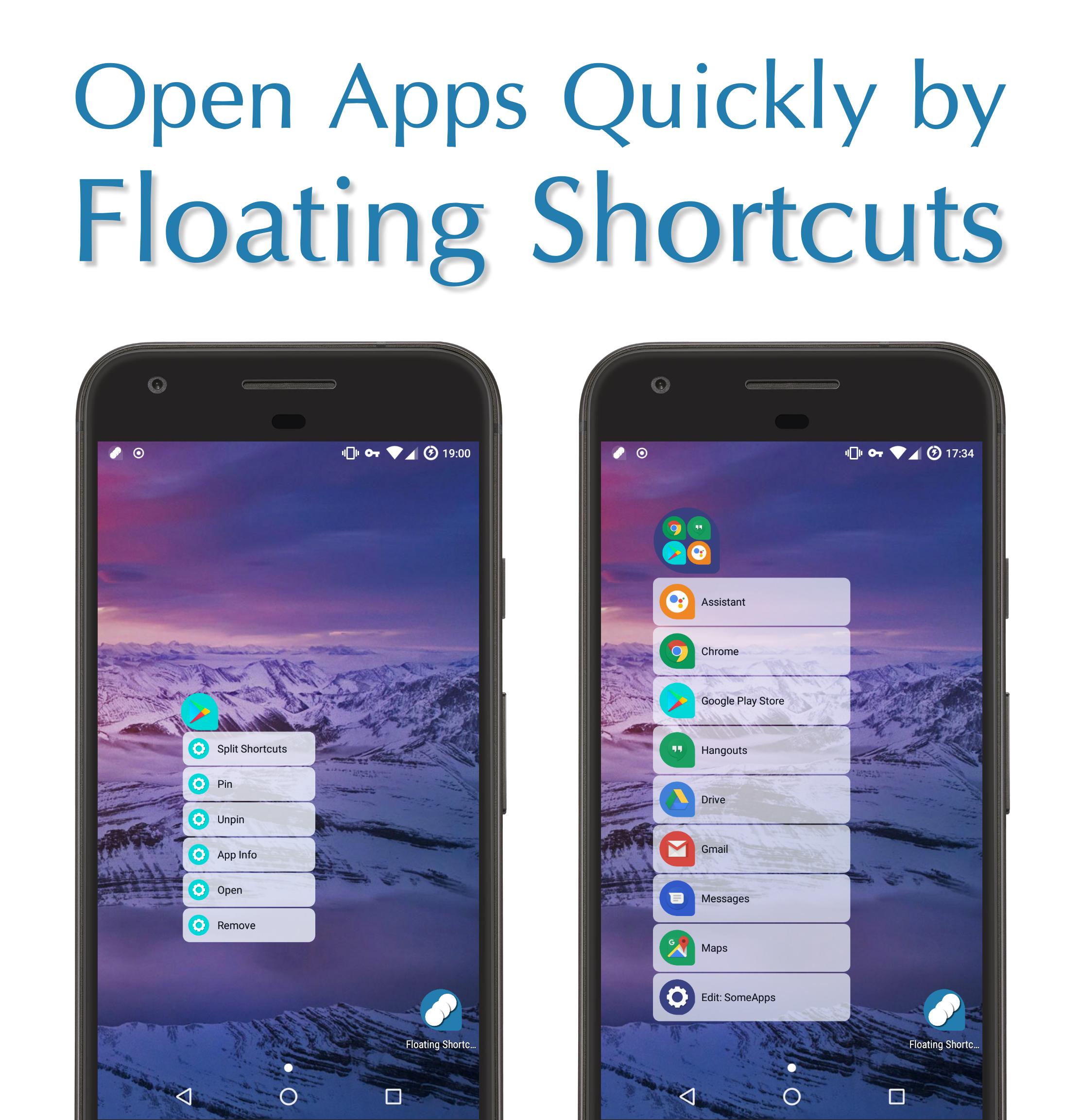
1️⃣ Click on Floating Shortcuts to Open other Apps Immediately 🆒 😎
🆚
❌ Others Solutions
1️⃣ You should Leave Current app,
2️⃣ (Open a Toolbar/Open AppsDrawer/Open a Folder/Swipe Between Pages/Draw a Gesture),
3️⃣ Find the App &
4️⃣ Finally Click on the App to Open it... (It takes 4 actions. besides You Have to Remember Position or Specific Gesture & It limits you to a box) 💤 🙄
OK Google! Open Float It
Say this command to Recovery all Floating Shortcuts & Folders
(Turn On Intelligent Services in App Preferences)
Watch Tutorials On YouTube To Learn How To Float It...
https://www.youtube.com/playlist?list=PLTs5v2BrWyWkStqKF9_9R3ewgR3AifcZO
Features
🔵 Floating Shortcuts
🔵 Floating Widgets 🔳 🔲 :
▫️ Open Floating Widgets Directly from Home Screen Shortcuts Whenever you Need them.
▫️ Click on ✔ To Create Floating Widgets
▫️ Press & Hold on ✔ to See More Options
🔵 Floating Folders
🔵 Sticky Edge: Open Notification Bar & Select Move to Edge (Left/Right) to Move Floating Shortcuts/Folders to Edge
🔵 Floating Notification 🔘 :
▫️ Click on Notification Dot to See Contents
▫️ Press & Hold on Notification Dot to Expand Notification Panel
▫️ Swipe Left/Right to Remove Notifications
▫️ Turn On Floating Notifications in Preferences
🔵 Popup AppShortcuts (Android 7.1.+)
▫️ Recover Floating Shortcuts/Folders
🔵 Popup Menu Delay
▫️ Choose Delay in Millisecond when Press & Hold on Floating Shortcuts to See the Popup Menu
Advanced Features
🔵 Split It: Open Apps in Multi-Window Simultaneously (Android 7.+)
🔵 Float It: Open All Apps in Floating View (Android 7.+)
🔵 Lite Preferences ⚡: Set Preferences to Minimum for Better Performance
Preferences
🔵 Floating Shapes: Droplet - Circle - Square - Squircle
🔵 Theme of Icons: Select Package of Icons Theme
🔵 Floating Splash: Waiting Screen for Opening Apps
🔵 App Theme Color: Light/Dark Color of Wallpaper
🔵 Transparent Theme: Light/Dark/Dynamic
🔵 Blurry Theme
🔵 Shortcuts Size
🔵 Shortcuts Transparency
Tip: Press & Hold on Floating Widgets/Folders/Shortcuts Buttons at Bottom to See Recovery Options
Tip: To Remove/Pin Floating Shortcuts/Folders Press & Hold to see Options
/*
* Your Smartphone Wallpaper reflects your Moods & I Respect it.
* Float It Theme Colors will Change to What you are in mood for... 😉
*/
/*
* #FloatIt🎈 on your Wrist
* Create Floating Shortcuts of Apps on Android Wear Smart Watches
*/
/*
* ℹ️ Accessibility Service Permission Notice
* To Create Multi-Window & Open Apps in Split Screen Simultaneously.
*/
/*
* 🇺🇸 American Made Software 🇺🇸
*
* Float It 🎈 | Facebook 👍
* https://www.facebook.com/FloatIt.Android/
*
*
* ⚠️ Please, Do Not Use Pirated Websites 🏴☠️ to Download Android App .APK File.
*
*
* Please, Don't forget to Rate & Share ⭐⭐⭐⭐⭐
* Also, contact me to Ask a Question or Suggest an Idea 🤔
* Always, Appreciate your Feedbacks 🙂 👍
*/
Última Versión
5.03.15.2021.708[FREE][Android][Phone]Presentado por
សុទ្ធារិទ្ធិ មិនចង់ធ្វើមិត្ដចង់ធ្វើជាសង្សា
Requisitos
Android 6.0+
Categoría
Gratis Productividad APPClasificación de contenido
Everyone
Reportar
Marcar como inapropiadoLast updated on 18/03/2021
🌟 Please Rate & Write Review 🌟
[Phone]
🔵 Floating Widgets 🔳 🔲 | Open Floating Widgets Directly from Home Screen Shortcuts
▫️ Click on ✔ To Create Floating Widgets
▫️ Press & Hold on ✔ to See More Options
[Watch]
🔵 Remote Recovery
▫️ Recover All Floating Shortcuts from Watchfaces by Remote Recovery Complication
▫️ Recover All Floating Shortcuts on Bootup
Give me Feedback: Support@GeeksEmpire.net



APKPure - Una tienda de aplicaciones multiplataforma enfocada principalmente en Android, que proporciona un amplio contenido relacionado con aplicaciones. Descubre la aplicación que deseas de forma más fácil, rápida y segura, con descargas e instalaciones rápidas y eficientes.









![Cámara [Comando de voz] APK](https://image.winudf.com/v2/image/Y29tLmdlZWtzdG9vbHMuY2FtZXJhV19pY29uXzBfYmMzZTUyYWU/icon.png?w=102&fakeurl=1)

![Barcode Scanner [Floating] APK](https://image.winudf.com/v2/image/Y29tLmdlZWtzdG9vbHMuYmFyY29kZXhwZXJpYV9pY29uXzBfODk1MjFiMzU/icon.png?w=102&fakeurl=1)