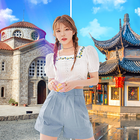
Edit background image is a photo background changer app, which helps to edit photos, create various effects and allow you to turn photos taken with your phone or any other device into works of art unique. Besides, the application also helps you to quickly separate the image background.
Another plus is that you don't have to move around and still have virtual travel photos at famous tourist destinations. Our application is designed with an improved interface that will help you combine photo backgrounds to create more glitter and shimmering moments.
--> Download now Edit background image for Android
Feature highlights:
- Add travel backgrounds to your photos with 9999+ landmarks available from the app or upload them from your photo library
- Instant effects, save artistic moments anytime, anywhere
- Support many image filters to make your photos beautiful and unique
- Edit colors, rotate photos easily
- Provide many interesting accessories and stamps for you to decorate the image
- Many different frames, from simple to complex frames to make your pictures more attractive
- Supports 3 photo collage modes: pattern collage, freestyle collage, and image stitching together
- Allow taking photos, record videos with Camera
- Share photos to Social Networks directly
- And many other attractive features waiting for you to discover
Edit background image is an app that integrates many professional features to help you create unique and attractive photos. From there, it solves the problem that causes the most headaches for us when taking selfies or "living virtual" pictures with objects or people around.
You can create a satisfactory product in just a few steps as follows:
Step 1: Complete the install and open the application
Step 2: Select and open Travel BG
Step 3: Click Add people to choose your photo
Step 4: Customize the photo with features to suit the photo
Step 5: Click Save image with two options
- Save photo and share to friends, social networks.
- Or continue to edit photos
Your photos become trending and artistic with 9999+ filters with filters available in the app. This application gives you a tool to express your style quickly and gives you the best photo editing experience on your Android phone.
Feel free to use Edit background image often and let us know your suggestions about the app at seongyeonhany@gmail.com.
You are always welcome, download the app and enjoy!
Latest Version
1.0Uploaded by
Wamenie Den
Requires Android
Android 5.1+
Category
Free Entertainment AppContent Rating
Everyone
Report
Flag as inappropriateLast updated on Aug 24, 2021
This release includes minor bug fixes and general improvements. Update to the latest version for the best experience.



APKPure - A multi-platform app store primarily focused on Android, providing extensive app-related content. Discover the app you want easier, faster, and safer, with quick and efficient downloads and installations.