Easy Battery Widget
Is easy widget to display information about battery status.
Among the displayed information includes:
- Battery type
- Temperature
- Charge level
- Voltage
- Status
- Condition
- Plugging type
This information will help you display the widget on the home screen.
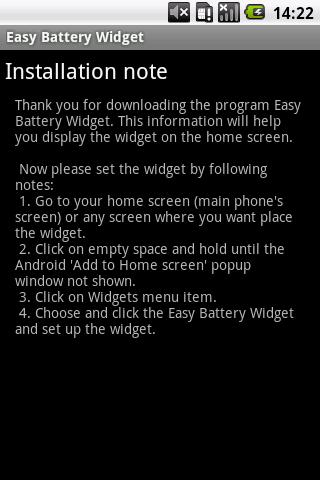
Now please set the widget by following notes:
1. Go to your home screen (main phone's screen) or any screen where you want place the widget.
2. Click on empty space and hold until the Android 'Add to Home screen' popup window not shown.
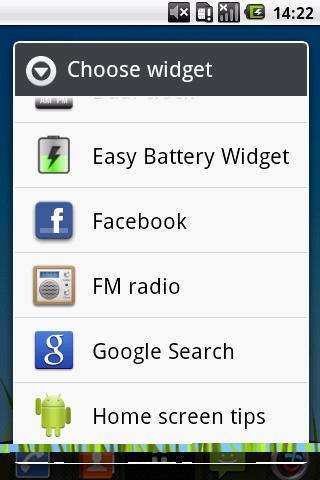
3. Click on Widgets menu item.
4. Choose and click the Easy Battery Widget and set up the widget.
Do you like Easy Battery Widget?
Rate this widget or leave a positive feedback.
Latest Version
1.1.4Uploaded by
Bârãkà Bãrâkôtä
Requires Android
Android 2.0+
Category
Free Tools AppContent Rating
Rated for 3+
Report
Flag as inappropriateLast updated on Apr 1, 2016
This release includes minor bug fixes and general improvements. Update to the latest version for the best experience.





APKPure - A multi-platform app store primarily focused on Android, providing extensive app-related content. Discover the app you want easier, faster, and safer, with quick and efficient downloads and installations.