Package Name:com.dynamicisland.notchscreenview
SHA-256:160b9eaf166965f19d3b18bd0b7e0c422e6f8c06d15c5b0c0366e153c009f661
Show More


Dynamic Notch Notification Bar addresses the common problem of scattered alerts by bringing messages, status updates, and quick actions into one place around your device’s notch or camera cutout. It aims to keep you informed without switching away from what you are doing, and it presents information in a clear, compact view. As a result, you can glance at updates and choose to act right away or continue your task. Many users look for Dynamic Notch Notification Bar APK to centralize alerts on modern Android phones.
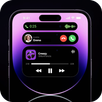
Dynamic Notch Notification Bar replaces standard notification popups with animated cards that you can expand and control. You can tap to view more details, reply to messages, or jump into apps through live activities without leaving the current screen. This approach keeps interactions focused while still offering a direct way to handle time sensitive alerts.
Deep customization controlsYou can tailor the look and behavior to match your device and taste. Adjust themes, font style, color, and size, and set a custom background around the notch for visual clarity. In addition, per app color settings help differentiate notifications at a glance, and position or direction controls let you align the bar to your specific cutout.
Media playback and navigation in the notchMusic controls display track info, album art, and a visualizer so you can follow playback while using other apps. The interface supports ten second skip controls for quick navigation through a track. When using maps, turn by turn prompts appear inside the notch area, which helps keep directions visible while the screen is busy.
Status updates and connected devicesCharging animations and battery updates appear in the bar to show power status in real time. Bluetooth accessories display connection state and battery percentage for quick checks. Calls use a default notch interface so you can see caller information and manage the call without opening a full screen panel.
Contextual alerts and multitaskingDynamic Notch Notification Bar surfaces live weather with auto theming based on conditions so the look reflects what is happening outside. It also shows social posts, SMS, emails, alarms, and screen recording indicators in a consistent view. With multitasking in mind, downloads, installs, and file transfers are managed directly in the notch so you can keep working while staying informed.
The developer states that no data is shared and no data is collected. The app includes ads and offers in app purchases. These points help set expectations before enabling permissions or customizing the notch experience.
The design is inspired by the Dynamic Island concept, adapted for Android devices with unique options like per app colors, live activities for downloads and transfers, and weather based theming. It works with common cutouts including punch hole cameras and centered notches, and the position controls help align the bar to your device layout. This focus provides a consistent experience across different screen designs without changing your normal app usage.
To start, open the app and go through the setup so the notch can display alerts, media, and status updates. For reliable behavior, grant the required permissions during onboarding, then adjust visual settings to match your device’s cutout. If needed, refer to the in app prompts to finish activation of Dynamic Notch Notification Bar APK features.
Dynamic Notch Notification Bar brings notifications, media, and device status together in a compact notch interface. For the best experience, download Dynamic Notch Notification Bar latest version and enable the required permissions.
For support and more information, visit the official site or contact the developer.
Latest Version
6.0Uploaded by
Tä Hã
Requires Android
Android 8.0+
Category
Free Productivity AppContent Rating
Everyone
Security Report
Check Now
Report
Flag as inappropriateLast updated on May 5, 2026
• Fixed battery charging percentage issue
• Fixed notification & call sound issue
→ Go to Hide System Popup Screen > Reset and reconfigure as needed
• Swipe Between Features
→ Seamlessly access multiple functions directly from the notch
• Swipe to Dismiss Notifications Features Added
• Notch Customization
→ Adjust system alert notch width to your preference
• New Charging Animations
→ Added full-screen & notch charging animations
• AI Notch with Web Search



APKPure - A multi-platform app store primarily focused on Android, providing extensive app-related content. Discover the app you want easier, faster, and safer, with quick and efficient downloads and installations.