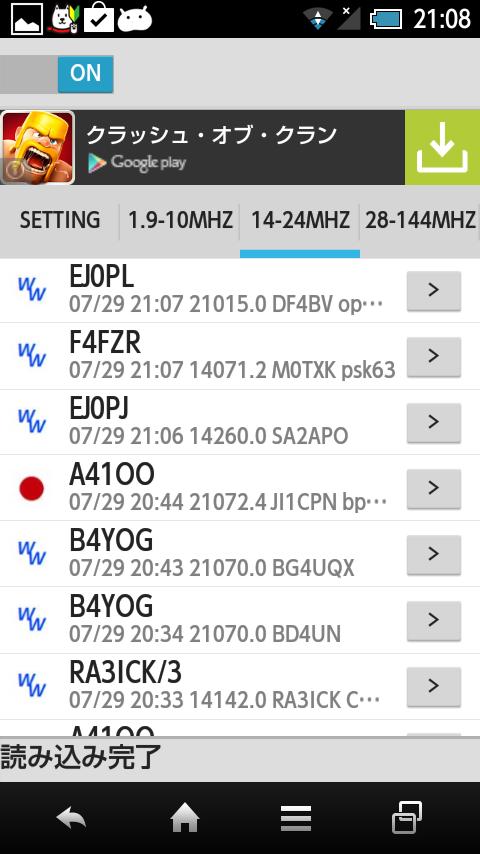
This application displays spot data submitted to cluster server.
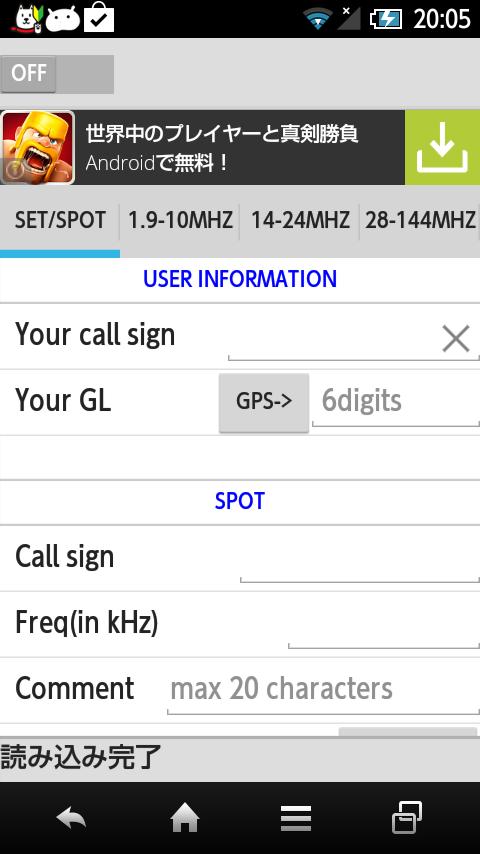
As a first step you have to input your call sign in the [SETTING] tab.
Then you can turn the switch ON then Droid DX cluster will be connected to the cluster server.
Data from the server will be classified by the frequency and placed in the corresponding tab.
When you tap the button next to spotted call sign, you will be navigated to QRZ.COM page.
If you encounter the disconnection under the bad condition of network, you can try turning the switch OFF and ON.
Latest Version
1.0.2Uploaded by
Wiclif Natan
Requires Android
Android 2.3.2+
Category
Free Lifestyle AppContent Rating
Everyone
Report
Flag as inappropriateLast updated on Aug 30, 2015
SPOT情報を送信できるようにしました。
また、いくつかのバグを修正。





APKPure - A multi-platform app store primarily focused on Android, providing extensive app-related content. Discover the app you want easier, faster, and safer, with quick and efficient downloads and installations.