Package Name:cn.com.monacor.drm884
SHA-256:1249d0a6c3183a4531d38298f50f988e95ebf58b5176c19f0cbb2b956dc95a1e
Show More
DRM-884 is dedicated music, paging, discussion and zone management solutions for Commercial Audio applications. Easy to use and to implement, DRM-884 offers state-of-the-art signal processing in a cost effective package.
Projects using DSP platforms usually require a minimum number of inputs and outputs. This determines the choice of dedicated matrix models. DRM-884 offers a large choice of I/O options in order to cover most of applications:
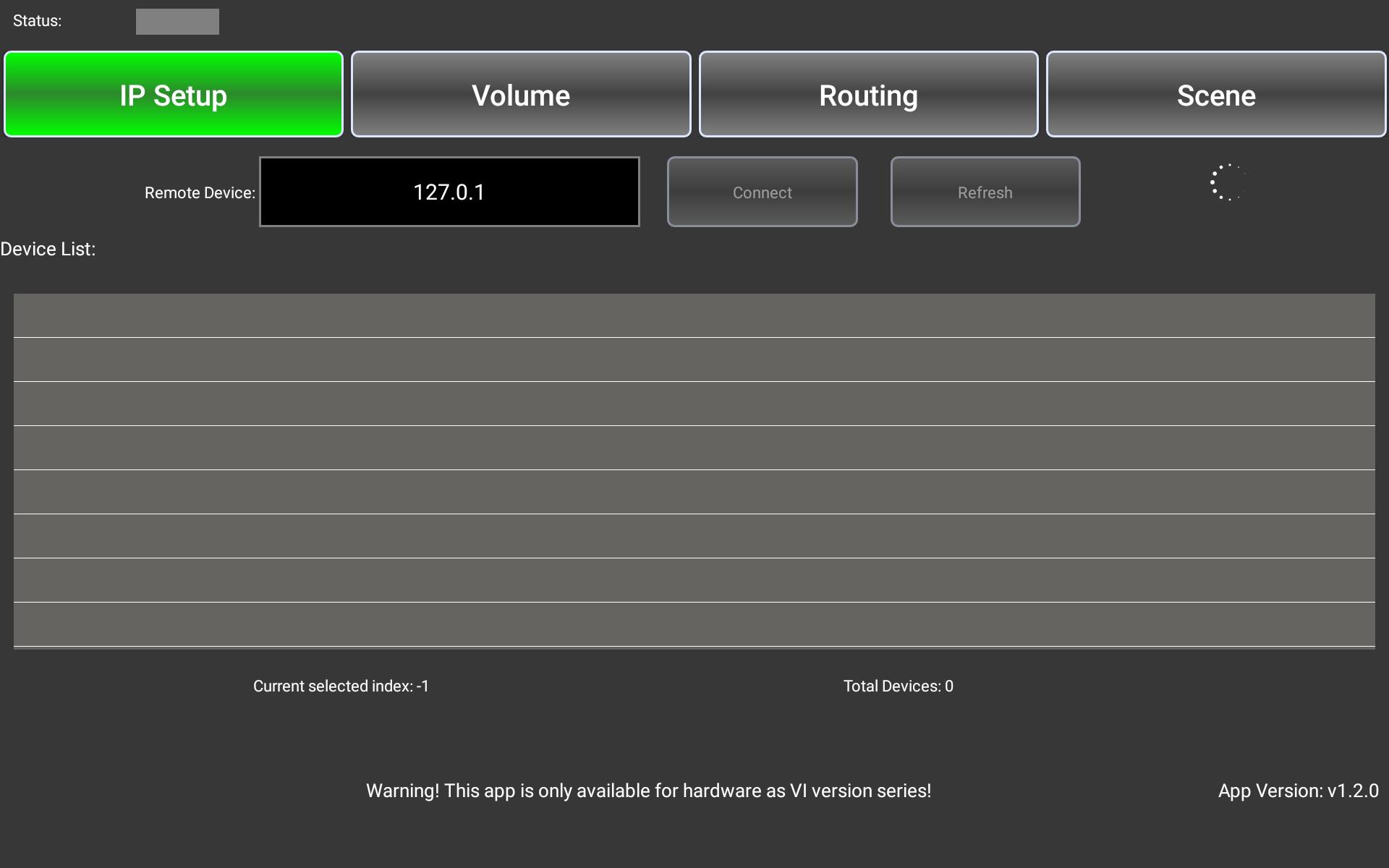
Open the app, it will display the IP Setup interface, and connect to the LAN via WIFI. It will automatically search for the devices that have connected to DRM-884 in the LAN of this interface. If no device is found, click the Refresh button to manually search. Select the device and click the Connect button to connect the device. When the indicator lights green, it indicates that the device is successfully connected.
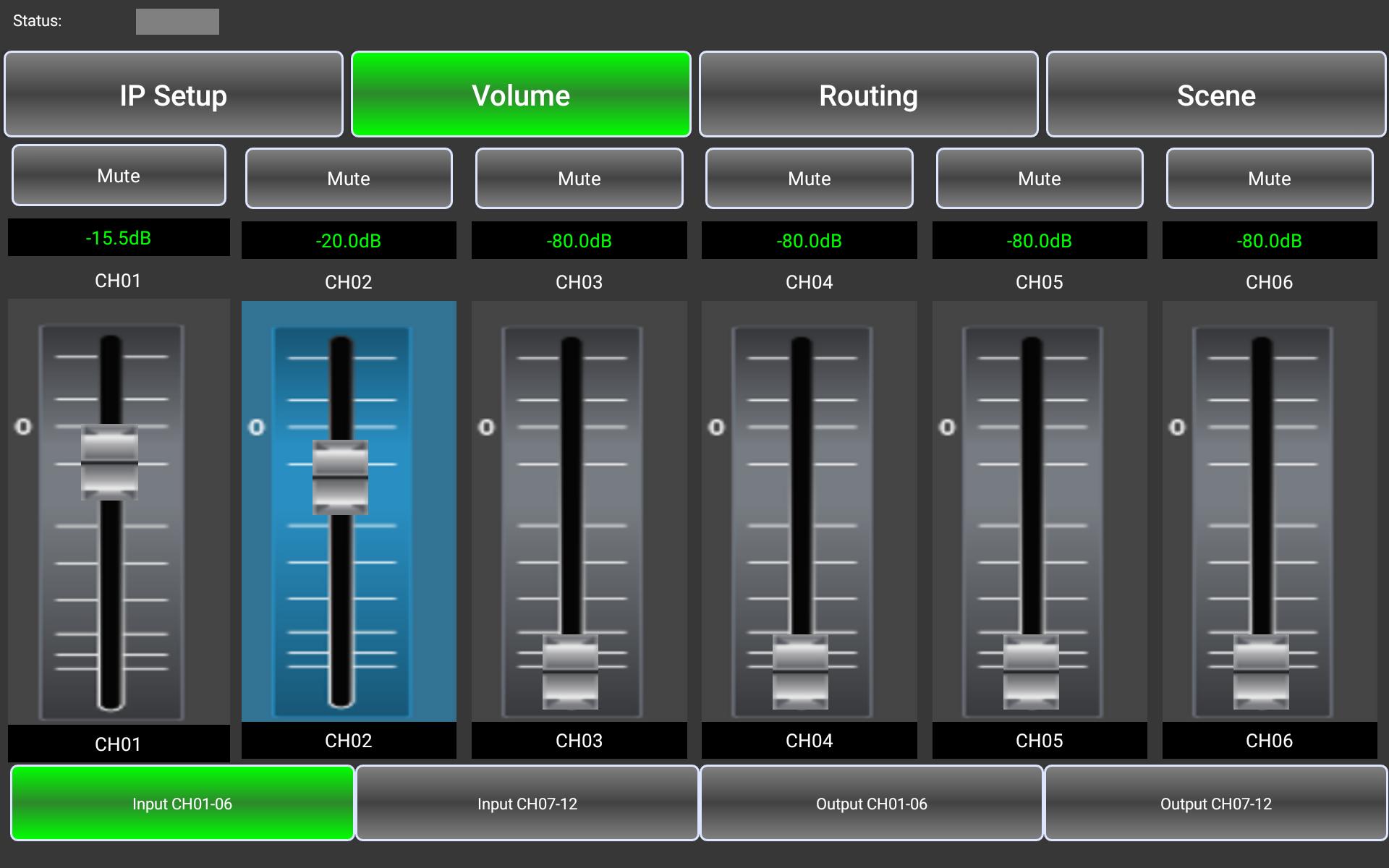
The Volume interface displays the gain value and channel name of each channel. You can select and change the channel name, adjust the gain value, and mute the channel in this interface.
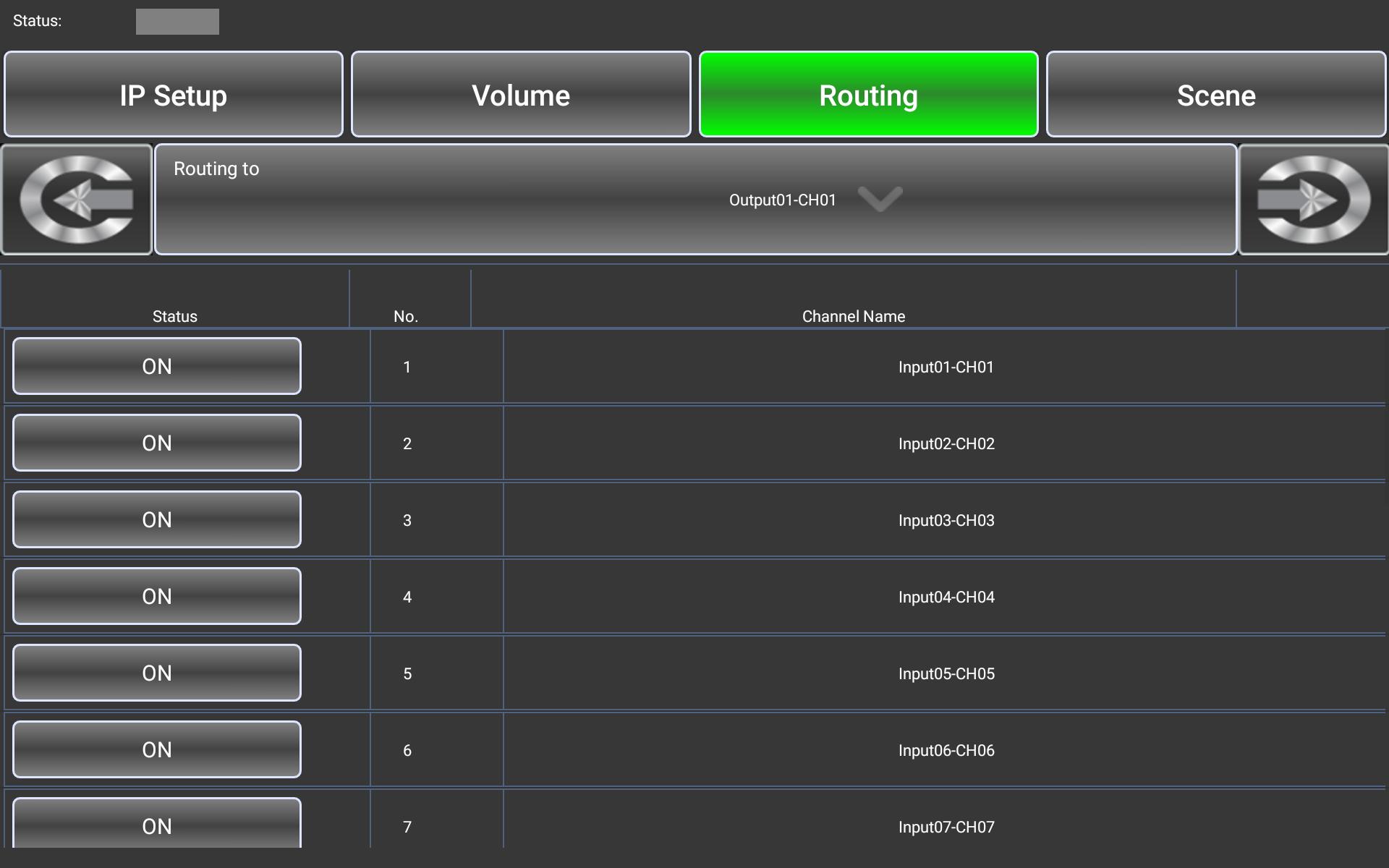
The Routing interface displays and adjusts multiple input channels assigned to the output channel. Specifically, the output channel can be selected through the “routing to” button in this interface. Select the input channel by clicking on the buttons in the list below.
The Scene interface can control the device to save, delete and read the corresponding presets. The preset contains all the settings of the device. You can determine the saving location of the preset by selecting Device or Local.
Click Lock System to lock the device so that the app cannot change its parameters. If the device is locked, you can only unlock or change the password by entering the password already set or super password “MA88”.
Requirements:
* recommand Android os 6.0 or above( at least 2.5G RAM memory and at least Quad-core CPU ).
* a wireless router.
* DRM-884 Device (for control)
Latest Version
1.2.7Uploaded by
Hương Vũ
Requires Android
Android 4.1+
Category
Free Music & Audio AppContent Rating
Everyone
Security Report
Check Now
Report
Flag as inappropriateLast updated on Apr 1, 2023
update app control for the new device firmware
fix some ui page show






APKPure - A multi-platform app store primarily focused on Android, providing extensive app-related content. Discover the app you want easier, faster, and safer, with quick and efficient downloads and installations.