Package Name:com.drodriguez.drivecam
SHA-256:70a3ee622e8015c46a43b5838600144719eea09b38ca8ef582bb30e4970928f4
Show More
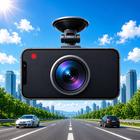
Turn your phone into a powerful dashcam with DriveCam — the car camera recorder that keeps you protected on every drive without cluttering your photo gallery.
WHY DRIVECAM?
DriveCam uses your phone's rear camera as a full-screen driving recorder with loop recording, so you always have the latest footage. No dedicated hardware needed — just mount your phone and go. Every video stays private in the app's own storage. Nothing appears in your camera roll.
CORE FEATURES:
LOOP RECORDING
Set your preferred segment length (1, 3, 5, or 10 minutes) and DriveCam handles the rest. When a segment ends, it saves automatically and starts a new one — continuous protection with zero gaps.
GPS SPEED & LIMIT ALERTS
See your current speed right on the camera preview. Choose km/h or mph. Speed data is burned into every recording. DriveCam also shows real-time road speed limits as a red-bordered badge — when you go over, the speed turns red and "+N over" appears. Optional beep alert.
VOICE CONTROL
Control your dashcam hands-free with fully offline voice commands — no cloud, no data connection needed. Say "start recording," "stop recording," "lock clip," or "night mode on." On-device speech recognition keeps your voice private.
NIGHT MODE
Auto-adjusts camera exposure for low-light driving. The ambient light sensor detects darkness and brightens the preview for clear night visibility. Manual toggle also available on the main screen.
THERMAL PROTECTION
Monitors your phone's temperature and auto-stops recording if it gets too hot. Shows a cooling overlay with a live temperature gauge and resumes when the device cools down. Configurable threshold keeps your phone safe.
BACKGROUND RECORDING
Recording continues even when you lock your screen or switch apps. Recording only stops when you tap the stop button — never accidentally.
BATTERY SAVE MODE
Auto-dims the screen 5s after recording starts while the camera keeps rolling — saves battery on long drives. Manual battery save also available: screen off, recording on.
LOW BATTERY ALERTS
Configurable low-battery warning during recording. Choose your threshold (10%, 25%, 40%, 55%, 70%) and DriveCam alerts you before your phone runs out.
INCIDENT REPORTS
One tap generates a professional PDF incident report including date, time, GPS coordinates, map with location marker, max speed, video duration, and optional notes. Share or save directly from the app.
DRIVING STATISTICS
Track your driving history with charts and metrics: total distance, recording time, trips, average and max speed, and hard braking events. "Personal Best" section highlights your longest trip and busiest driving day.
LIVE STREAMING
Share your dashcam feed live via secure WebRTC streaming. Configure your own server, stream in real time, and copy the live URL to share with anyone.
PRIVATE STORAGE
All dash cam videos and photos are saved to an app-private folder. The OS gallery is never touched. No cloud uploads, no accidental shares. Your driving footage stays yours.
VIDEO QUALITY
Choose from the quality options your device supports. Pick the balance of quality and storage that works for you. PRO unlocks High and Maximum quality tiers.
STORAGE MANAGEMENT
Set a storage limit (500MB to 5GB or unlimited). When the limit is reached, oldest videos are automatically deleted. A visual usage bar shows you exactly how much space remains.
IN-APP GALLERY
Browse recordings sorted newest-first. Play, share, or delete videos right inside the app. Includes a built-in video player and pinch-to-zoom photo viewer.
CAMERA SELECTION
Choose from all cameras on your device — rear, front, or external USB. Cycle through them from the main screen or pick a default in Settings.
DARK MODE
Designed with a dark theme to reduce glare while driving at night.
SCREEN WAKE
The screen stays on while the camera preview is active so you never miss a moment.
Privacy-focused, battery-efficient, and designed for the road. DriveCam is your smartphone dash cam.
Latest Version
1.3.1Uploaded by
Nino Gaetano Bollino
Requires Android
Android 8.0+
Category
Free Auto & Vehicles AppContent Rating
Everyone
Security Report
Check Now
Report
Flag as inappropriateLast updated on Aug 24, 2026
Fixed dual camera



APKPure - A multi-platform app store primarily focused on Android, providing extensive app-related content. Discover the app you want easier, faster, and safer, with quick and efficient downloads and installations.