Scan Date:May 4, 2026
Show More

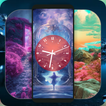
Introducing the Door Lock Wallpapers Screen – the ultimate themes and live clock experience offering a stunning array of door wallpaper patterns tailored for both winter and summer vibes. Featuring an extensive selection of wallpapers, photos, and stylish theme backgrounds, this lock screen theme and home screen widget boasts over unique collections to cater every taste. Whether you're into the sleek photo blender effect, the immersive blur effect with parallax, or the enchanting magic locker theme, this app has something special for everyone.
Languages:
We’re excited to announce the addition of 14 languages to our door lock wallpaper app, letting users customize their experience based on their location and language preferences. This app is packed with tons of exciting features designed to enhance user interaction and personalization.
When you first launch the app, you'll start by creating a template of live wallpaper combination such as Astral, Radiant, Night, Neon, Vintage and Wall-mounted. Navigate to a new screen with a selection of stunning and sophisticated wallpapers, before setting it as your lock screen you can explore four remarkable customization options:
Features:
1. Clock Selection.
2. Clock Hands.
3. Clock Color, Background Color, and Background Opacity.
4. Clock Size.
Detailed Features:
1. Clock Selection:
- Users can choose from a variety of unique clock designs before applying the theme. Our diverse collection includes clocks with both digit and Roman numeral displays, so you can pick the style that best matches your chosen wallpaper.
2. Clock Hands Customization:
- This feature allows users to personalize the clock hands to their liking. Whether you prefer thick, bold hands or thin, delicate ones, you have the flexibility to choose the style that best fits your aesthetic clock dials. Adjust the size and appearance of the clock hands to get the perfect look.
3. Clock Color, Background Color, and Background Opacity:
- Our third feature is super versatile, offering extensive customization options. Users can choose from a wide range of vibrant clock colors to match or contrast with their wallpaper. Additionally, users can select beautiful and bright background (BG) colors that provide a soothing effect. The BG opacity setting lets users control the visibility of the clock, allowing them to display the clock fully or only show the clock numbers, depending on their preference.
4. Clock Size Adjustment:
- The final feature allows users to adjust the size of the clock, from large to small accordingly to their phone screen size. This feature is especially important since the clock size can significantly impact the overall look of the wallpaper. Users can experiment with different sizes to find the perfect balance that enhances their wallpaper.
We’re confident you’ll love the extensive customization options available in our app and enjoy using them to personalize your lock screen and home screen. Explore these features and personalized your lock screen that truly reflects your taste, style and preferences.
Settings:
Customizing your Home and Lock screen background has never been easier. Simply navigate to the settings screen, pick your preferred theme, and set it as the backdrop. From chic and imaginative door backgrounds to complementing your smartphone lock pattern password, the options are endless. Whether you fancy a single or double-door background theme, you can effortlessly elevate your phone's wallpaper game. Utilize the convenient slider feature to browse through various theme backgrounds and choose the one that speaks to you.
The Door Lock Screen Wallpaper Theme ensures a seamless user experience with its intuitive app design and easy-to-navigate features. Customize your phone screen effortlessly by selecting background themes without effecting your phone pattern, pin password and finger print setting.
Stay tuned for future updates as we continue to roll out exciting new features!
Latest Version
11.8.1Uploaded by
Yasuo Ma Kiếm
Requires Android
Android 6.0+
Category
Free Tools AppContent Rating
Mature 17+
Security Report
Report
Flag as inappropriateLast updated on May 4, 2026
Address crashes....!!!
Improve user interaction....!!!
Live clock customizations....!!!




APKPure - A multi-platform app store primarily focused on Android, providing extensive app-related content. Discover the app you want easier, faster, and safer, with quick and efficient downloads and installations.