Scan Date:Mar 30, 2026
Show More

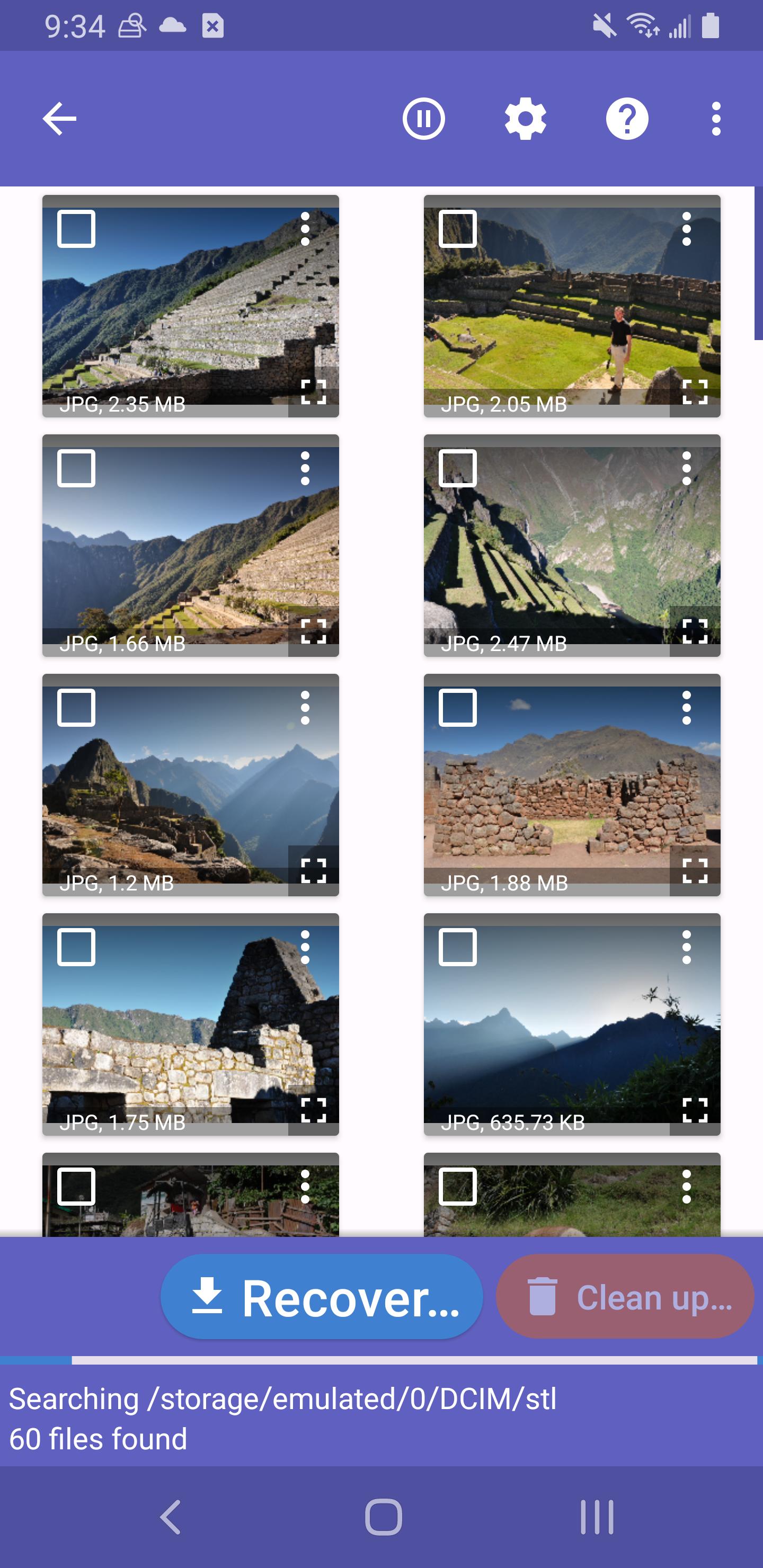
DiskDigger helps when photos or files disappear after an accidental deletion, a storage issue, or a formatted memory card. It scans your phone or SD card to find traces of lost items, then lets you review what can be brought back. You can choose where to save recovered files so they are easy to keep safe later. As a result, you can take action quickly without guesswork, and download DiskDigger with a clear plan to attempt recovery.
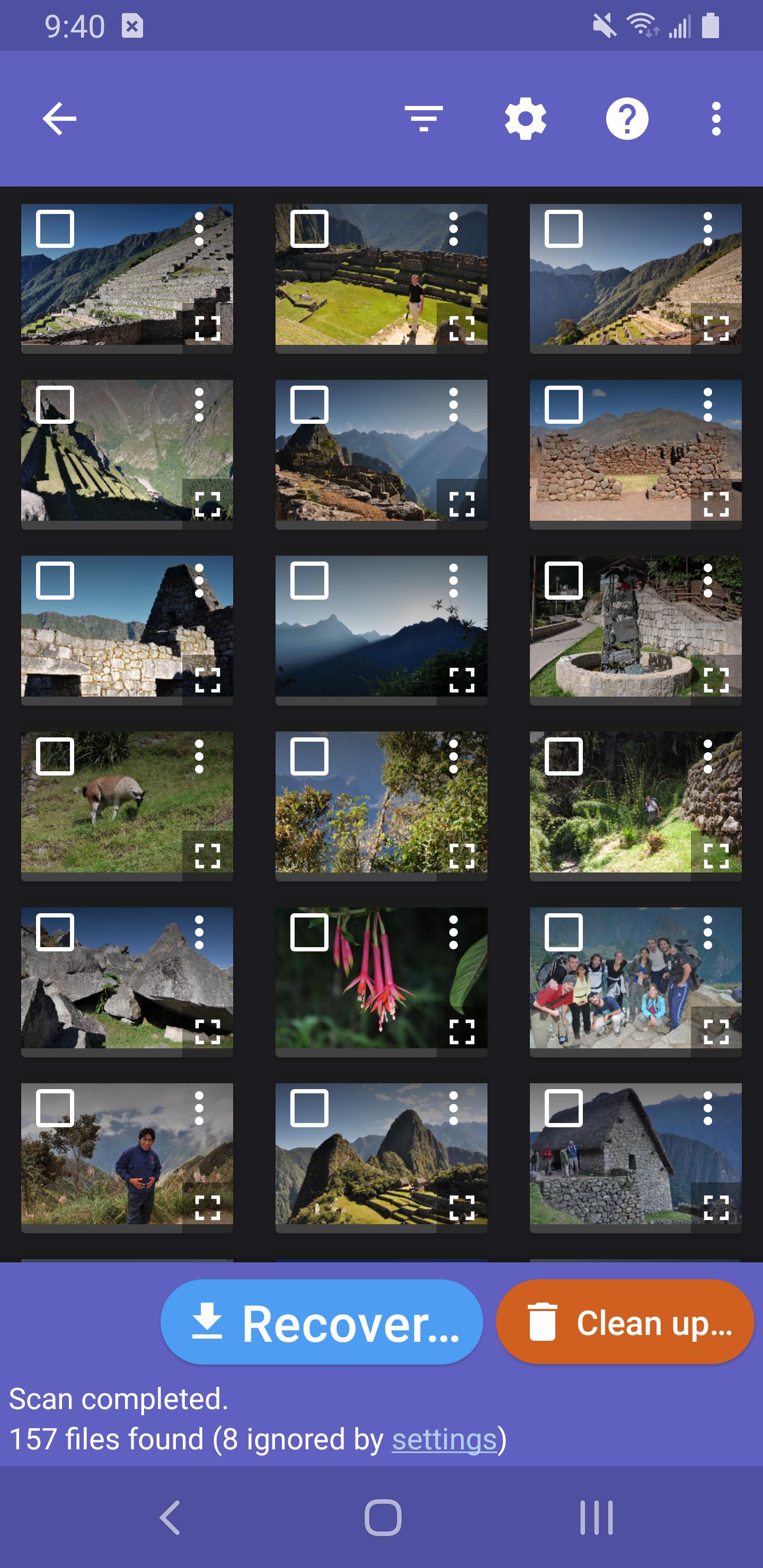
DiskDigger can look for photos, images, videos, documents, and other common files on your device. It searches internal memory and external SD cards to surface items that were removed by mistake or lost during storage issues. This gives you a single place to run photo recovery and general file checks without switching tools.
Scanning on devices without rootYou can run a thorough basic scan even if your device is not rooted. DiskDigger checks visible storage areas, thumbnail caches, and app databases to locate recoverable items. This mode is simple to start and is the quickest way to see what the app can find on your phone.
Deep scanning on rooted devicesIf your device has root access, DiskDigger can perform a deeper scan across device memory. This mode looks for traces of photos, videos, and select file types that are not easily visible otherwise. It is a more advanced option that may uncover additional results compared to the basic scan.
Flexible save and backup optionsAfter reviewing results, you can save recovered files to cloud storage services such as Google Drive or Dropbox, send them by email, or place them in a local folder. DiskDigger helps you separate recovered content from the original storage area, which reduces the risk of overwriting data during the process.
Clean up and wipe free spaceDiskDigger includes two maintenance tools for after your scan. Clean up lets you permanently remove unwanted items found in Basic Scan mode. Wipe free space erases the free space on your device so previously deleted files are harder to recover in the future.
Understanding scan modes helps you choose the right path. On devices without root, the basic scan reviews accessible storage and caches, which is often enough for recent deletions. On devices with root access, the deep scan can check more of the memory and may detect files that a basic scan cannot. Rooting carries technical risks and may affect device warranty or stability, so consider the implications before enabling root on your phone.
Stop using the device as soon as you realize files are missing. Continued use can overwrite deleted data, especially when taking new photos or recording video. When you recover items, save them to a different location from where they were lost, for example to cloud storage or an external SD card. Avoid installing new apps or running updates until you finish recovery with the DiskDigger app.
Results can vary based on how your phone manages storage. Modern flash storage regularly clears unused blocks, and normal activity can overwrite deleted content over time. Very old deletions are less likely to be recoverable, particularly if the device has been used heavily since the loss. If a scan does not show what you need, try again after limiting device use, but understand that some data may no longer be available.
Follow a simple flow to run a scan and save results on your Android device. These steps apply to both basic scans and deeper scans when root is available. If you want the most recent tools, consider using the DiskDigger latest version.
DiskDigger focuses on practical photo and file recovery with clear scan modes and straightforward save options. It helps you act quickly after data loss and keep recovered items in a safer location. If you prefer an APK file for manual installation, you can look for DiskDigger APK through trusted sources.
For official information or support, refer to the resources below.
Latest Version
1.0-2026-03-28Uploaded by
น้องวุฒิพี่อาร์ม เอี่ยมศรีสุนทร
Requires Android
Android 6.0+
Category
Free Tools AppContent Rating
Everyone
Security Report
Report
Flag as inappropriateLast updated on Mar 30, 2026
- Improved ability to search for non-media files.
- Improved compatibility with broader range of devices.
- Minor bug fixes and enhancements.




APKPure - A multi-platform app store primarily focused on Android, providing extensive app-related content. Discover the app you want easier, faster, and safer, with quick and efficient downloads and installations.