Scan Date:Mar 21, 2026
Show More

■How to use
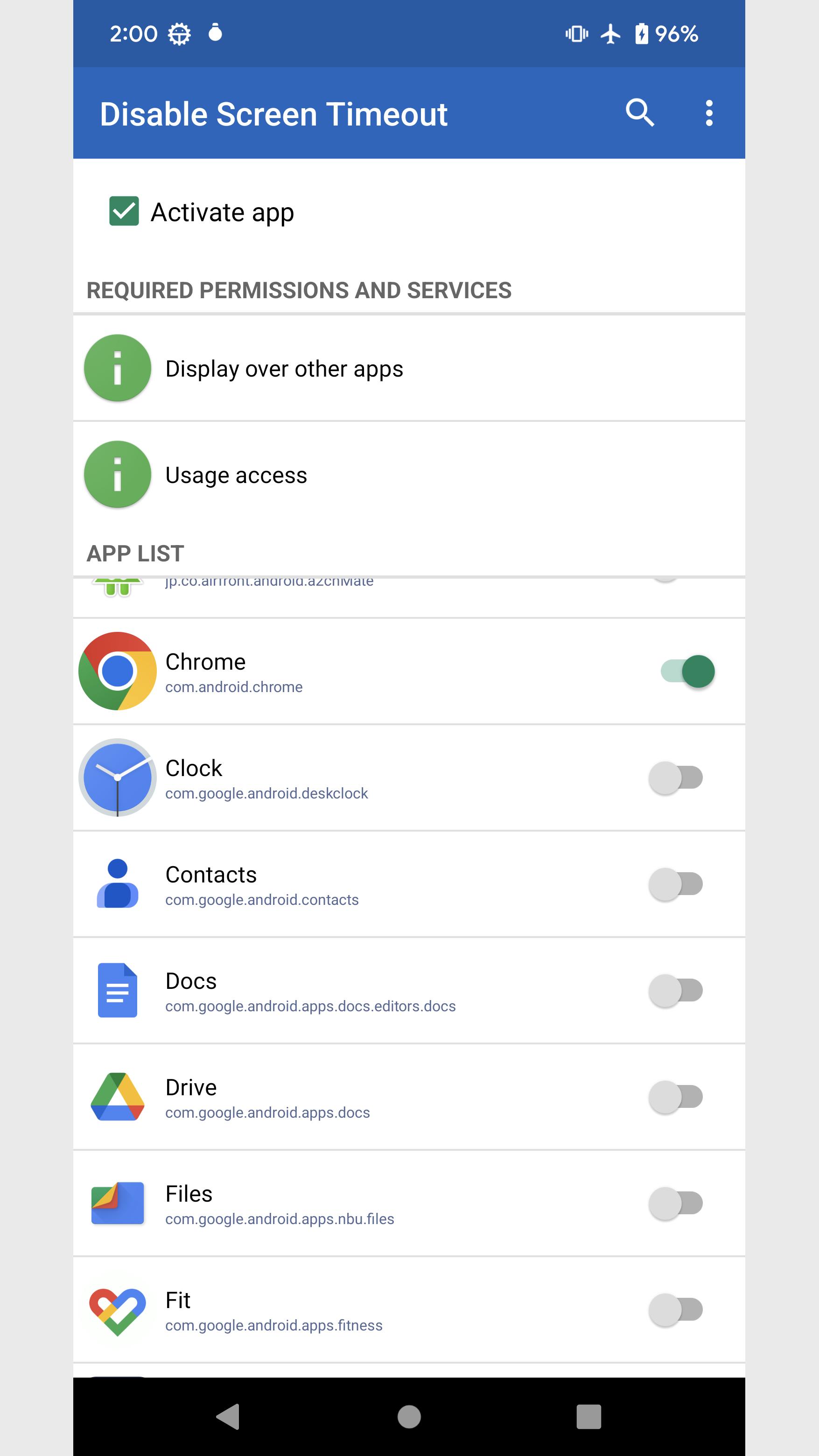
1. When you launch it, a list of apps installed on your device will be displayed.
2. Turn on the app you want to disable screen timeout.
Screen timeout on smartphones is disabled while applications that are turned on are running.
■Options
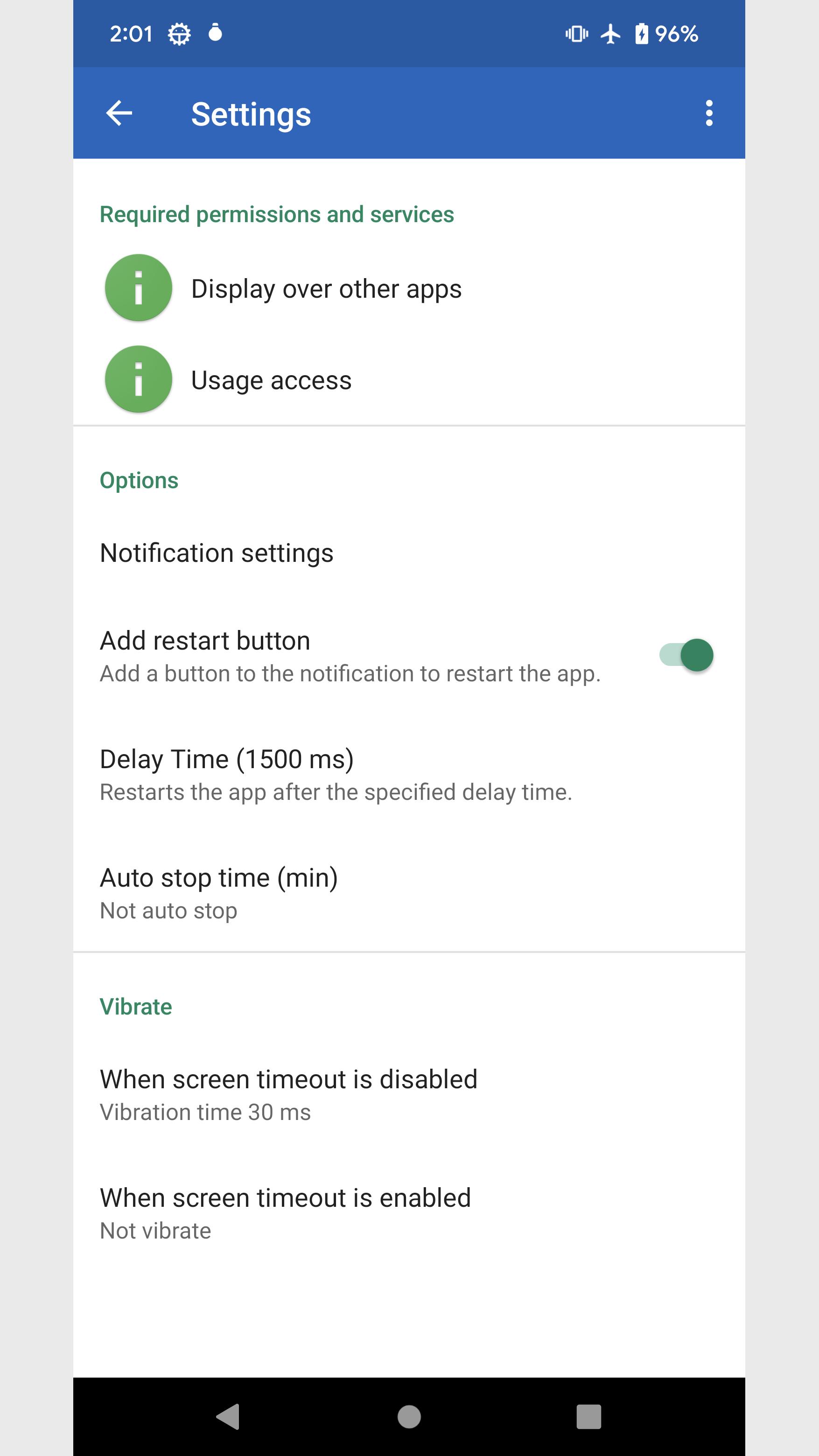
・Add restart button
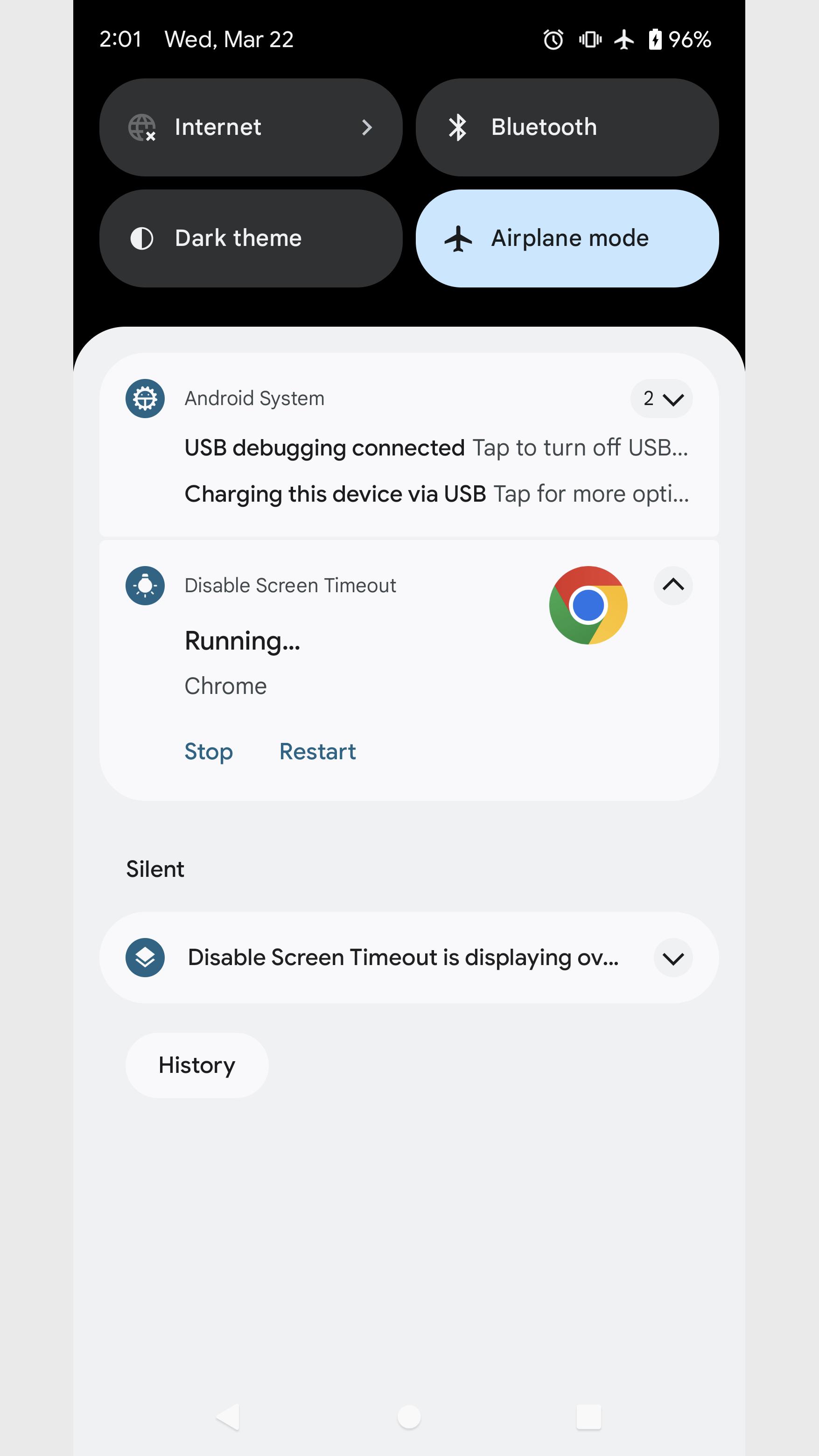
Adds a button to the notification that forces the app to restart.
・Auto stop time
Time to automatically stop disabling screen timeouts.
If set to 0 minutes, it will not stop automatically.
■Run manually
Long press the app icon and tap the shortcut that appears.
Running manually, screen timeout disable will continue instead of per app.
To stop, tap the shortcut again or tap the stop button in the notification.
■About permissions
This app uses the following permissions to provide various services. Personal information will not be sent outside the app or provided to third parties.
・Post Notifications
Required to realize the main functionality of the app.
・Get list of apps
Required to get information about running apps and to disable screen timeout.
■Notes
Please note that we are not responsible for any troubles or damages caused by this app.
This app is a utility tool designed to disable screen timeout and manage the display state.
Latest Version
11.0Uploaded by
Luis Jesus
Requires Android
Category
Free Tools AppContent Rating
Everyone
Security Report
Report
Flag as inappropriateLast updated on Mar 21, 2026
Bug fixes and performance improvements.


APKPure - A multi-platform app store primarily focused on Android, providing extensive app-related content. Discover the app you want easier, faster, and safer, with quick and efficient downloads and installations.