How do I apply this theme?
To apply this theme you need to follow these steps:
1. Install Digital Keyboard Theme from Google Play store;
2. Open the theme;
3. Go to Theme Manager and press 'Installed' tab;
4. Find your theme and press 'Activate theme'
Do you want a custom font for this theme?
This theme comes with a free Google Font™ that will be activated the moment you install the theme. The font you can find it http://www.google.com/fonts/specimen/Keania+One
Do you have something to say?
For errors, bugs or suggestions please contact us at this email: creativekeyboards1@gmail.com
Can I resize the font of my keyboard?
Yes, from Quick Settings you can change the size of your font from S-small, M-medium, to L-large.
Do you want more translations?
We have new layouts with translations coming soon. Be prepared!
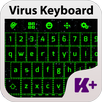
Are you a high-tech person? This Digital Keyboard Theme will definitely match your style.
Customize your gadget with the most astonishing digital outfit and your keyboard will look so high-tech glamorous. This Digital Keyboard is especially designed for your tastes in technology and gadgets. The combination between green and blue is just what you need to feel connected with everything around you. The digital era is right now and you must be in style with this interesting Digital Keyboard. Your chatting will be easier and even funnier with this digital outfit.
Share the news with your friends and rate us to make more colored digital outfits for your gadgets!
Latest Version
3.0.9Uploaded by
SuSu Savana Florence
Requires Android
Android 4.2+
Category
Free Personalization AppContent Rating
Everyone
Report
Flag as inappropriateLast updated on Jun 6, 2018
This release includes minor bug fixes and general improvements. Update to the latest version for the best experience.



APKPure - A multi-platform app store primarily focused on Android, providing extensive app-related content. Discover the app you want easier, faster, and safer, with quick and efficient downloads and installations.