Package Name:com.tac.compass.digital
SHA-256:bdbb89154444c2317b8479295e79609be9de231ef2a1f459c04e581e56460afb
Show More

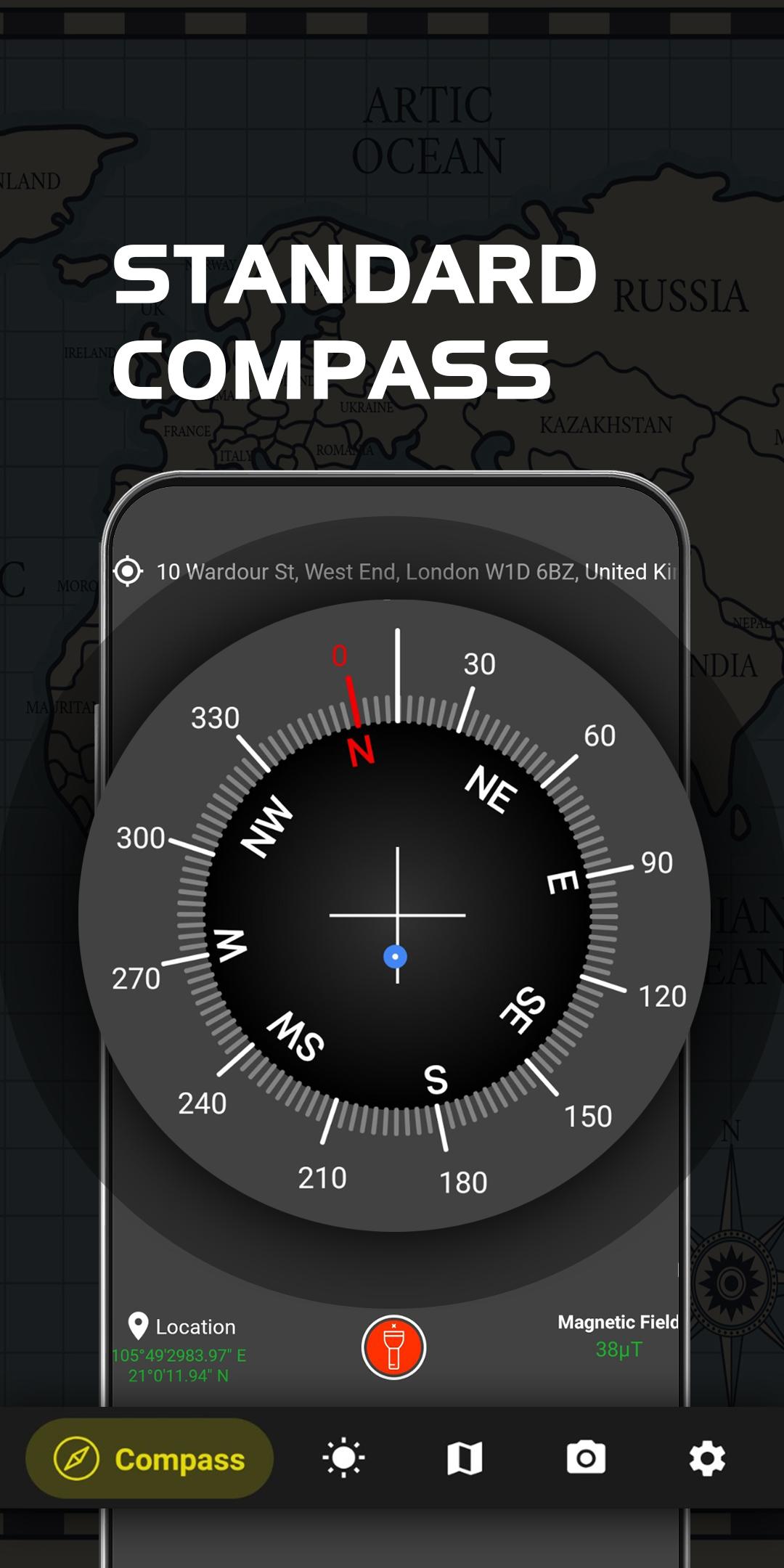
Digital Compass - Compass Maps is an accurate compass and a great tool for any outdoor activities like traveling, picnicking, camping, hiking or boating and find your way on the map..It gives precise location info just like a real compass. It’s handy, gorgeous and it is one of the most compelling magnetic and directional compass apps for Android
🔥🔥🔥 Main advantages of our Digital Compass - Compass Maps app:
✅ Classic compass support:
- It is a free compass
- Display basic results with metrics and direction names.
- Display highly accurate direction
- Display the current location(longitude, latitude, address)
- Use of GPS or Network location for best accuracy
- Magnetic fields signal indicator
- Slope level meter
- Add a direction pointer marker
- Flashlight
- Beautiful and modern material design style
✅ Weather:
- We provide 7 days of information: today's weather, tomorrow's weather... and weather for 24 hours.
✅ Compass in map:
- The map combined with the compass, easy to view the direction
- Move the compass by touching the location you want on the map
- Support satellite map mode and normal map mode
- You can move on maps, compass will auto update state and direction, It also can calculate radius, corner. Show current your location on maps. Zoom maps or share location to network social.
- You can draw many different shapes like polygon, polyline and many more on the google map with editable mode and area calculator for land, supported m2, km2, fit2 and ha
✅ Camera compass view.
- Using camera to take picture and add the address, location coordinates direction, altitude, current date & time & note in the picture
👉 How to use 👈
- Keep your phone parallel to ground. Application will show you direction and degrees.
- Please wave your device around several times in a figure of eight (∞) to calibrate it!
⚠ Important ⚠
_ To use Digital Compass app, hold your Android device flat, use just like a real compass. Your device must have magnetic sensor inside to read earth magnetic field. If your device (SS galaxy J1, J2, J3, J5, J7...) does not have magnetic sensor compass, application will not work. Please don't write bad comments, it's not our fault!
☎ Support
If you have any problems installing or using the application, please contact the team developed applications via email TACSoftware2020@hotmail.com . We will contact you and solve the problem as soon as possible.
If you like the app, please help me 5 star review. Thank you!
Latest Version
3.7.3Uploaded by
Kachonk
Requires Android
Android 7.0+
Category
Free Travel & Local AppContent Rating
Everyone
Security Report
Check Now
Report
Flag as inappropriateLast updated on Jul 20, 2024
Minor bug fixes and improvements. Install or update to the newest version to check it out!



APKPure - A multi-platform app store primarily focused on Android, providing extensive app-related content. Discover the app you want easier, faster, and safer, with quick and efficient downloads and installations.