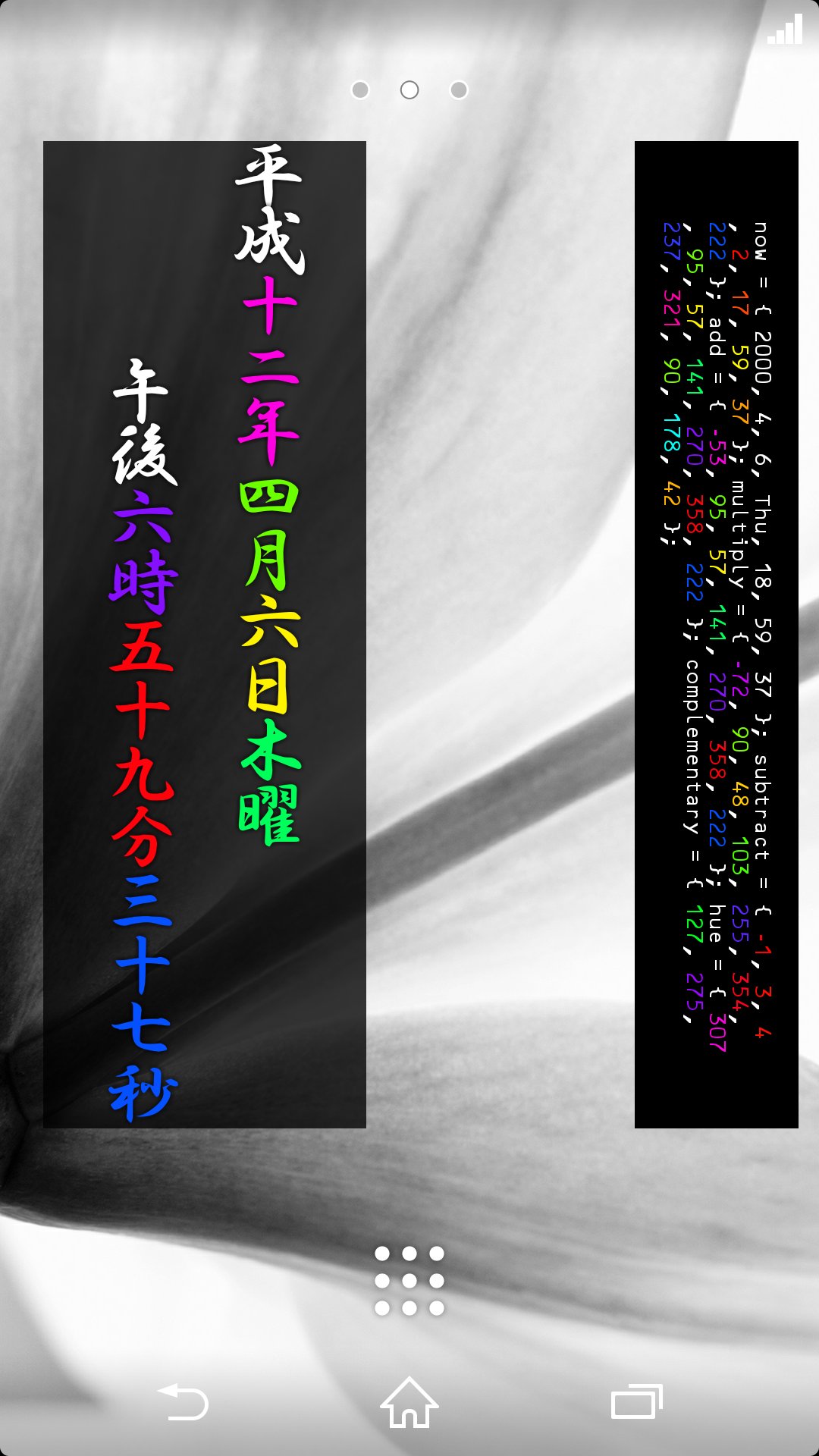
時計のようなウィジェット。
あなただけの色。
1秒ごとに色が変わる。
それだけ。
This is a clock widget.
It is the color for you.
■画面に配置して使うウィジェット。現在の日付と時刻を表示する。表示するのみで、それ以外の機能はない。
■デザインが数種類あり、好きなものを選んで配置できる。サイズはそれぞれ固定。
■年、月、日、曜、時、分、秒、それぞれに色がついている。この色は時間経過で徐々に変化していく。
■色は、色相環(虹の輪)を一周するように変化するが、例えば、「分」は60分間で一周し、「時」は24時間で一周、といったように、変化のペースが異なるので、見るタイミングによって色の組み合わせが様々。
■配置時に設定画面が表示され、「生年月日」等いくつかの項目を設定する。設定内容から色が算出されるので、その人だけの色の組み合わせになる。
――――――――――――――――――――
使用方法
※一般的な手順を載せています。機種によっては異なる場合がありますので、
うまくいかない場合は、各機種の説明書の「ウィジェットの使用方法」等をお読みください。
1.ホーム画面を長押しする
2.「ウィジェット」か「アプリ」を選択できる場合は「ウィジェット」を選択する
3.ウィジェット一覧から以下のいずれかを選択する
#1_simple
#2_analog
#3_TATEGAKI
#4_icon
#5_panel
#6_line
#7_debug
4.設定画面が表示されるので、各項目を選択し、OKを押す
――――――――――――――――――――
ちなみに作者は歌も歌います。
https://www.youtube.com/channel/UCM5u1egv83xhLsGOHdwCjqw
Latest Version
2.2.0Uploaded by
Kennedy Pires
Requires Android
Android 3.0+
Category
Free Lifestyle AppContent Rating
Everyone
Report
Flag as inappropriateLast updated on Oct 10, 2015
■2.2.0
◇設定
・「文字サイズ」追加(#1)
・一部項目が反映されていなかったバグを修正
■2.1.0
「select language」追加



APKPure - A multi-platform app store primarily focused on Android, providing extensive app-related content. Discover the app you want easier, faster, and safer, with quick and efficient downloads and installations.