Package Name:com.cybs.darkflow
SHA-256:431dfaa9f5623bbfabd5a3d44ce3efdbac05c397aa3bb660ba2658a56be5f2e7
Show More

DarkFlow is a fast, private web browser for Android with a built-in ad blocker, video downloader, Reader mode and dark mode for every website. Browse without ads, trackers or cookie pop-ups, save videos in one tap, and have articles read aloud to you, all in a light browser built for one hand.
★ AD BLOCKER & TRACKER BLOCKER
Ads and trackers are blocked before they load, so pages open faster, use less data and are easier to read. DarkFlow shows how many it has stopped, right on the home screen.
★ NO MORE COOKIE POP-UPS
DarkFlow hides annoying cookie consent banners on most sites automatically, so you get straight to the page.
★ VIDEO DOWNLOADER
DarkFlow spots the videos on a page and shows a Download button. Pick the quality you want (240p to 1080p) and save the video to your phone to watch offline. Works with MP4, WebM, MOV and other video files on the web. YouTube videos can't be downloaded.
★ READER MODE
Turn any article into a clean, calm page with no ads or clutter. Choose light, sepia or dark, a serif or sans font and the text size, and see how long it takes to read.
★ LISTEN: READ ALOUD
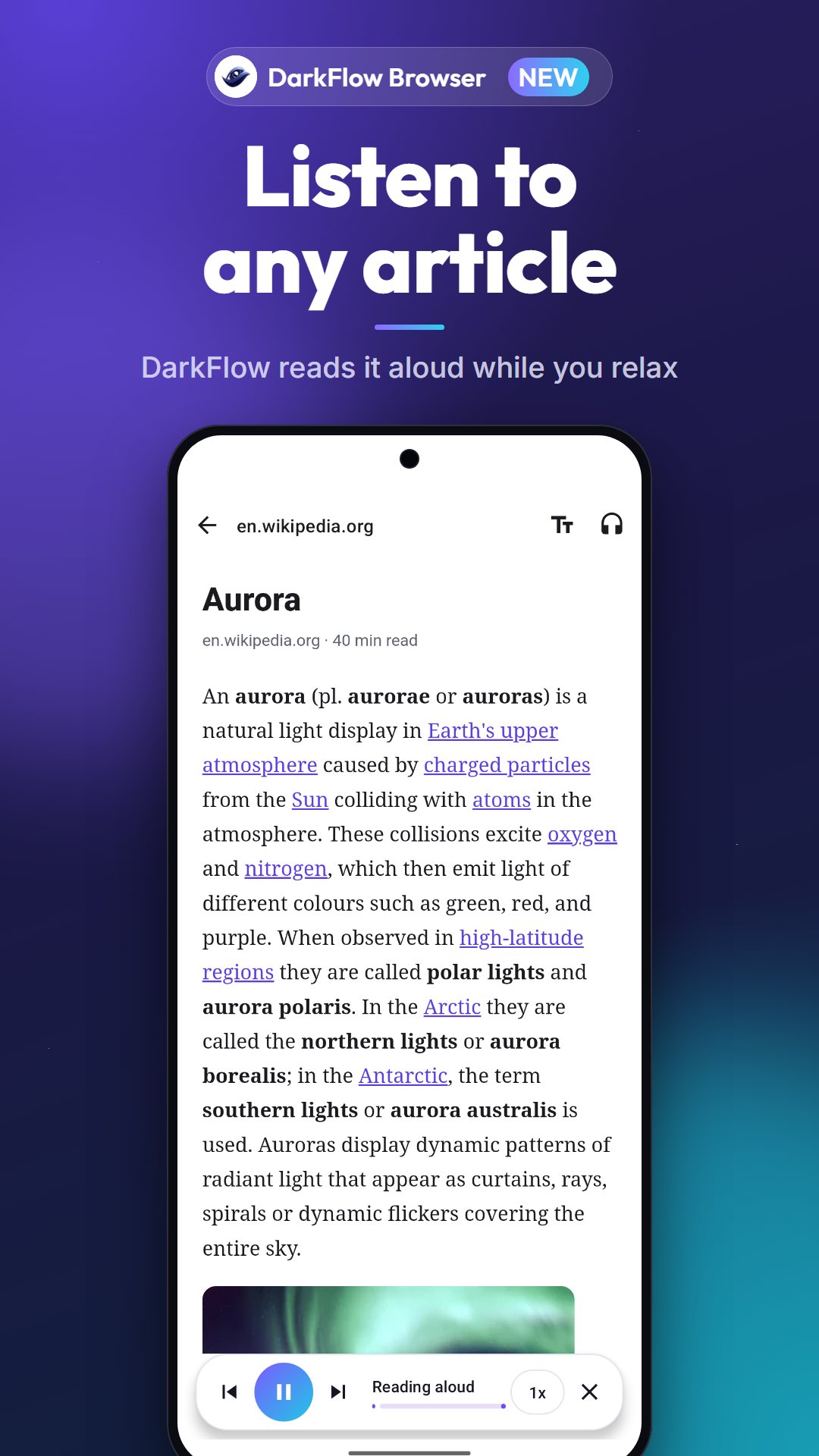
Let DarkFlow read any article aloud with text-to-speech while you cook, commute or rest your eyes. Play, pause, skip and change the speed.
★ DARK MODE FOR EVERY WEBSITE
Turn on dark web pages and every site is darkened, even ones that never had a dark theme. Easy on the eyes at night, and it follows your system theme.
★ PRIVATE BROWSING
• Incognito tabs: no history, cookies or form data kept
• HTTPS-first: every site opens on a secure connection when it can
• Close all tabs on exit, and clear your history any time
• Location is shared with a site only after you allow it
★ FAST & SMOOTH
A quick start, smooth scrolling, and background tabs paused to save battery and memory. Your tabs are kept safely, even after a restart.
★ SMART TOOLS
• QR code and barcode scanner (no camera permission needed)
• Picture-in-picture: keep videos playing while you use other apps
• Video speed control from 0.5x to 2x
• Undo a closed tab
• Save any page as PDF or print it
• Translate pages into your language
• Find in page, share, copy link and screenshots
• Bookmarks, history and Quick access shortcuts
• Desktop mode, text size and a data-saving option to turn off images
★ SEARCH YOUR WAY
Search by voice, search selected text from any app, or use the home-screen search widget and app shortcuts. Choose your search engine: Google, Bing, DuckDuckGo, Yahoo, Yandex, Ask or Baidu.
★ DOWNLOAD MANAGER
Pause, resume and manage downloads, with progress in your notifications.
★ BEAUTIFUL ON EVERY SCREEN
A modern, Material You–inspired design with motion, for phones and tablets, in light and dark.
DarkFlow is free and supported by ads shown in the app's own screens. Want a break? Watch one short video for an ad-free hour. The ad blocker removes ads on the websites you visit; it doesn't affect DarkFlow's own ads, which keep the browser free.
Questions or feedback? Email us at info@cybsinnovations.com. We read every message.
Latest Version
4.2.0Uploaded by
Avesh Pathan
Requires Android
Android 7.0+
Category
Free Tools AppContent Rating
Everyone
Security Report
Check Now
Report
Flag as inappropriateLast updated on Nov 7, 2026
DarkFlow 4.2
• Make DarkFlow your default browser: every link opens with ads and cookie pop-ups blocked
• Weekly privacy report: see how many ads and trackers DarkFlow blocked
• Pick up where you left off, with gentle reminders you can turn off in the menu
• Smaller download and smoother browsing
• Bug fixes and stability improvements





APKPure - A multi-platform app store primarily focused on Android, providing extensive app-related content. Discover the app you want easier, faster, and safer, with quick and efficient downloads and installations.