The app is not an official Minecraft product, not approved by or associated with Mojang or their respectful owner.
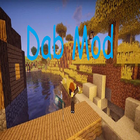
Dab Mod 1.12.2/1.11.2 is a simple mod which allows player to Dab in Minecraft! Simply press R while in-game to Dab. You can change the key in the controls menu. Show your ultimate savage.
How to install:
Make sure you have already installed Minecraft Forge and Render Player API.
Locate the minecraft application folder.
On windows open Run from the start menu, type appdata and click Run.
On mac open finder, hold down ALT and click Go then Library in the top menu bar. Open the folder Application Support and look for Minecraft.
Place the mod you have just downloaded (.jar file) into the Mods folder.
When you launch Minecraft and click the mods button you should now see the mod is installed.
Latest Version
2.0Uploaded by
Dilip Zala
Requires Android
Android 4.0+
Category
Free Adventure GameContent Rating
Everyone
Report
Flag as inappropriateLast updated on Aug 3, 2019
Removed almost all interstitial adds



APKPure - A multi-platform app store primarily focused on Android, providing extensive app-related content. Discover the app you want easier, faster, and safer, with quick and efficient downloads and installations.