Scan Date:May 2, 2026
Show More
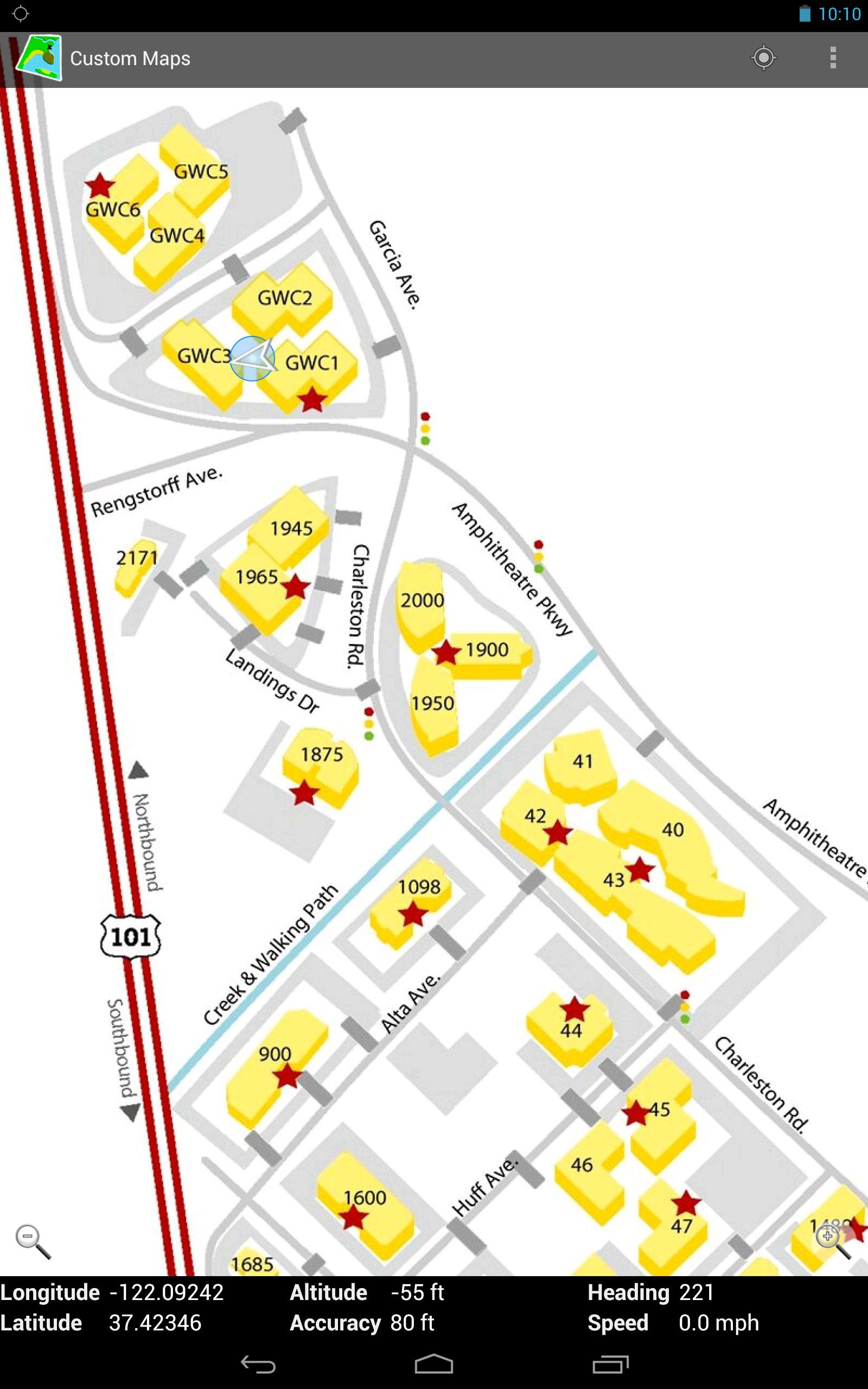
You can convert map images to GPS maps, and you can use the created maps completely offline. Custom Maps works on phones, tablets, and on Chromebooks.
Custom Maps can use maps in JPG and PNG images and PDF documents.
You can find useful map images in national and state park brochures, many of which are available online. You can also take pictures of paper maps. You can create your own GPS map for the park from those before you get there, so you will know where the trails lead and where the facilities are.
Watch the short video above to get a quick tutorial on how to use the app.
For those who don't like to watch videos, here is a brief summary on how to create a map:
- Before opening Custom Maps, download a map image or PDF to your phone
- With Custom Maps, select the map file on your phone you want to turn into a GPS map
- Select two points on the map image and find the corresponding points on Google Maps
- Preview the map image overlaid on Google Maps to verify the map image is accurate
- Save the map to your phone
If you want to get creative, you could draw your own additional annotations on the jpg or png map image using some drawing app. Custom Maps does not provide image annotating features.
Privacy Policy
Custom Maps does not collect any personal information, and does not send any information from your phone or other Android device to any servers. All the functionality is performed on your phone without any data being sent to any servers.
Google Maps API is used in aligning the map images, so Google Privacy policy applies to that part. But Google Maps API is used anonymously to only display a map of the area on the map image. No personal information is sent to Google either.
More Info
You can find more information about Custom Maps at http://www.custommapsapp.com/.
You can get access to beta versions of Custom Maps by becoming a tester at https://play.google.com/apps/testing/com.custommapsapp.android. The same web page allows you to leave beta testing.
Custom Maps is an open source project. Its source code can be found at https://github.com/markoteittinen/custom-maps
Latest Version
1.8.7Uploaded by
ห๊ะไร น่ะ
Requires Android
Android 5.0+
Category
Free Travel & Local AppContent Rating
Everyone
Security Report
Report
Flag as inappropriateLast updated on Jul 28, 2025
1.8.7
- Updated for Android 16



APKPure - A multi-platform app store primarily focused on Android, providing extensive app-related content. Discover the app you want easier, faster, and safer, with quick and efficient downloads and installations.