

Crosshair Pro supports players who struggle with small default sights or play games that lack a built in crosshair. Crosshair Pro APK places a clear reticle on the screen so you can center your aim with less guesswork. It focuses on visibility and simple control while running alongside your games. As a result, you can fine tune the overlay during play without breaking focus. This setup suits quick casual matches and longer competitive sessions.
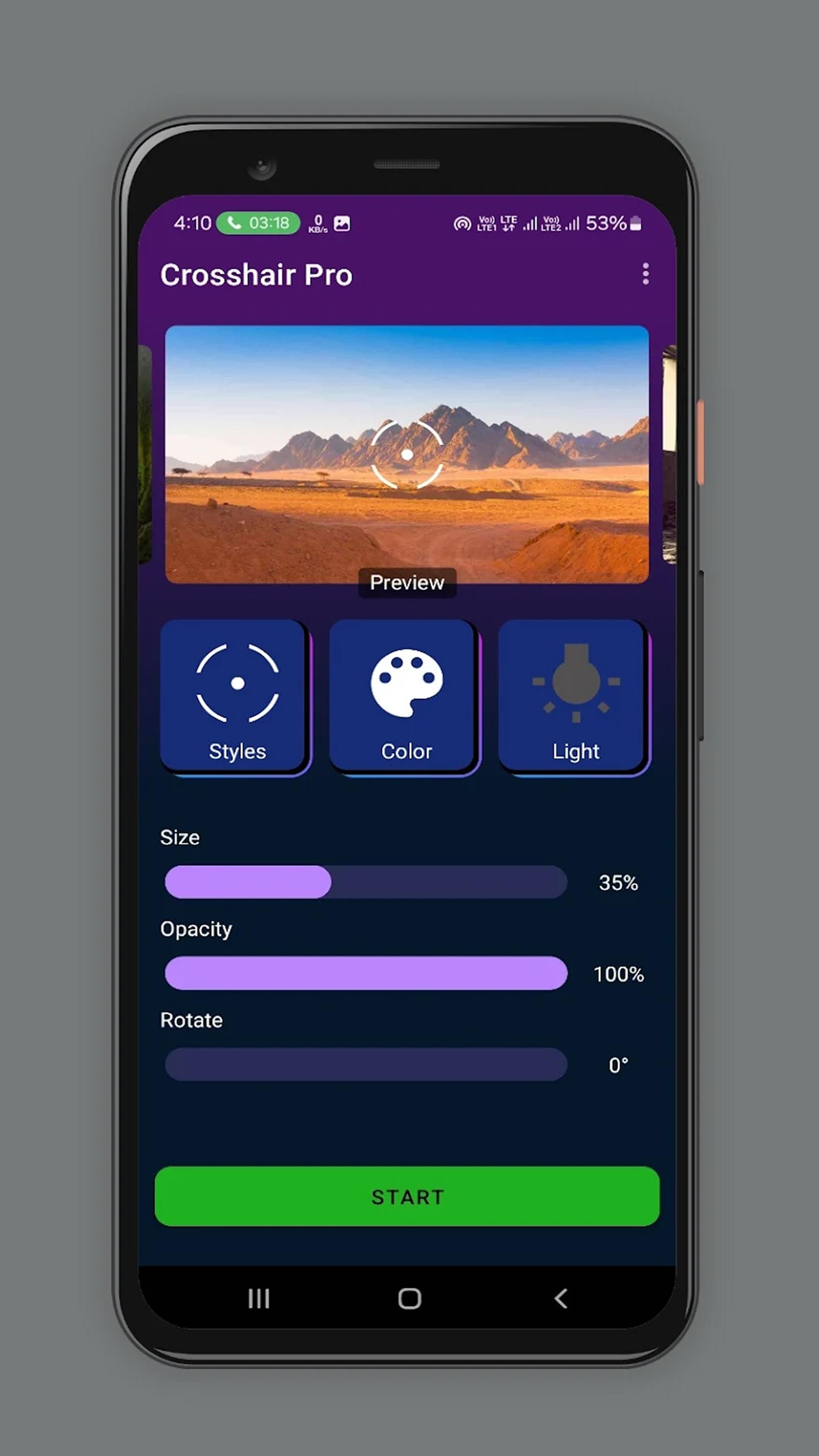
Adjustable on screen crosshair
Presets and editor
Crosshair Pro includes preset styles for quick setup. You can choose classic sets or modern styles, then refine details in the built in editor. In the Crosshair Pro latest version, presets and the editor respond quickly for faster adjustments.
Works across many games
Crosshair Pro draws the reticle as an overlay, so it appears above different shooters. This helps in titles that do not show an aim point or where in game options are limited. The overlay is independent of the game, which reduces the need to adjust each title separately.
Visibility options
Crosshair Pro lets you increase thickness and contrast for clearer sight lines. These controls may help users who find default sights hard to track against bright or busy backgrounds. You can switch settings to suit different maps or lighting conditions.
Crosshair Pro offers a clear, adjustable aiming point that stays visible across shooters. It is a practical tool if you want consistent targeting without relying on each game’s settings. To begin, download Crosshair Pro and choose a preset or adjust the editor until the reticle fits your screen.
Latest Version
22.9Uploaded by
Pipi Chick Studio
Requires Android
Android 4.2+
Category
Free Tools AppContent Rating
Everyone
Report
Flag as inappropriateLast updated on Jul 23, 2025
修复卡顿问题 修复切换界面失败问题 增加保存数据还原数据 修复注册失败问题 更新全新界面 修复权限bug失败问题 修复登录障碍 修复登录问题bug 紧急修复bug




APKPure - A multi-platform app store primarily focused on Android, providing extensive app-related content. Discover the app you want easier, faster, and safer, with quick and efficient downloads and installations.