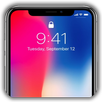
Welcome to an enhanced OS experience like never before with the app. Designed to give you the power and convenience to manage your device effortlessly, this app brings the control center of OS right at your fingertips, offering a streamlined way to access essential settings, manage device features, and customize your device experience. Say goodbye to navigating through multiple menus, and say hello to a more intuitive and efficient way to control your device.
- Control Center Access: Enjoy quick and easy access to the OS control center. Swipe up or down to access vital settings and controls without the need to navigate through your device's settings.
- Customizable Controls: Tailor your Control Center to your needs by adding, removing, or rearranging controls. Make your Control Center truly yours with a layout that suits your preferences.
- System Toggles: Control various device settings with a simple tap, such as Wi-Fi, Bluetooth, Do Not Disturb, Airplane Mode, and more.
- Media Playback: Manage your media playback with ease, including play, pause, skip, and volume controls. You have complete command over your music and video experience.
- Screen Brightness and Volume: Adjust screen brightness and volume levels to suit your environment, all from the app
- Flashlight: Instantly turn your device's flashlight on and off, transforming your device into a handy flashlight whenever needed. You can increase or decrease the flashlight's brightness (this function only applies to Android version 13 and above).
- Take screenshots quickly and conveniently. Captured images are saved at the highest resolution.
- Screen Recorder: Record your screen with high video quality, helping you save memorable moments.
- Camera Access: Open the camera app with a quick tap to capture the moment without delay.
- Quick settings access: "Phone Control" gives you quick access shortcuts to the quick settings you use frequently.
- Quick application access: You can select frequently used applications to quickly open them.
- Intuitive Interface: The app is designed with an easy-to-navigate interface.
-Volume control displays volume buttons on the edge of the screen to simulate the volume control function of the phone's physical volume keys. The volume buttons can be moved on the screen to be placed anywhere on the edge. You can change the interface with many application templates provided.
The app enhances your device experience by simplifying access to essential settings and controls.
ACCESSIBILITY
The application commits not to collect or share any user information about this accessibility right.
Apps need accessibility permission for the following purposes:
To use functions: go home, recent apps, go back, lock screen...
Set up the display the Control Center.
Use the app today and experience the convenience. Thank you!
Latest Version
8.0Uploaded by
Charles Almeida
Requires Android
Category
Free Personalization AppContent Rating
Everyone
Report
Flag as inappropriateLast updated on Oct 10, 2026
- Fix some bug
- Fixed the issue of weather not loading
- Upgraded the library version



APKPure - A multi-platform app store primarily focused on Android, providing extensive app-related content. Discover the app you want easier, faster, and safer, with quick and efficient downloads and installations.