Thank you so much for using our app
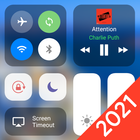
Control Center IOS 14 is an easy tool for Android devices. It's fast, it’s smooth, and it’s totally FREE.
With a floating bar on the screen, you can easily use your Android smart phone. More conveniently, you can quickly access to all your favorite apps, games, settings and quick toggle, screen capture, screen recording. Control Center IOS 14 is also an ideal app to protect the physical buttons (volume button). It is very useful for big screen smart phone.
★ Key Feature
- Capture Screenshot: Capture screen
- Record Screen: Record any action in your phone. (Support android 5.0 above only)
- Memory cleaner : clean your phone memory
- WiFi: Turn on Wi-Fi to browse the web, stream music, download movies, and more.
- Bluetooth: Connect to headphones, car kits, wireless keyboards, and other Bluetooth-enabled devices.
- Do not disturb mode: Silence calls, alerts, and notifications that you receive while your device is locked.
- Brightness: Adjust the brightness of your display from any screen.
- Screen timeout
- Control audio: From here, you can quickly play, pause, and control volume of your favorite song, podcast, and more.
- Airplane mode: Use Airplane Mode to instantly turn off Bluetooth, Wi-Fi, and cellular connections on your android device.
- Flashlight Super Bright: The LED flash on your camera doubles as a flashlight, so you can get extra light when you need it.
- Screen rotation: Portrait Orientation Lock, keep your screen from rotating when you move your device.
- Calculator: Tap numbers and functions in Calculator, just like a standard calculator.
- Camera: Never miss a moment to take a picture with quick access to your camera.
- Alarms and Timer: Set an alarm, timer, or stopwatch, or check the time in another country or region.
- Launch all applications or games on your device
★ Customize
- You can change color of bar with your favorite color, totally free
- Change position of the bar (left, right, bottom)
- Change size of bar (width, height)
- Change opacity of bar
- Add or remove apps or controls on the Control Center
Feedback
- If you like Control Center iOS 14 please review and give us 5 star
- If you have any problem with this app please give us feedback for your problem, we will fix it quickly
- Please email for us if you want to send request function
Permission
- CAMERA to turn on Flashlight, not take a photo.
- We never publicly disclose any personal or sensitive user data related to financial or payment activities or any government identification numbers, photos and contacts, etc.
Thank you so much!
Latest Version
1.2.1Uploaded by
Manuel Reparyuk
Requires Android
Android 5.0+
Category
Free Tools AppContent Rating
Everyone
Report
Flag as inappropriateLast updated on Jan 21, 2021
Ver 1.2.1 : Optimize application
🌟 Thank you so much for using our App!



APKPure - A multi-platform app store primarily focused on Android, providing extensive app-related content. Discover the app you want easier, faster, and safer, with quick and efficient downloads and installations.









