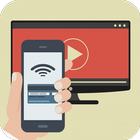
Tablets and phones are perfect for individual users – lightweight with very long battery life, and with bright, sharp screens that make light work of everything from watching films to reviewing photos.
Bigger crowds call for bigger screens, though: here’s how to connect your Android tablet or phone to your TV without spending a fortune or drowning in a sea of cables.
We live in a golden age of content thanks to streaming services such as Netflix and Amazon Prime Video. However, this isn't so good when you want to share the experience with multiple people.
Your TV is perfect for this and we’ll explore your options when it comes to getting your mobile content on the big screen. We'll also look at the services that will let you share your subscriptions, photos and videos on the big screen – and those that won’t.
- Connect Android to TV
- Wireless
- Which devices support Chromecast mirroring?
- HDMI
- MHL or SlimPort
Latest Version
1.0Uploaded by
Mohamed Sy
Requires Android
Android 4.0+
Category
Free Education AppContent Rating
Everyone
Report
Flag as inappropriateLast updated on Apr 17, 2018
Minor bug fixes and improvements. Install or update to the newest version to check it out!



APKPure - A multi-platform app store primarily focused on Android, providing extensive app-related content. Discover the app you want easier, faster, and safer, with quick and efficient downloads and installations.








