Z-Lib, also known as Z-Library, helps when you need quick access to ebooks and papers anywhere. It brings a large catalog to your phone, so you can search, preview, and decide what to read without using a computer. After a short email signup, your account keeps favorites and download history in one place. Additionally, the app supports reading online or saving files for offline use. If you prefer a simple mobile setup, installing the Z-Lib APK gives direct access to the library.
Z-Lib provides around 15 million books and over 84 million articles. Content spans genres, academic fields, and many languages. You can browse popular titles or deep research material from the same place. This helps you switch between casual reading and study without changing apps.
Accurate search and filtersYou can search by title, author, ISBN, or publisher. Z-Lib adds filters for language, year range, and file format to narrow results. As you refine a query, results update to match your criteria. This speeds up finding a specific edition or a readable format.
Read online or download formatsZ-Lib lets you read online inside the app. When you need offline access, choose common formats like PDF or EPUB before downloading. The app keeps downloads organized for later reading. This makes switching between devices and sessions straightforward.
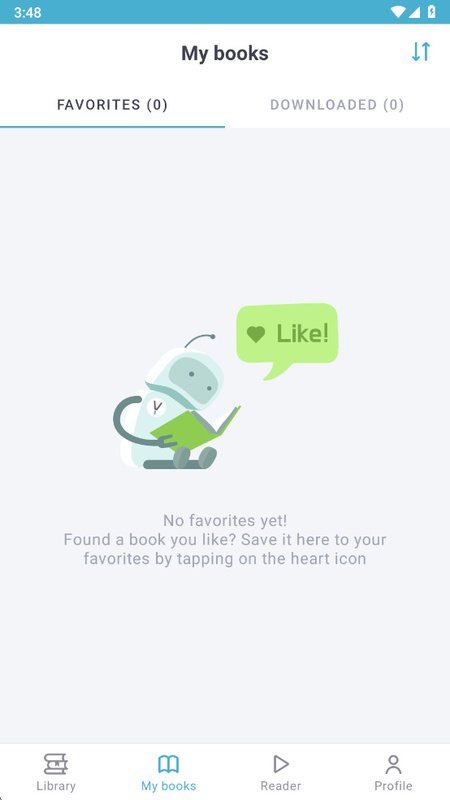
Favorites and Send to Email or KindleYou can save any title to Favorites for quick return. Z-Lib also sends books to your Email or Kindle from within the app. This is useful when you prefer a dedicated reader or want copies available on another device. It keeps your reading flow consistent across platforms.
Access tiers and daily limitsThe free plan allows up to ten downloads each day at one megabyte per second. Premium supports up to nine hundred ninety nine downloads daily without speed limits. You can choose a plan that fits how often you download. The app shows limits clearly so you can plan your activity.
Some users face blocked domains or changing links. Z-Lib maintains an Android app page that lists official domains and the latest version. When access is unstable, the browser extension can handle rotating domains with one click. A desktop launcher can route traffic through TOR to keep access reliable when websites are unavailable.
For mobile discovery and account actions, a personal Telegram bot connects to your account. It can assist with finding titles and may offer extra downloads. If you lose access to your email or cannot reach domains, Magic Email helps create or restore account access. These options support consistent access without complicated setup.
Official builds list a version number, such as v1.11.4, and may differ in file size by release. If you notice differences in size, compare the version you installed with the version stated on the Android app page. The app is designed for Android phones and tablets, so features focus on mobile reading and discovery.
This short guide covers first steps with the Z-Library app on an Android phone. It outlines signup, search, reading, and sending to other devices. Follow the steps below to start.
Z-Lib offers a large catalog, precise search, and flexible reading on Android. If these tools match your needs, download Z-Lib and begin reading across devices.
For official account assistance, use the contact below.
Latest Version
1.11.4Uploaded by
Z-Library
Requires Android
Android 4.4+
Category
Free Tools AppReport
Flag as inappropriateLast updated on Dec 25, 2024
This release includes minor bug fixes and general improvements. Update to the latest version for the best experience.




APKPure - A multi-platform app store primarily focused on Android, providing extensive app-related content. Discover the app you want easier, faster, and safer, with quick and efficient downloads and installations.