Scan Date:Oct 22, 2025
Show More


Stickman Party supports quick local sessions when you have friends or family in the same room. It suits parties, casual meetups, and travel, since rounds start fast and play on one screen. Because matches run offline, you avoid delays and can focus on simple, shared fun. To get started, download Stickman Party and prepare a comfortable spot where everyone can reach the display.
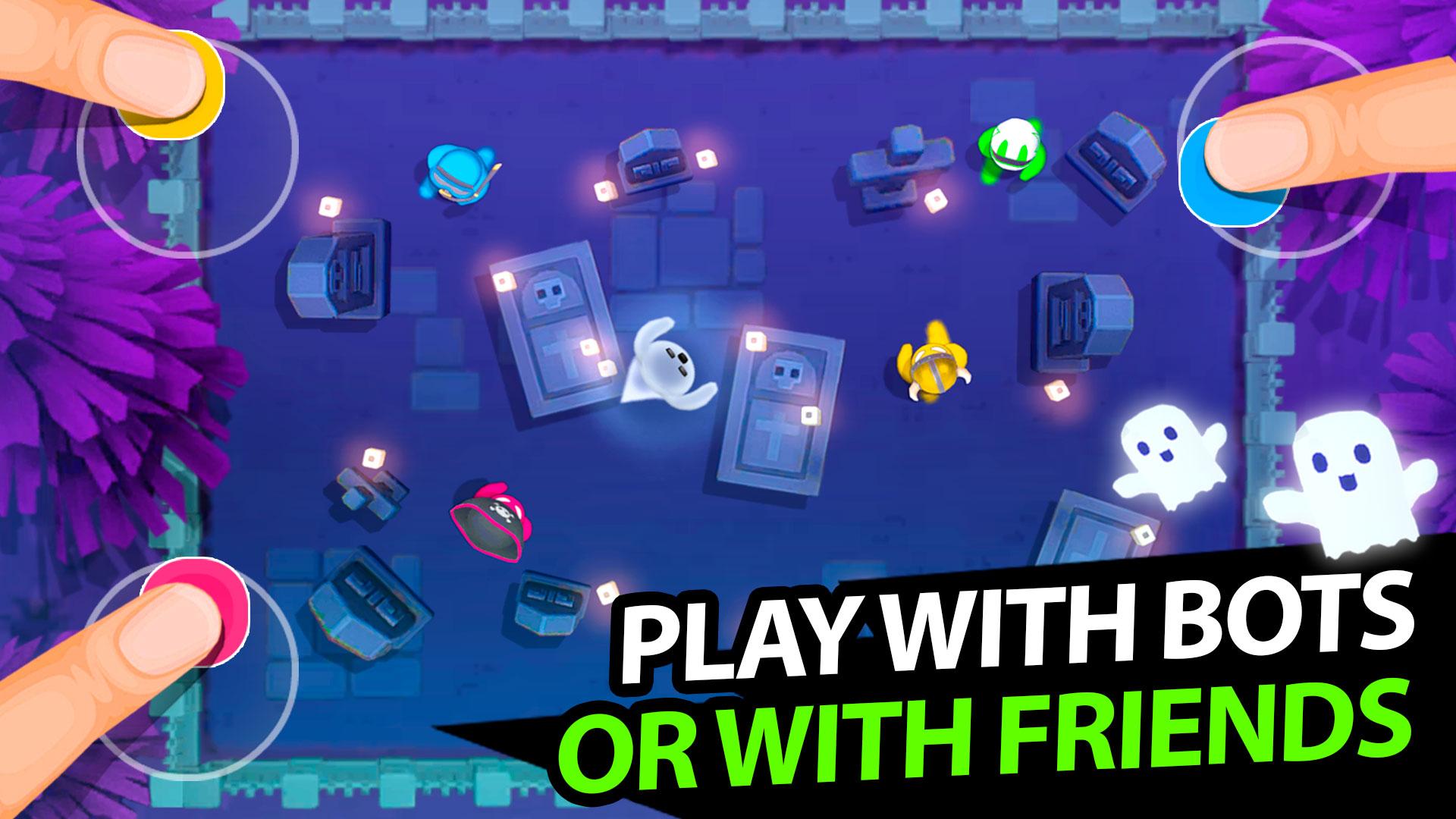
Single device multiplayer for 1–4 players
Stickman Party is built for in person play on one screen. You gather two to four players around a phone or tablet and start instantly, which suits Stickman Party 4 player games. There is no pairing process or extra controllers. Input areas are mapped to the display so each player knows where to tap.
Offline matches that work anywhere
You can play without WiFi or mobile data. No online matchmaking is provided, which keeps rounds immediate in low connectivity places. This design supports travel, dorm rooms, and family living rooms. You decide when to start and end a game.
More than fifty bite size mini games
Stickman Party offers more than fifty short modes, each with a brief rule screen before the round. Examples include Tanks, Football (soccer), Micro car rally, Stickman run, Bounce the ball, and Paint the colors. The mix combines original ideas with adapted hits for shared screens. Rounds stay short so people can rotate turns smoothly.
One touch controls for quick drop in play
Input is limited to tapping or holding on assigned areas. That makes drop in play possible for mixed age groups. Because controls are minimal, players focus on timing and positioning instead of complex gestures. Quick prompts appear before each round to reduce confusion.
Solo practice and ongoing content additions
Stickman Party includes a solo mode that lets you practice rules and refine skills before a group session. New mini games are added over time to expand the set. Checking for updates helps keep sessions varied. It also helps new players learn without pressure.
Stickman Party centers on single device, in person multiplayer. There is no online matchmaking, voice chat, or cross device play. This approach starts matches faster and ensures reliable use in places with weak or no connectivity. Plan sessions accordingly if you expected remote play.
For parties and family time, set the phone or tablet on a stable surface so everyone can reach their corner comfortably. Before the first round, check the brief rule screen together and confirm who will tap where. Keep players grouped by age or experience when helpful, then rotate turns after each short match. If space is tight, consider pausing between rounds to reposition hands and avoid accidental taps.
The steps below outline a typical flow on Android. After installation, launch Stickman Party APK and follow the prompts.
Open Stickman Party on your phone or tablet and wait for the main menu.
Choose the number of players and select a mini game set or quick play.
Read the short rule screen, confirm the control areas, and arrange players around the display for clear reach.
Tap or hold in your assigned area during the round, then use the post match prompt to continue or switch games.
If needed, enter solo mode to practice, then return to local multiplayer and repeat the process for the next session.
Stickman Party focuses on fast local rounds with simple controls and offline play. To stay current with new mini games, check for updates to the Stickman Party latest version. Players can use solo practice to learn rules before inviting others.
For official updates and support, use the following links.
Official website: http://www.playmax-games.com/
Support email: playmaxgamestudio@gmail.com
Latest Version
2.4.9.2Uploaded by
สมพร บันดาซิ่ง
Requires Android
Android 7.0+
Category
Free Arcade GameContent Rating
Everyone · Mild Fantasy Violence
Security Report
Report
Flag as inappropriateLast updated on Oct 22, 2025
This release includes minor bug fixes and general improvements. Update to the latest version for the best experience.



APKPure - A multi-platform app store primarily focused on Android, providing extensive app-related content. Discover the app you want easier, faster, and safer, with quick and efficient downloads and installations.