Smart Cleaner, a quick tool for clearing application cached files. One Tap to clean all cached files for getting more available space.
If you running out of application storage, you now can get more available storage space by clearing apps created cache/data files.
Smart Cleaner is a small, fast and smart Android device cleaner & booster, featuring a junk cleaner, memory booster, device optimizer. This tool can free a lot of storage memory for your phone.
With this app you can free up storage, boost RAM, get your device running like new again. Free phone internal memory, smart clean your phone, get more internal ROM storage. It is an app which is crucial to anyone who has memory management issues.
Main Features of Smart Cleaner :
🚀 one tap to clear all cached files, junk cleaner
🚀 Junk File Cleaning
Smart Cleaner helps to delete cache files, residual junk files, ad junk and obsolete apks to reclaim storage, junk cleaner. Improve the performance of your device, speed up phone.
🚀 Phone Boost
Boost your games and apps, free up memory (RAM), speed up your device and save more battery. Let your device no more laggy and freezes all the time.
🚀 App Manager
Help you find rarely used apps, uninstall apps to save more space.
🚀 Easy to Use
Very easy to use, we made it really simple. Just 1-tap the clean button and that’s it! Our Apps will get the job done.
🚀 One Tap Speed Booster : Fast, compact and efficient with low memory and CPU usage..
🚀 Friendly User Interface
🚀 list applications by either cache size or app name
🚀 show application details page
If you just want to clear all cached files, you don't need to wait the completion of building apps list, just tap the 'Clear All Cache Files' button.
Use Smart Clean:
You can rebuild app list by Clicking Refresh button , and choose different sort type by Sort button.
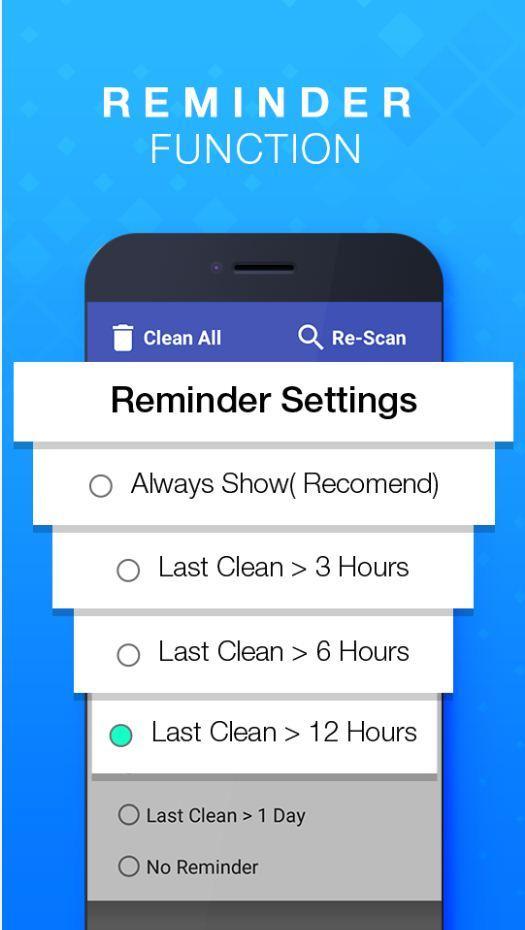
For more settings, please tap to Settings button.
Last updated on 2017年08月08日
此版本包含小幅错误修复和常规改进。请更新至最新版本,以获得更佳体验。