Start your computer remotely, and run applications on it no matter where you are!
Did you just get home from work, sit down on the couch to watch some TV, and realize that your media server is not on? Is your media server powered on, but XMBC or PS3MediaServer is not running?
Did you leave your house and realize that you forgot to shut your computer down?
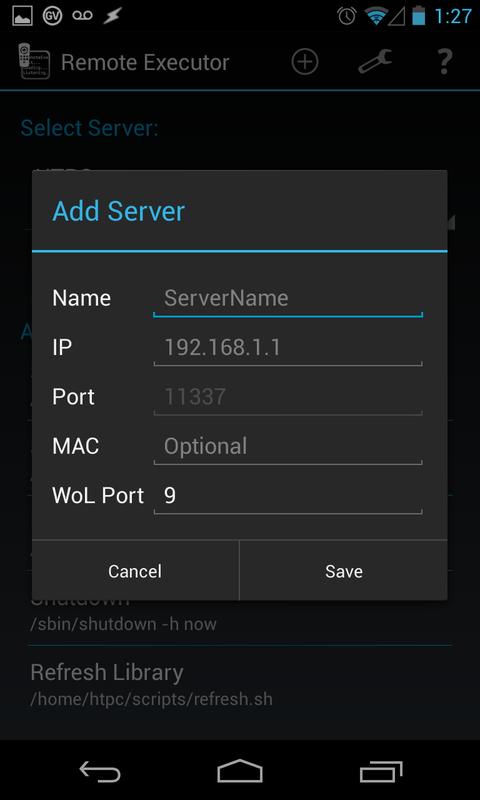
No matter what the scenario, this is the application for you! It provides Wake On LAN (WoL) capability and the ability to remotely execute or remotely launch any binary or script you please! Shortcuts for both Wake On LAN and remote execution are also supported, so waking your computer or running a program is a single tap away! Here's a quick bullet list of features:
* Wake On LAN support to wake up your sleeping server
* One-click access to run any script/binary on your PC
* Multiple server support
* Add/Edit/Delete commands to a running server from the Android app
* Wake On LAN shortcut support
* Script/binary shortcut support
* Dark/light holo theme support
* Android Backup Service to back up your server settings automatically
Examples:
* Wake up/shutdown/suspend your computer from your phone!
* Startup/shutdown media servers (XBMC, PS3MediaServer, etc) remotely!
* Control remote audio (Play/Pause, Stop, Load Playlists, etc)
The possibilities are endless!
NOTE: This app requires running a server-side component on the machine(s) you want to control. The server app is written and Java and will support Windows/Linux/Mac, or anything else that runs Java. Download the server app as a zip file here (http://goo.gl/QTA6S) or in tgz format here (http://goo.gl/T0f20). When you extract the archive, it contains 3 files: a README.txt, RemoteExecutorServer.ini, and RemoteExecutorServer.jar. Configure your commands in the ini, and then run the server with 'java -jar RemoteExecutorServer.jar'. For more information, please view the wiki here: http://goo.gl/C18fAa
Last updated on 2015年12月13日
1.6
Application is free!
Under the hood changes
1.5
Dark/light theme support
Exposed settings: theme and connect on launch
1.2 - 1.4
Updated UI for readability
Better naming for command shortcuts
Added help display
Server version testing
Long-press command to edit/delete
Implemented Android Backup Service
MAC validation
Fixed bug related to server selection with only 1 server available
Updated server version. Please grab the latest server!