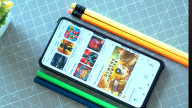
You can shoot the screen only at the moment that you want to take videos and hold . ,, You can capture a plurality of images on one screen .
* How to use *
- The screen I will shooting a long press for more than 3 seconds of the video .
- Check the video taken after the move by pressing the "Next" button .
- You can share immediately the image by pressing the share button at the bottom .
- After clicking the image in the upper left corner of the gallery of the main screen , you can share or video confirmation .
Last updated on 2016年08月13日
此版本包含小幅错误修复和常规改进。请更新至最新版本,以获得更佳体验。