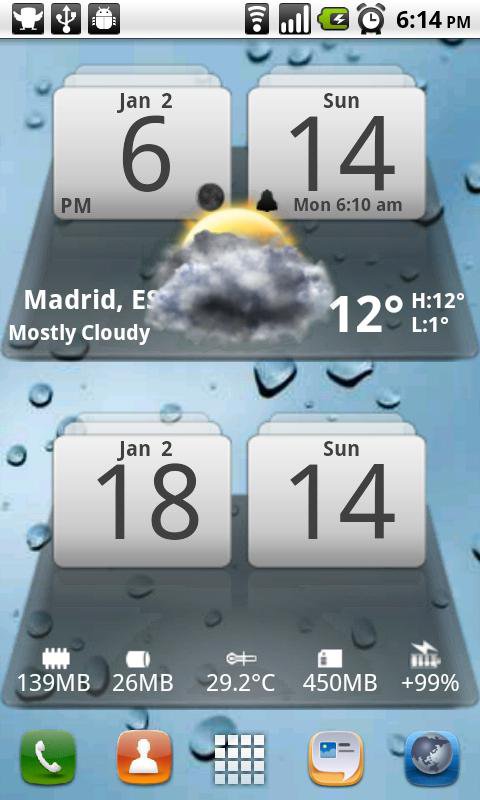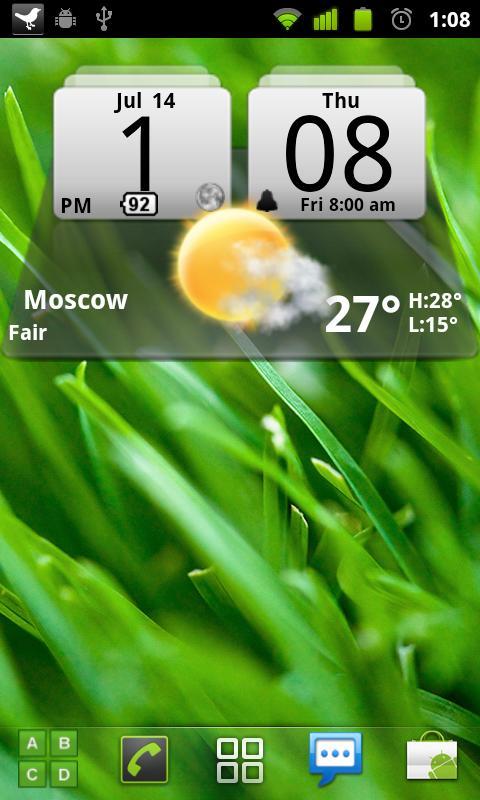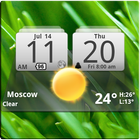
MIUI Digital Weather Clock size 4x2
It features:
12/24 hr+Color on all info displayed
System Stats Info + pop-up
Weather & Forecast
2 Forecast layouts(user choice)
+tap bottom right->preferences
+tap bottom left->system information dialog
+tap weather icon->forecast
+tap Hour->launch anything!(more coming)
+tap Minutes->launch anything!
WIDGETS GENERAL
===============
Widgets on Android work a bit differently than a normal application. Unlike regular programs they don't just install themselves in the application tray so you have to add them manually. They will not open or launch.
Here's how to add a widget on your Android home screen.
STEPS HOW TO ADD A WIDGET
==========================
1.On your Android home screen, tap any blank or “empty” area with size 4x2 and hold down your finger.
2.An “Add to Home screen” window will pop up. From that window, tap “Widgets”.
3.You’ll be presented with a list of all the installed Widgets on your Android device.
4.Select the clock to add to your home screen by tapping it.
Notes
=====
"Time frozen/not updating"-> taskiller killed the clock(exclude it from taskillers)
When phone starts, clock starts in less than a min too.
ROM users-> make sure the clock is NOT moved on SD card.
Widgets are not supposed to be on SD card. Move it back to the phone storage.
Weather hint: For world destinations with two words in the name, type in the box the words with a plus sign.
For example "Buenos Aires" type "Buenos+Aires",remember the "+" sign -no spaces, don't include the quotes.
Email problems/suggestions
Check our website for more help.
EXCLUDE IT FROM TASKILLERS!!!
Be polite, this is a free app :-)
VIDEO HOW TO ADD WIDGETS
http://www.youtube.com/watch?v=DpMLF9b2aTQ
Last updated on 2015年07月21日
4.2.4
* weather fixes
4.2
* support for more devices
* many code improvements
* added moon phases in the forecast screen.
Launch by pressing the moon icon in weather forecast screens
for detailed views on moon-phases for the current day, current
month and the years half and full phases.
* added battery option on the clock
* added Sunrise/Sunset times, Day length and hours left in the forecast screen
! -->PLEASE REMOVE AND ADD WIDGET AGAIN<-- !