Download Windows drivers from
http://bunifusniper.com/droidpc/droid_pc_driver1.0_setup.exe
(Windox 7/8/8.1)
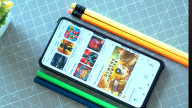
The App consists of an intuitive graphical user interface that provides the user with a familiar environment in which to work. This environment contains pushbuttons, toggle buttons, lists, menu, text boxes, and so forth, all of which are already familiar to the user, so that he or she can concentrate on using the application rather than on the mechanics involved in doing things. Below are screen shots of our app
The App does the following:
• Full drive, folder and file access
• File and folder editing and modification including open, rename, delete among others
• cloud storage synch – Synch user data with dropbox
Mini commander features including;
1. Log off: Logs off the PC
2. Shut down: Shuts down the PC
3. Restart: Restarts the computer
4. Sleep: Sleeps the computer
5. Lock: Locks the computer
6. Hibernate: Hibernates the computer
7. User functions: Add and delete users
8. Password functions: Steal or silently change the system password.
9. Siren: Launch siren
10. Eject CD: Eject the CD door
11. Destroy : Damage the system
12. Pop message-Messaging: Allow chat or display of text information
13. Hang slow: Slow down the computer
14. Terminate: Stops or terminates a running program
15. Start program: Starts a program
16. Block a program: Blocks that program from running
17. Get user: Retrieves current username logged on
18. Execute CMD: Executes command line commands. Its functionality is limited by the users technical ability
System Requirements
For Bunifu mini-commander to operate all that is needed is a steady internet connection between the machine and your android device. DroidPc drivers should also be installed in the host pc
NB: Droid pc runs in all machines irrespective of the computer specifications.
Getting started.
(a) On your Android device download mini-commander android installation APK from the Google market or from our website: www.bunifu.co.ke/downloads
(b) Install this set up on your phone
(c) On your Desktop Download DroidPc drivers and install it.
(d) Assign your DroidPc driver a user name and Key that will be unique to your machine.
(e) Start you Android application and make sure the user name and key rhyme with the driver details.
NB: An internet connection should be established at all times by your android device and the PC.
Last updated on 2015年08月08日
此版本包含小幅错误修复和常规改进。请更新至最新版本,以获得更佳体验。