Package Name:com.vault.privacyvault
SHA-256:447d28b9559a44f547cb22c31cb91b97f02d44de38db1eb2164feedf9c91eb8d
Show More
❤ Clock Vault– Hide Photos, File, Video Locker ❤
Clock Vault– Hide Photos and Videos Locker is a best privacy protection app to keep safe & easily hide your private photos, videos & any other files that you do not want others to see on your device.
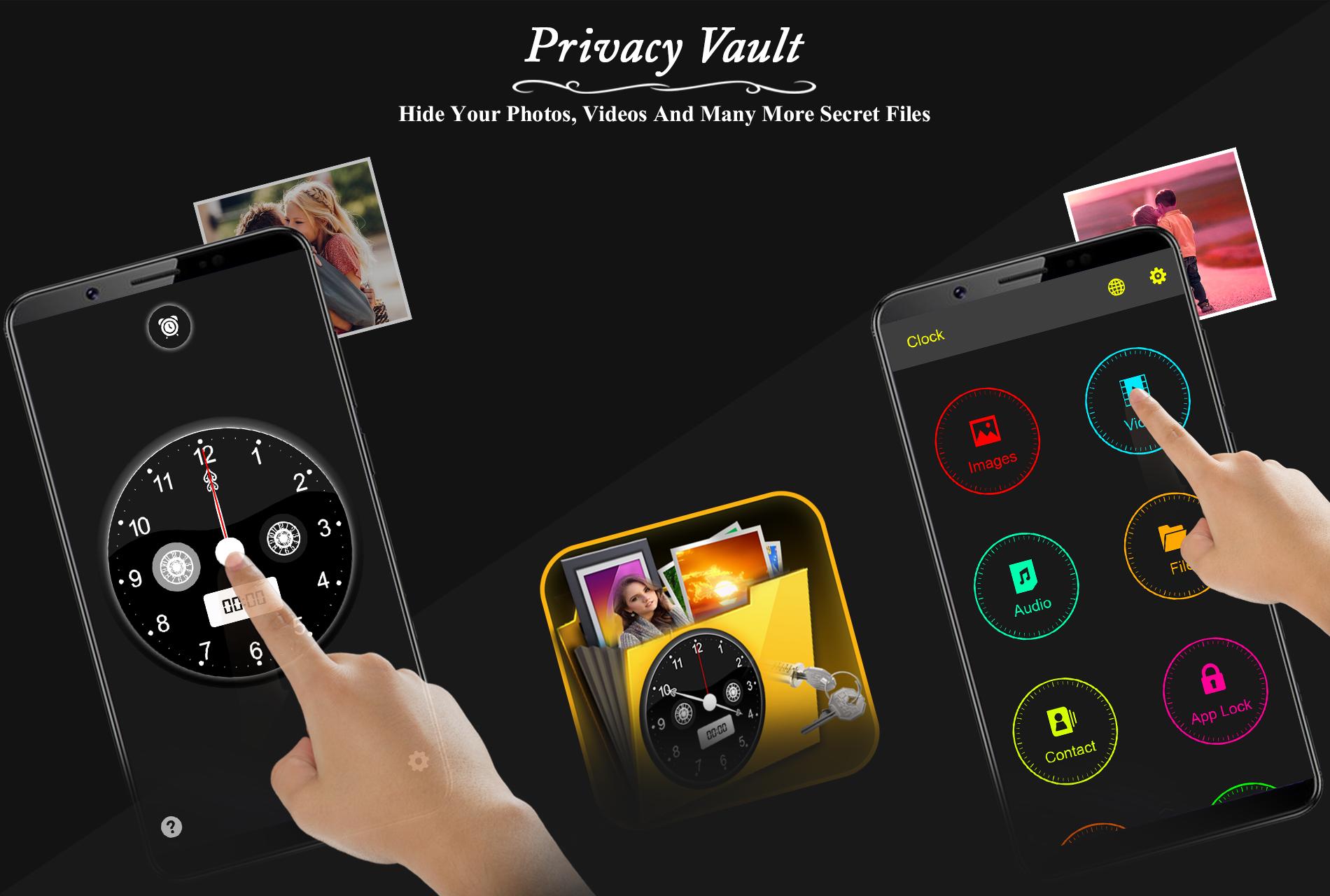
Clock Vault– Hide Photos and Videos Locker is a secret vault protection hide video app to easily keep safe gallery and encrypt your photos, videos and any other files that you do not want others to see. Clock Vault for protecting your privacy as hiding each of the media files using time in form of passcode!
Clock Vault– Hide Photos and Videos Locker is an app that you can use to hide your private Photos, Videos, Files and Contacts without anyone knowing that you are using any kind of vault app.Use this Time vault - photo video locker to hide pictures, hide photos, hide videos and use app lock secretly inside app.Timer Lock, Clock Vault is an app that made your life more meaningful & valuable by growing good behavior.
❤ Clock Vault– Hide Photos, File, Video Locker Features ❤
❤ Hide Pictures: Handily hide pictures to our vault from your gallery with private photo locker.
❤ Hide videos: Smoothly hide your private media to our vault from your gallery with private video locker.
❤ Private Browser(Incognito Browser): Private web browser to download and Lock photos, videos and audios from Internet & leaves no tracks in your system.
❤ Strong app latch : latch your Messenger, Gallery, Browser, Contacts, Email or any other apps you choose. You can also latch Wifi, Bluetooth & recent tasks.
❤ Clock Vault Icon Replace: Replace your Clock Icon with other icons like Vault Calculator, Whether, Music, Calculator Lock, Calculator Vault etc for better disguise Vault.
❤ Fingerprint Protection : You can use your fingerprint to Unlock your secret Clock vault and App latch Fingerprint.
❤ Break-in Alert: Capture a snapshot and mails to you the selfie of anyone who tries to unlock apps behind you. You can also See & save the snooper photo from inside Gallery Vault.
❤ Elegant Design: Smooth and beautiful user experience.
❤ Easy Navigation: You can easily navigate to back screen from anywhere inside Clock vault by swipe right from left edge.
IMPORTANT: Do not uninstall this app before restoring your personal files otherwise it will be lost forever.
❤ Clock vault app uses BIND DEVICE ADMINISTRATOR PERMISSION.
- Clock Vault needs Device Administrator Permission to prevent it from being uninstalled by snoopers & this app never use this permission except for uninstall prevention.
❤ Clock vault app uses BIND ACCESSIBILITY SERVICE.
- Clock Vault need Accessibility services Permission for power saver & help users with disabilities to unlock apps.
❤ Frequently asked Q&A
Q : Forgot password. How can I reset it?
A : To reset password you have to open our Timer Lock and enter 10:10 time on clock and press middle button. It will open password reset screen with secret question set by you, answer it correctly and set new password or press on ? symbol button on screen and it will open reset screen.
Q : I uninstalled this app and again installed. Can I get my locked pictures back?
A : you need to unlock pictures before uninstall. Files are not available in new install.
If you enjoy the app, please share it with your friends and leave a review. We appreciate your feedback.
Thanks for download.....! Enjoyed.
Latest Version
1.1Uploaded by
بحر الهدوء
Requires Android
Android 4.0.3+
Category
Free Personalization AppContent Rating
Everyone
Security Report
Check Now
Report
Flag as inappropriateLast updated on Jan 18, 2019
Minor bug fixes and improvements. Install or update to the newest version to check it out!




APKPure - A multi-platform app store primarily focused on Android, providing extensive app-related content. Discover the app you want easier, faster, and safer, with quick and efficient downloads and installations.