Package Name:ru.skyinnovations.cbgeometry
SHA-256:84963fa3fc623bcc77c56708e6a006d97ddde6b84a5d4c89baa8d9618321d55f
Show More
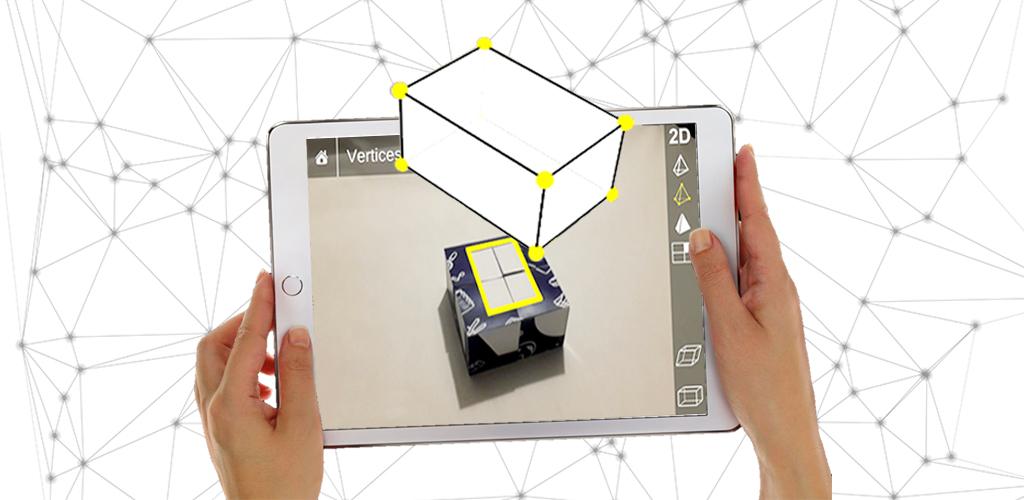
CleverBooks Geometry App allows students to explore geometric solids in Augmented reality and spark their curiosity for 3D geometry. The app features 3D models of five main 2D-dimension geometrical shapes (circle, rectangle, cube, hexagon and triangle) and enables a teacher to explain abstract geometry concepts through 3D visualization.
Pair the app with CleverBooks physical products (Building blocks - https://www.cleverbooks.eu/product/augmented-reality-building-blocks/ and Geometry Workbook - https://www.cleverbooks.eu/product/cleverbooks-geometry-workbook-cleverbooks-elementary-schoolbook-with-augmented-reality-geometry-paperback/) to create an engaging and immersive learning environment for your students in your math class (K1 to K-6). The content is based on global curriculum guidelines and recommended as a supplementary material for the primary school students.
To use the CleverBooks Geography App you need a mobile device (mobile phone or tablet) with a camera at the back.
What can students learn with the app:
View geometric 2D and 3D shapes from all angles
Voiceover for all the shapes and interactions made by kids
See sides of 3D shapes unfold into 2D shapes (decomposition is visualized!)
Check main properties of 3D shapes
Find out about different variations of 2D shapes
Learn and understand fractions
Compare and identify objects in the environment with geometric shapes using Augmented Reality
Develop spatial imagination by observing 3D and flat models
Learn properties of geometric 2D and 3D shapes…and more!
Explore the app content in 7 simple steps:
Download and install CleverBooks Geometry App
Get physical products from CleverBooks store https://www.cleverbooks.eu/shop/
Launch the app and face the camera of your mobile device on the building blocks or a shape marker from the workbook.
Choose between different Augmented Reality scenes to explore interactive content.
Take the test to check your knowledge.
The suggested in-app purchases give access to an interactive game experience.
Check the collection of Activity plans to get come ideas for your lessons https://www.cleverbooks.eu/activityplans/
Download your marker here https://www.cleverbooks.eu/ar-apps/, print it, launch the App and enjoy.
Latest Version
2.0.3Uploaded by
Gustavo Oizimas
Requires Android
Android 5.1+
Category
Free Education AppContent Rating
Everyone
Security Report
Check Now
Report
Flag as inappropriateLast updated on Dec 30, 2025
Minor bug fixes and improvements. Install or update to the newest version to check it out!




APKPure - A multi-platform app store primarily focused on Android, providing extensive app-related content. Discover the app you want easier, faster, and safer, with quick and efficient downloads and installations.