Scan Date:Sep 23, 2025
Show More
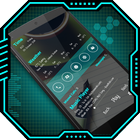
Introducing Classic Launcher, a powerful and user-friendly application that offers a range of features such as AppLock, HideApp, Hitech Wallpaper, Folder, and Themes. This app is designed to enhance the style of your Android phone, giving it a futuristic and next-generation look.
With its clean and perfect user interface design, Classic Launcher provides an easy and interactive control experience. It offers a wide array of wonderful and useful features, including a variety of color themes that allow you to personalize your phone with different styles.
App Lock:
Now you can lock your apps with a password directly from Classic Launcher, eliminating the need for a separate app for app locking.
Hide App:
Using fingerprint authentication, you can hide specific apps from the app list.
Keyboard:
Choose from 50+ different hitech keyboard designs to give your phone a unique and futuristic touch.
Incredibly faster & smarter:
Classic Launcher provides users extremely fast and smarter handling experience with simple and smooth user interface.
Elegant look:
With its colorful and beautiful themes, Classic Launcher stands out as a stylish launcher. The themes are created with love and passion, allowing you to give your phone a new, fresh, ultimate, and virtual look.
Folder:
Effortlessly manage your apps using the folder feature in Classic Launcher. Simply long-press on any icon to convert it into a folder and vice versa, organizing your apps in a better way.
Wallpaper:
Enjoy the Hi-tech wallpaper feature that adapts its color to match your chosen theme. You can also adjust the brightness of the wallpaper or apply your own images from the gallery.
Personalization:
Long-press on any app to personalize your phone further, allowing you to change apps according to your preferences.
Widgets:
Classic Launcher offers a variety of useful widgets, including a clock, weather information, calendar, map, and battery widget, providing quick access to essential information.
Gesture:
With the added swipe up and swipe down gesture feature, Classic Launcher gives you the flexibility to choose the action you want to perform with specific gestures.
Quick Search:
Access all your installed apps quickly by simply swiping down on the main screen to open the quick search feature.
Icon Pack:
Choose from two different icon packs in Classic Launcher – a simple pack and a line icon pack. You can also customize the color of the icon packs to match your preferences. You can also apply icon pack of your choice as well.
Classic Launcher is a fast and easy-to-use launcher for Android, designed with a future UI or next-generation UI style, with its extensive customization options. This app turns your Android phone into a futuristic launcher. It lets you say goodbye to outdated launchers and welcome the new and improved Inventive Launcher - AppLock, HideApp, Hitech Wallpaper, Folder, and Themes. With this app.
Latest Version
32.0Uploaded by
ส.ณ อนุชาติ โยธาคุณ
Requires Android
Android 8.0+
Category
Free Personalization AppContent Rating
Everyone
Security Report
Report
Flag as inappropriateLast updated on Aug 25, 2025
ANR fixed.



APKPure - A multi-platform app store primarily focused on Android, providing extensive app-related content. Discover the app you want easier, faster, and safer, with quick and efficient downloads and installations.