Citron helps users play Switch titles on mobile when a console is not available. It is based on the Yuzu project and is free and open source, so the community can review and improve it. Clear guides on the official site explain the basic steps; meanwhile, community tutorials cover common questions. After a short setup, many games can launch on compatible devices. With Citron APK, you prepare the emulator, then adjust graphics and controls to fit your phone or tablet. Because it is written in C++, development moves quickly across platforms.
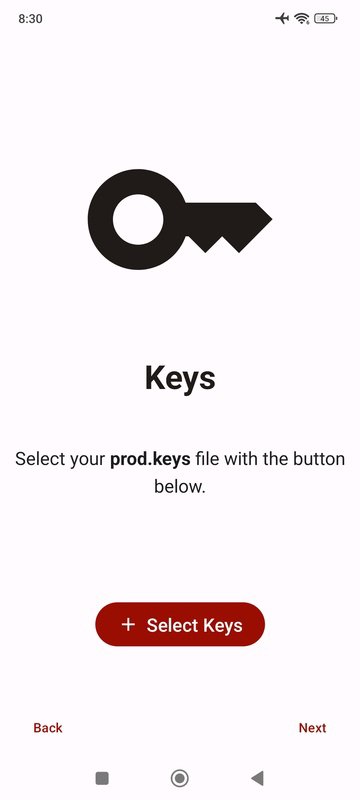
Setup and required files
Flexible control options
By default, Citron uses touch controls with virtual Pro controller buttons. If you prefer, switch to Dual Joycons, right Joycon, left Joycon, portable console mode, or a GameCube controller layout. For more precise input, connect a Bluetooth controller to your device. Once setup is done, you can fine-tune controls to match your play style.
Game compatibility and performance
The compatibility list covers more than 1000 games, representing over 85 percent of the console catalog. Over 60 percent of titles work perfectly, and many iconic games can reach 60 FPS with higher resolution than the console. The list is available on the official site. Checking for the Citron latest version often improves compatibility and graphics options over time.
Citron provides clear setup, flexible controls, and a broad compatibility list for Android. Set up the required keys and firmware, choose your preferred control layout, and launch supported games. To begin, download Citron and follow the steps from the project’s documentation.
Latest Version
3635b6e60Uploaded by
Citron Emulator
Requires Android
Android 11.0+
Category
Free Action GameReport
Flag as inappropriateLast updated on Feb 18, 2025
Minor bug fixes and improvements. Install or update to the newest version to check it out!




APKPure - A multi-platform app store primarily focused on Android, providing extensive app-related content. Discover the app you want easier, faster, and safer, with quick and efficient downloads and installations.