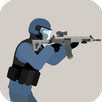
Chicken Gun suits players who want quick sessions with lighthearted action and steady progression. It mixes a comedic theme with competitive multiplayer, so you can jump in for a few rounds without a long setup. Matches move quickly, and the presentation stays bright and playful while still rewarding skill. Customization and gear upgrades help your rooster stand out, and the gameplay remains accessible on a phone. For Android users comparing options, Chicken Gun APK offers a simple way to get started.
Two PvP modes
Chicken Gun lets you choose between 5v5 Team and Free for all. Team mode encourages coordinated pushes and defense across objective areas, while Free for all suits rapid action with everyone competing at once. Matches start fast, so you can enter a lobby, play a round, and move on without a long wait.
Customization for your rooster
You can personalize your character’s look with cosmetic pieces like beak styles, sneakers, and caps. Chicken Gun supports visual flair alongside gear upgrades, so your setup reflects how you play and how you want to appear in the arena. These options give you a clear identity as you swap between modes and maps.
Weapon variety and quirky tools
Chicken Gun offers standard firearms such as machine guns and shotguns, plus humorous explosives like egg grenades. Each choice changes how you approach a fight, from steady fire to close-range bursts to area denial with thrown eggs. You can switch loadouts to test different tactics and respond to the map or lobby.
Colorful 3D maps
Maps use bright visuals and varied layouts to keep firefights fresh. Tight corridors, open sightlines, and cover pockets create different roles for each weapon and mode. The playful presentation softens the tone while still supporting competitive decisions about positioning and movement.
Intuitive controls and solo missions
Controls are simple to learn, helping new players get comfortable quickly. Optional solo missions let you practice weapons and movement, try ideas without pressure, and earn rewards for your time. This makes it easier to refine strategies before heading back into live matches.
Multiplayer revolves around fast matchmaking and active community lobbies. A ranking system tracks your progress across sessions, which gives you a clear record of improvement and consistency. If you enjoy competition, the ranked structure offers measurable goals as you return to play. Periodic events bring fresh themes that keep the community engaged over time.
Round length is suited to short breaks, so you can finish a match in a few minutes and step away. This format helps when you only have limited time and prefer quick decisions over long grinds. Online play depends on a network connection, and most activity centers on live PvP. Players who plan to download Chicken Gun generally look for fast access and immediate action.
This short guide explains the basic flow from setup to your first match. It helps you reach a lobby quickly and start earning rewards. To begin, download Chicken Gun and prepare your phone for online play.
Chicken Gun blends quick online combat with a humorous theme and steady progression. Set up your rooster, choose a mode, and jump into matches built for short sessions. Try the Chicken Gun latest version to access current events and updated content on Android.
Latest Version
1.5.4Uploaded by
Chicken Gun Private Server
Requires Android
Android 8.0+
Available on
Chicken Gun Private Server
Category
Free Action GameReport
Flag as inappropriateLast updated on Jul 30, 2025
Minor bug fixes and improvements. Install or update to the newest version to check it out!



APKPure - A multi-platform app store primarily focused on Android, providing extensive app-related content. Discover the app you want easier, faster, and safer, with quick and efficient downloads and installations.