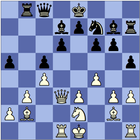
This app recognize chess figures (diagrams) in a book or magazine. It is a free version of ChessOcr https://play.google.com/store/apps/details?id=com.kgroth.chessocr but instead of using the back facing camera, the input is any captured image in the gallery. This captured image must contain the chess figure and is typically obtained by doing a screen capture of a displayed chess figure (from a pdf file or a web page). The input image can also be captured off-line using any camera, which is then transferred to the Android device.
This app can be invoked directly at which point the input picture must be selected. However, if you have an image in the gallery to process (or have a screen capture) then you can also open it and select ChessOcrPict to process this image using the share content icon. Once in ChessOcrPict simply touch the screen to start the recognition process. If recognition is successful it displays the result, and asks you to select which color is to move, which is always necessary. Then it saves each recognized figure in a pgn file, and also puts the most recent one in the clipboard as a FEN string.
Once the position is recognized you can do with ChessOcrPict exactly what you could do with ChessOcr. That is you can invoke an Android chess program like DroidFish, SCIDOnthego or Chess for Android to analyze the position or perform a data base search for games that contain this position (SCIDOnthego). There is a free SCID database that can be used with SCIDOnthego. Simply download the zip file http://www.kgrothapps.com/files/dbsmall-apr-6-13.zip then unzip and put these files in SCID directory.
For best results the chess figure should take up at least half of the input image. If recognition fails then the app simply returns directly without a result. So in summary, this app has the same functionality as ChessOcr, but the input is a static image obtained off-line, and not a live image obtained from a back facing camera. ChessOcrPict does not work well on web pages, but it will work on the pdf files for books and magazines.
Latest Version
1.4Uploaded by
Fabian Jozsef
Requires Android
Android 3.0+
Category
Free Board GameContent Rating
Everyone
Report
Flag as inappropriateLast updated on Sep 6, 2015
Release 1.4 allows the ChessBase Android app to be invoked. ChessOcrPict is free for recognition from screen captures (square figures). But recognition from device cameras (not square figures) requires ChessOcrProKey app and is best done with the ChessOcr app.
Release 1.1 Now allows an image to be specified when the app is started. So the app can be invoked directly, or can be used to process an image in the gallery by using the share content icon.




APKPure - A multi-platform app store primarily focused on Android, providing extensive app-related content. Discover the app you want easier, faster, and safer, with quick and efficient downloads and installations.