Scan Date:Jan 29, 2026
Show More


Car Parking 3D suits players who want precise driving practice, flexible tuning, and varied challenges in one place. It offers structured modes for accuracy and speed, plus open areas for relaxed driving. Returning players will notice a renewed city, updated systems, and expanded social play, while newcomers can start at their own pace. Additionally, cars can be tailored to match different goals, from parking control to drift flow. With the Car Parking 3D latest version, the overall experience feels refreshed for both solo and online sessions.
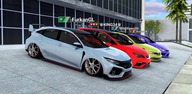
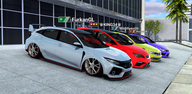
Car Parking 3D lets you shape both performance and style before hitting the road. You can upgrade engines and fit NOS for stronger acceleration, then choose rims, paint colors, tints, spoilers, roof scoops, and exhausts to match a look. Suspension height and camber are adjustable, so stance and handling can be set for parking or drifting. You can also add a custom plate with your name, install trunk bass systems, and control every light mode including park, fog, high and low beams, with LED colors that you can change.
Rich modes and meaningful progressionThere are 560 levels across Parking, Drift, Time Race, and Platform challenges. Each mode has clear goals so you can focus on technique, from clean parking lines to scoring drifts and hitting checkpoints. Stars earned in levels help unlock rewards and upgrades, which keeps progress visible and steady. As you move through modes, you can return to earlier tasks with new builds and compare outcomes without losing your place.
Online drift, racing, and free rideMultiplayer sessions bring other drivers into your world for tandem drifts, casual races, and open cruising. You can meet up with friends, tackle challenges together, or simply explore side by side in free ride. This makes it easy to test a tune in company, compare routes, and learn lines from peers. Sessions feel flexible, so you can switch between practice and play without starting over.
Free roam maps with varietyThe game includes a large, detailed city along with Desert, Highway, and Airport maps. These areas include ramps and stunt spots for testing handling at speed, plus money pickups scattered along routes. You can move between denser streets for tight turns and open stretches for drift practice. After trying a new setup, free roam gives quick feedback on how the car responds in different environments.
Driving tools and clear controlCamera choices include interior, driver, top, and remote views, so you can see angles that fit each task. Steering wheel and button controls are both available, which helps you choose finer input for parking or quicker taps for racing. In city areas, built-in navigation guides the way to objectives and fastest paths. With these tools in place, you can switch settings as tasks change and keep attention on the next move.
The game may appear as Car Parking 3D: Online Drift in some menus or materials. Returning players will find a renewed update with a new city layout, expanded tuning options like LED color control and suspension stance, and active multiplayer modes that support drift and racing. These changes aim to refresh content while keeping familiar driving physics and progression.
Use this quick guide to set up your car, pick a mode, and start driving with confidence. The steps below cover basic tuning, camera choices, and route planning for different tasks in the Car Parking 3D APK.
This game combines precise parking, drift scoring, time trials, and open driving with flexible tuning and camera tools. It supports solo progression and online play in varied maps with clear objectives. When you are ready to explore, download Car Parking 3D and tune a build that fits your goals.
Latest Version
6.1.6Uploaded by
Mahmoud Mahmoud
Requires Android
Android 8.0+
Category
Free Simulation GameContent Rating
Everyone
Security Report
Report
Flag as inappropriateLast updated on Jan 29, 2026
Bug fixes.



APKPure - A multi-platform app store primarily focused on Android, providing extensive app-related content. Discover the app you want easier, faster, and safer, with quick and efficient downloads and installations.