
Car Launcher PRO — a launcher designed specifically for your car. Works on phones, tablets, and Android head units. It combines a convenient app launcher with a trip computer that tracks your distance over various periods (requires background GPS permission).
Key Features:
Set as the default launcher (for head units).
Unlimited apps on the home screen, folders for favorites (PRO feature).
Display current speed and trip data (GPS).
Speed in the status bar.
Quick list of all apps with sorting and uninstall option (long press).
Slide-out menu (trip computer), customizable to your needs. Data: speed (current/average/max), distance, time, acceleration (0-60/100/150 km/h), 1/4 mile. Reset statistics anytime.
View data for: current trip, day, week, month, all time.
Switch between km/h and mph.
Quick access to Google Assistant.
Auto-start (for head units).
3 themes + support for third-party themes, icon packs, music players with cover art.
Weather and location information.
On-screen volume control.
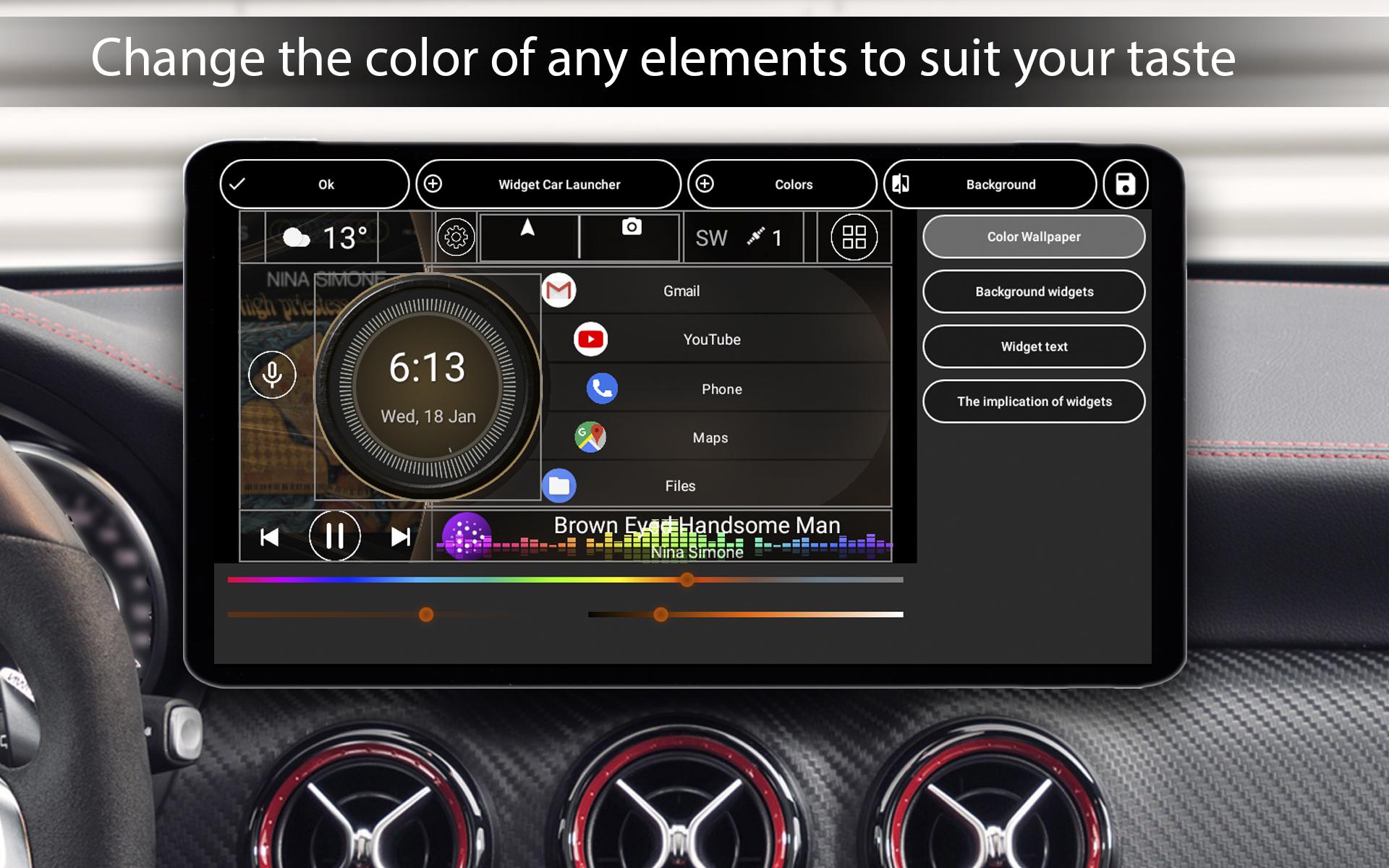
Custom splash screen, adjustable text colors and wallpapers.
Auto-brightness based on time of day.
Customizable screensaver/clock (layouts, fonts, date, colors, dimming).
System widgets and additional home screens.
Theme editor: resize, delete, move elements, assign multiple actions to a widget, lock widgets, change names and backgrounds.
Additional widgets: visualizer, analog clock & speedometer, address, driving/stop time, max speed, acceleration meters.
Favorites settings: infinite scroll, grid layout, curvature.
Custom logo and advanced color scheme settings.
🔐 Important Transparency Notice
Car Launcher uses the Android Accessibility Service.
Why? The service is required to recognize edge swipe gestures (Back, Home, Recent Apps) and convert them into system navigation actions. This provides convenient alternative control.
What the app does NOT do:
• It does NOT read, analyze, or collect your screen content, typed text, or personal data.
• It does NOT change system settings without your knowledge.
• It does NOT collect, store, or transmit your personal data or usage data.
Your Control & Privacy:
• Use of the service is voluntary.
• Upon first launch, a clear dialog will appear requesting access with an explanation.
• You can always disable it in your device settings: Android Settings → Accessibility → Car Launcher PRO.
Found an issue? Email: carlauncher@mail.ru
Latest Version
5.5.0.85Requires Android
5.0
Category
Auto & Vehicles AppContent Rating
Everyone
Report
Flag as inappropriateLast updated on Jan 13, 2026
Minor bug fixes and improvements. Install or update to the newest version to check it out!





APKPure - A multi-platform app store primarily focused on Android, providing extensive app-related content. Discover the app you want easier, faster, and safer, with quick and efficient downloads and installations.