Scan Date:Apr 30, 2026
Show More


CapCut helps users produce short clips, vlogs, and longer videos without juggling multiple apps. It fits quick edits for Reels and Shorts as well as full videos for YouTube. The layout is easy to understand, and timeline controls feel familiar if you have edited before. In addition, built in assets reduce setup time when starting a project. If you plan to download CapCut, this overview explains how it supports common editing tasks from first cut to final export.
Precise timeline editing
CapCut video editor gives you trim, split, and merge so clips fit exactly where you need them. You can adjust speed from 0.1x up to 100x and use curves for smooth changes. Keyframe animation controls motion and zooms, while a multi track timeline and cinematic transitions help structure complex edits.
Auto captions and text to speech
CapCut can generate captions automatically, including bilingual subtitles for mixed language content. It detects and removes filler words to keep dialogue clear. You can convert text to speech with different voice options, then reduce background noise or enhance voice levels for cleaner audio.
Background removal and cleanup tools
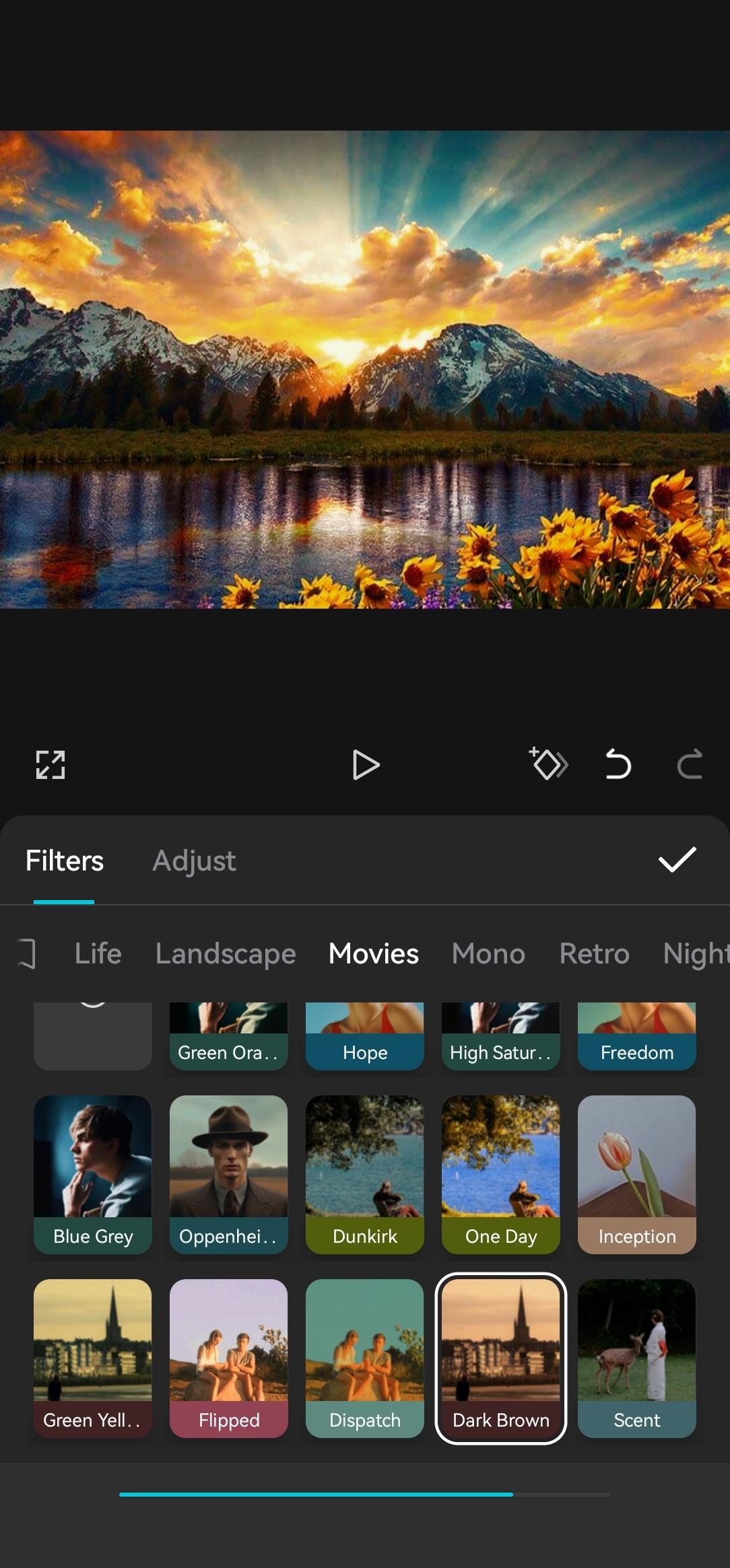
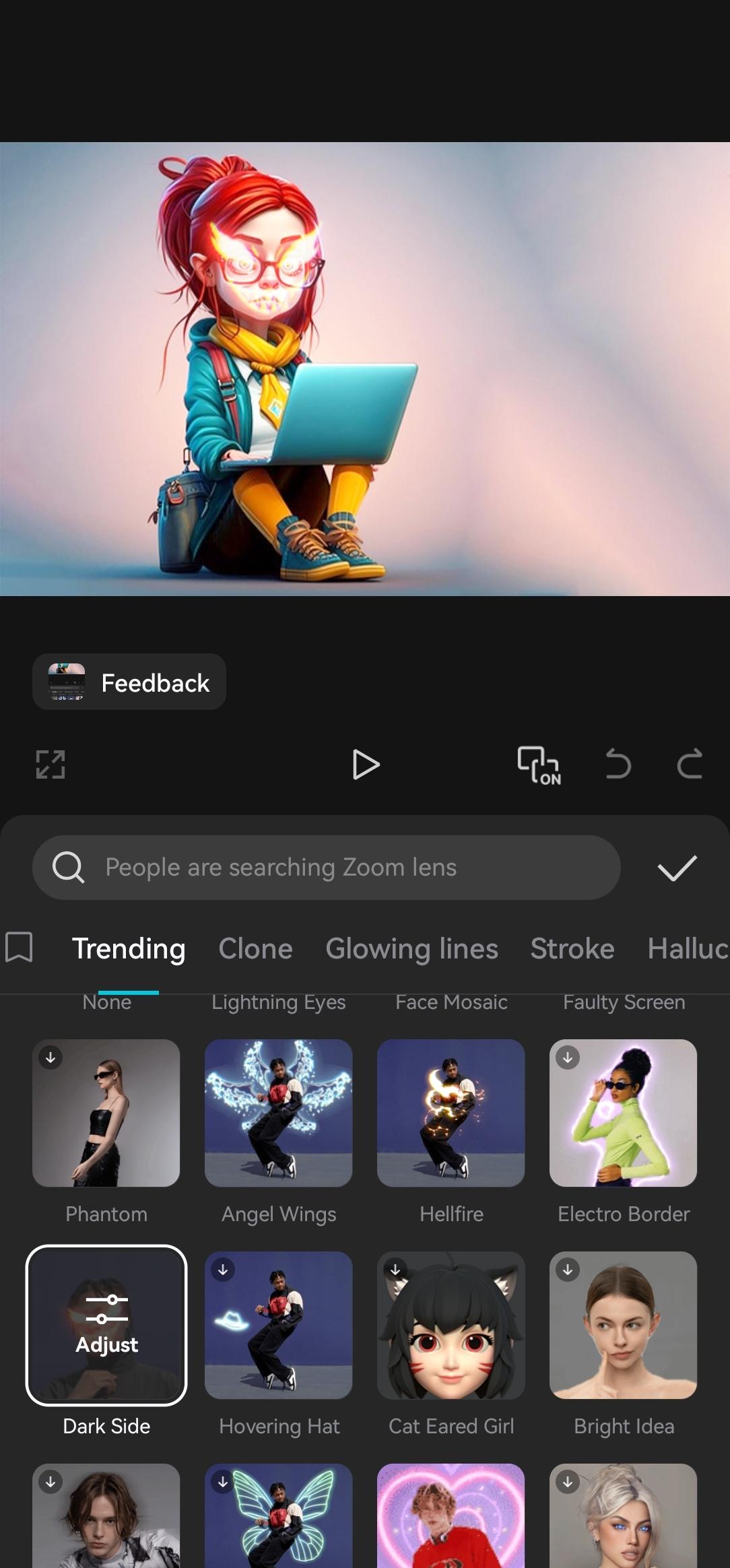
With one tap background removal and chroma key, you can isolate subjects without extra tools. Retouch options and an upscaler improve image quality, and video stabilization helps steady shaky shots. For style, there are many effects, filters, stickers, and built in fonts to match different edit trends.
Templates, Dreamina, and Pippit
If you prefer a fast start, the template library suits Reels and Shorts. Dreamina can generate images or videos from a text prompt. Pippit turns text, links, and images into drafts that are ready to refine and post. This helps you move from an idea to an edit with fewer manual steps.
Audio options and flexible export
You can use millions of music clips and thousands of sound effects, or extract audio from a video and import your own recordings. When the edit is complete, export in custom formats up to 4K at 60 fps with Smart HDR. Quick share options send your video to TikTok, Instagram, YouTube, WhatsApp, and other platforms.
CapCut is free to use for core editing, templates, and standard exports. An optional CapCut Pro upgrade adds advanced AI features, exclusive assets, and additional cloud storage for projects. In the editor, paid items are labeled so you can decide before applying them. You can complete full edits without Pro if you only need the basic tools and standard assets.
Service availability can vary by country. Access is currently restricted in India, which leads some users to install the app through APK packages. Before installing, confirm that the app is supported in your location and check any local service updates. If you look for the CapCut latest version, reviewing release details helps you understand new templates and AI options as they roll out to different regions.
This quick guide shows the basic flow from import to export inside CapCut. It covers media setup, key edits, captions, effects, and final output. Use it as a starter when installing the CapCut APK for the first time.
Open CapCut, tap New Project, then select your videos and photos. After that, confirm to add them to the timeline.
Trim and split clips to set the story order. Next, reorder clips by dragging and add transitions where needed.
Tap Text to add titles or generate auto captions. Then fix any words, adjust style, and set timing on the timeline.
Add effects, filters, or stickers, and try background removal if you need a cleaner subject. After that, fine tune color and stabilization.
Tap Audio to pick music or sound effects, and balance levels. Finally, choose Export, set resolution and frame rate, then save or share.
CapCut covers everyday editing tasks from quick social cuts to longer videos, with AI tools that simplify captions, cleanup, and timing. Download and install CapCut latest versionAPK from APKPure and begin a new project in minutes.
For official resources and support, use the links below.
Official website: https://www.capcut.com/
Support email: capcut.support@bytedance.com
Latest Version
17.7.0Uploaded by
Eris Behluli
Requires Android
Android 6.0+
Category
Free Video Players & Editors AppContent Rating
Teen
Security Report
Report
Flag as inappropriateLast updated on Apr 30, 2026
"- Fixed some known issues - improved the trimming experience.
We thank you for supporting CapCut and look forward to creating beautiful moments together."




APKPure - A multi-platform app store primarily focused on Android, providing extensive app-related content. Discover the app you want easier, faster, and safer, with quick and efficient downloads and installations.